ZBrushCentral

Need help on creating a helmet

K I’m very new here and to Zbrush 3 and not sure if I’m in the right forum but I know I’m at the right site
so if anyone could help please

Basically I’m trying to create a helmet for my character and am having alot of problems figuring out what the easiest method is to acheive that process…

I tried alot of things already and have veiwed alot of tutorials but can’t seem to find the right 1 to help me out

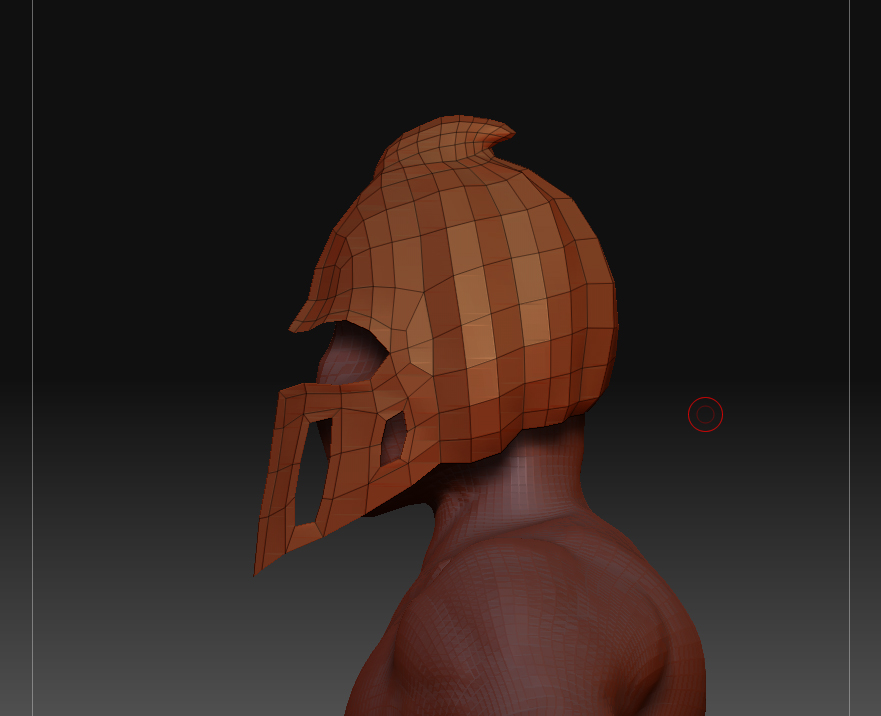
I have a side veiw of the helmet in low polys here exported from maya but was wanting to make everything for this guy in zbrush so its all uniformed and looks right, I’m not even sure if the topology here is right for zbrush but so far the only problems i’ve had is loosing the sharpness in the mask from dividing which is what i do not want and I want to have a thickness layer to the helmet so it does not look like a sheet of paper on his head, I tried so many different extracts booleans ect. but the geometry comes out crappy and I don’t wanna overload with unneeded geometry as well:rolleyes:

hope this all makes sense

can someone offer some good advice in what steps to take to acheive this or point me in the right direction
Thanks alot:cool:

Attachments

helmet.jpg

I would use retopology rather than mesh extraction for this. You can lay out the polygons however you want, and can set a thickness value to the resulting skin.

http://www.pixologic.com/docs/index.php/Creating_New_Topology

aurick

thanx alot I had actually been retopologizing this before the first post and I guess i just wasn’t doing it properly:confused:

I have 2 more questions if you don’t mind from anyone actually if they can help;)

1.As long as I have quads in my mesh and its topology is clean from zbrush or like maya am I ok to sculpt,normal map,polypaint,or texture

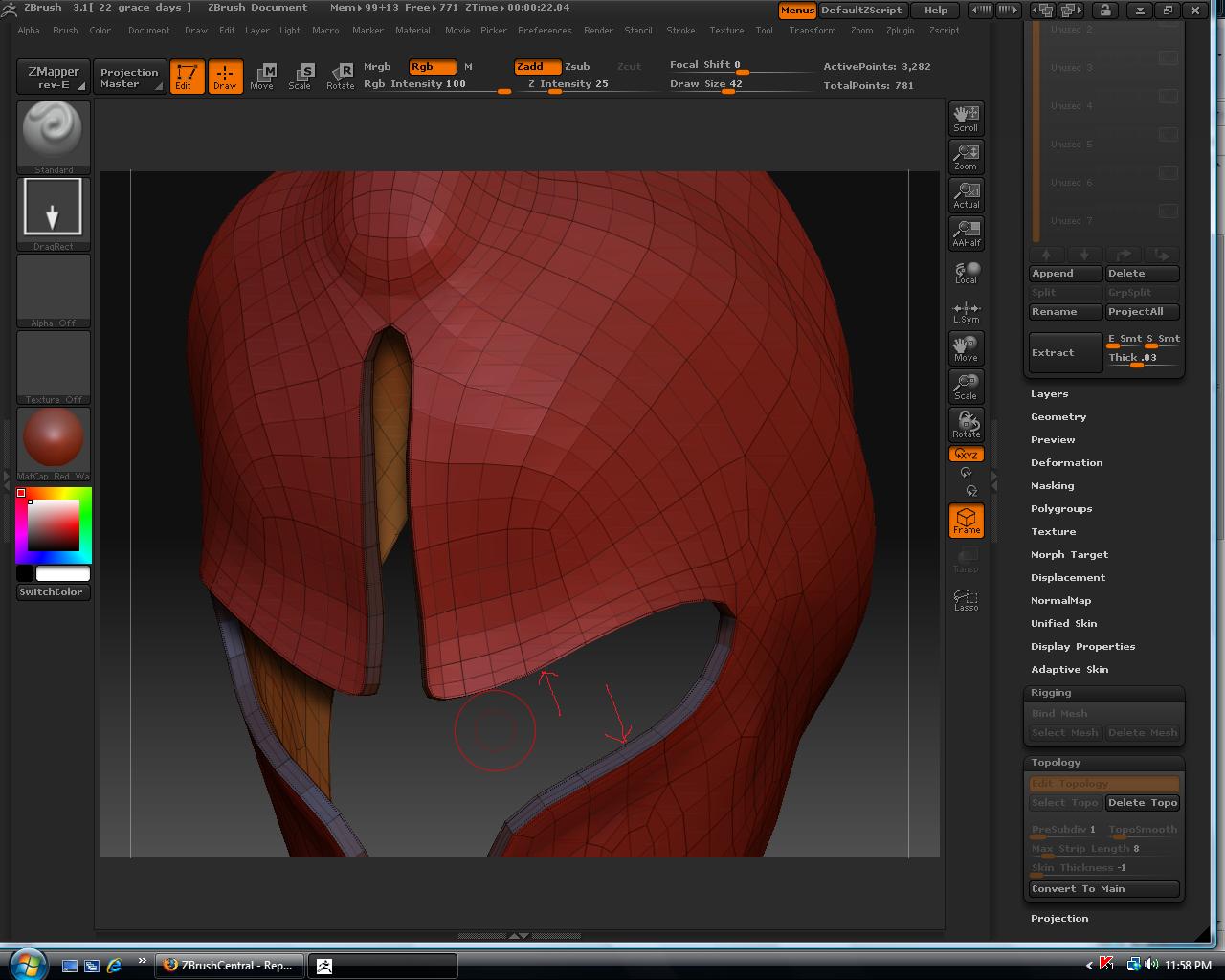
2.I notice there are extra dotty edge loops that form from the thickness or extractions for that matter will this be a future problem when i go to sculpt in details or move the mesh around with move tool and if so how can i fix it

Thanx alot:D

Attachments

h1.jpg

Those dotted lines represent creases. ZBrush applies them automatically so that when you divide the mesh you’ll have crisp edges there. If you don’t want them, Ctrl+Shift+Click on the polygroup, then press Tool>Geometry>Uncrease.

And yes, after you have skinned the new topology you can certainly sculpt and paint it.

Yo!!
thanx so much for that helpful info and quick response friend

sorry to be a pest, but I’m workin on a new demo reel and want things to go as smooth as possible so I have one more question for right now…

After I make adaptive skin is that all i have to do or do i have to click make polymesh 3d also and do I adjust the sub d lvls in the “adaptive skin density slider” cause it only gives me 2 lvs to work with in the geometry sdiv slider?:rolleyes:sorry bout the noobness

in the future if I have any further questions about my work flow can I just post it here or do I have to make a new thread as long as its related
Thanx again:D

I can’t figure out why zbrush is crashing on me after I load my tool:mad:

Steps taken:
-made helmet adaptive skin
-appended to main character
-saved out and loaded back in and it crashed

but when I save out main character appended to helmet it loads fine
my main concern is will this possibly be an issue with the geometry later?

I did a Test with appending two pieces of geometry from “zbrush default tools” after making polymesh 3d… saved them out back and forth and it loaded fine everytime, so is it my geometry?
Thanx:)

Use SubTool Master to save your models. It has routines in it that protect against this sort of thing. You can get it from the Download Center (see my signature).

Hey Aurick thanx alot for all the help friend
The Subtool Master is Awesome so far…

Another question, well actually need opinion

What would be the best way to create a half and not a whole object for armor or helmet not in maya but straight out of Zbrush and then duplicate it and merge the two parts to make one
Would I just retopologize from a scratch surface or default mesh

or would it be easier to just import a mesh from maya into zbrush

Thanx alot