I have some problem with Retopology. I am not sure the object become ‘ghost’, and I can see though all those ‘lines’. How or where can I disable it? Thanks for you help.
Attachments
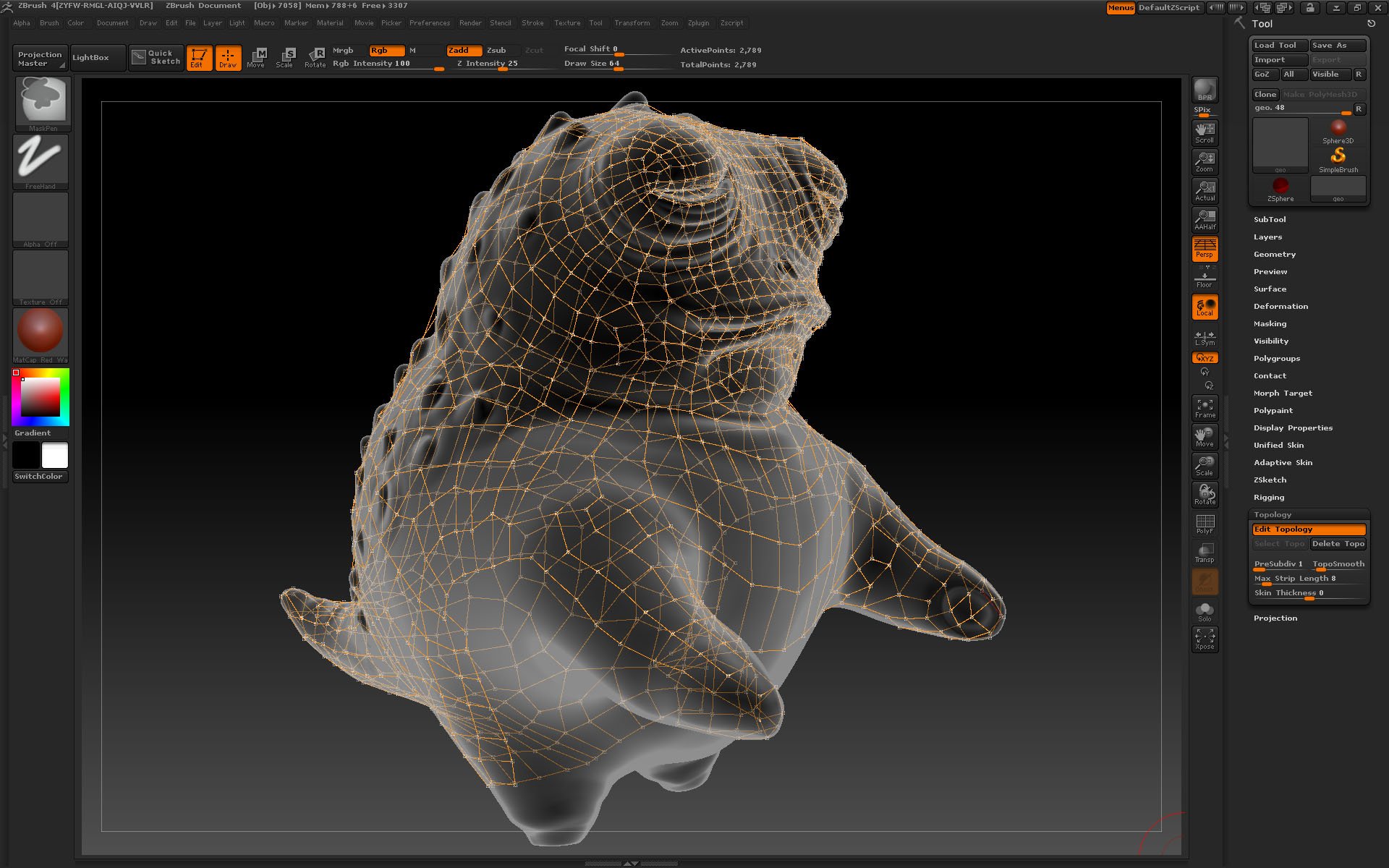
I have some problem with Retopology. I am not sure the object become ‘ghost’, and I can see though all those ‘lines’. How or where can I disable it? Thanks for you help.
The ‘ghost’ effect was gone after I re-click on the ‘Edit Retopolpgy’ button. But I still can see through the other side ‘lines’… sigh…

Change the slider in Preferences>Draw>Front Opacity to 1 and the model is no longer opaque.
Playing with the opacities can make retopo easier in tight spots when you need to see something of the points behind the model but only to a degree they do not distract you.
This has been extensively discussed already. Do a search and you will see. People complain that they can see through the mesh, so they turn Front Opacity to 1 and then they complain that the lines are buried and they can’t see them. I am sure that Pixologic is well aware of the issue and is doing something about it. At any rate, it’s not impossible to work with if the Front Opacity is at 1. These are my settings: Front Opacity 0.95 Back Opacity .01
You can also play around with materials and color to find something that would make the lines more visible on the front.
Posted by jagannath:
“and the model is no longer opaque”
I’m sure you meant to say transparent and not opaque.
To all guys, thanks for your help!
