ZBrushCentral

Need help importing ZTool from older version

I found this ZTool from Nick Zuccarello’s blog

http://nickzucc.blogspot.com/2008/08/human-male-athletic-final-model.html

but when I tried to import it into ZBrush 4 it seems to not import the tools properly.

Is there a way to convert the tool so that it can import into version 4 of ZBrush?

what is wrong with it?

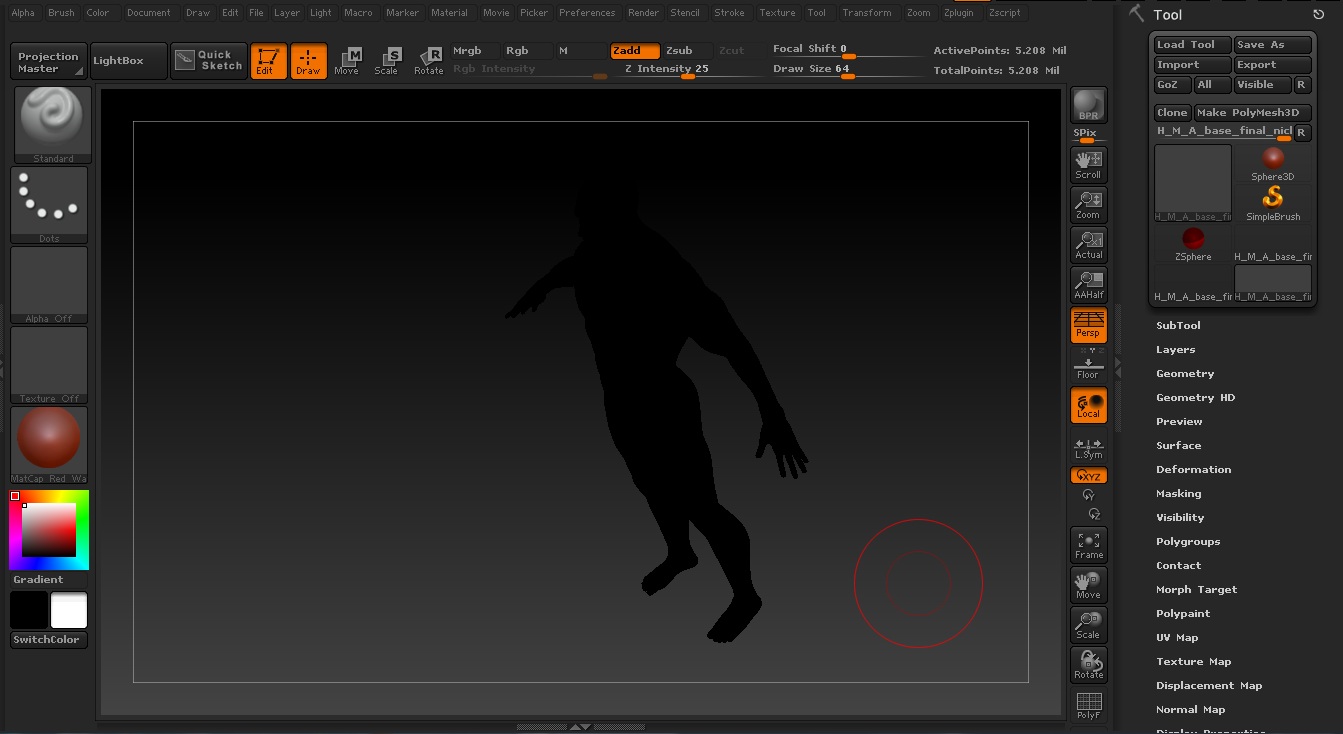
I follow the reply by Nick himself that I need to re-save the ZLT with 3.5R. I import the tool into 3.5R and re-save it. Then when I load the re-saved version of the tool in ZBrush4 and I got this black mesh instead…

I am not sure why…

[Image.jpg[/ATT]%3C/font%3E"]

](http://%3Cfont%20color=%22#9A9A9A%22%3E[ATT=)

Attachments

Image.jpg

It could be that you don’t have the same material that he used. Try to fill it with your own material. Turn on Mrgb, select your material, then go to ‘Color’ menu and click FillObject.

Hi zber2,

I tried to fill my object with other material but it doesn’t change anything. The mesh still completely black… :expressionless:

Perhaps someone has a working version for Zbrush4 can upload the file?..

That’s odd, I have the same original file and I didn’t have any problem opening it ZBrush 4. The file is 71 MB, so uploading it here is out of the question. I’ve tried uploading large files to a few different file shares but it is virtually impossible, unless you pay for their premium service.

Maybe try deleting the UV’s and see if that does anything.

edit: I should add, if you do get it to work, that the morph shapes that nick put into the mouth and arms don’t work in ZBrush 4. They just explode the mesh when you try to adjust them. I think it has something to do with the new 3D layer system in ZBrush 4.

edit again: OK, just to check, I downloaded the file again from Nick’s blog. It loaded no problem, but I noticed it loaded with the bronze material when I had the default red wax selected. I believe it has one of the antique bronze materials baked into it. So if you don’t have that material in your materials folder, that might be the problem. I have uploaded the 2 Antique Bronze Materials if you want to try it (put them in ZStartup\Materials folder)… It’s possible that you have to open it with the correct matrial first before you can change it, because I was able to open it with the bronze material and then I was able to change the material using the method that I outlined above in Post#4.
Hi zber2,

After messing around the zbrush, apprantently it was the issue with “colorize” under Polypaint. I unchecked it and the model turn back to the red clay color…

Between that, thanks for the materials…