ZBrushCentral

Need help about the use of materials!

Hi!

2 weeks ago I discovered Zbrush and after watching tutorials for 2 days I started my first project.

I decided my first project would be ‘Tessai’ from the anime ‘Ninja Scroll’,a stone gollem(my favorite character):
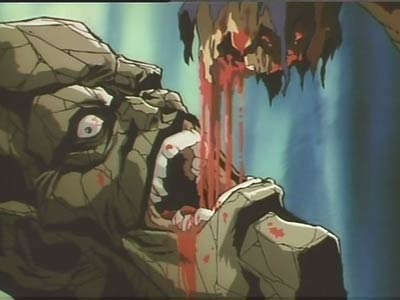
image088.jpg

i’m making good progress now, I uploaded my progress so you can check out my WIP Tessai:

http://nl.youtube.com/watch?v=s7i94-dCd00

Now my problem:
I don’t know how i can make my subtools a new material without changing the rest; for example: when i want to change the teeth to toy plastic the WHOLE mesh changes into that, how do I change a subtool to a new material without changing the whole mesh???

Thanks in advance!!!

Slice

Attachments
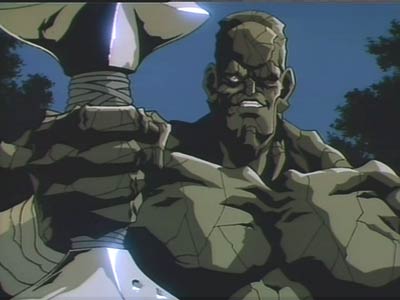
image119.jpg

Choose the material you want to apply. Turn on the M button, turning off the RGB and Zadd buttons beside it. Then select the Standard brush, choose the Drag Rectangle stroke and draw out a rectangle to cover your model.

Change your material and repeat this for the other sub tools as needed.

Cheers,

R

See here:
http://www.zbrush.info/docs/index.php/Materials_and_SubTools

Wow thanks guys you totally fixed my problem!!

Nice info Marcus, you know, I wanted to edit the BasicMaterial2 from zbrush as soon as it was putted on my character. So, I dead out the speculat value and some other settings were edited, after that I saved the tool and each material I´d putted and edited on my character, but when I load my tool again the material come like it is for dafault in zbrush.
Every time I have to load the objet with it´s subtools, I have to load again each material i have edited.
I think I´m doinfg well the basic steps…select a material, go to fillobjet…edit the material, save it…

Thanks for advance!!!

Augusto.

Augusto,

Materials painted on to a model behave like ‘slots’ - the position of the material in the material palette is stored, not the material itself. That’s why you have to load your saved materials back in for them to appear.

There’s an easy way to save everything so it can be loaded back in:

  1. Save your model.
  2. With your model drawn on the canvas, switch off Edit.
  3. Save the document from the Document palette.

Next session:

  1. Open the document you saved earlier.
  2. Load in your model.
  3. Draw model on the canvas and enter Edit mode.
  4. Press Ctrl+N to clear the canvas image behind your model.

HTH,

Thank you very much Marcus, I´m new in zbrush and that was an incredible doubt!