ZBrushCentral

Need a question answered

I am following a tutorial for an older version of ZBrush (4R3 or 4R4) and I have run into a conundrum.

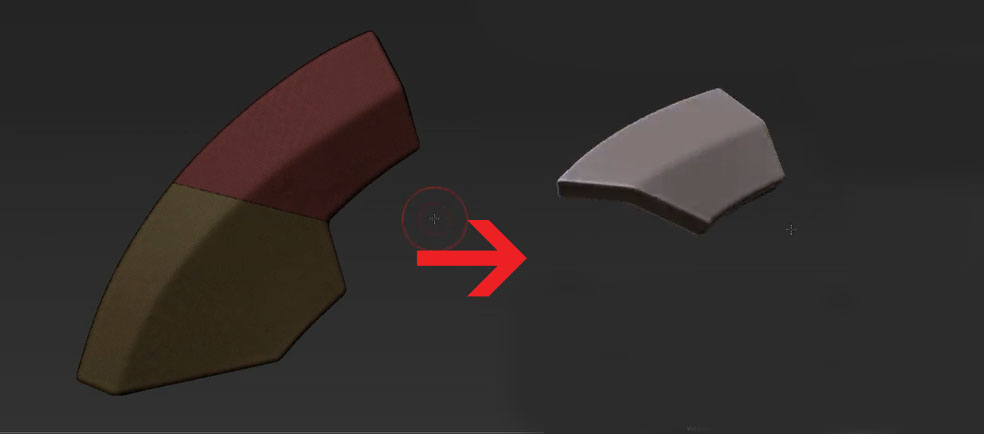
In the tutorial we are directed to use the slice curve tool and then dynamesh with Groups on. This is supposed to create 2 separate pieces each capped off.

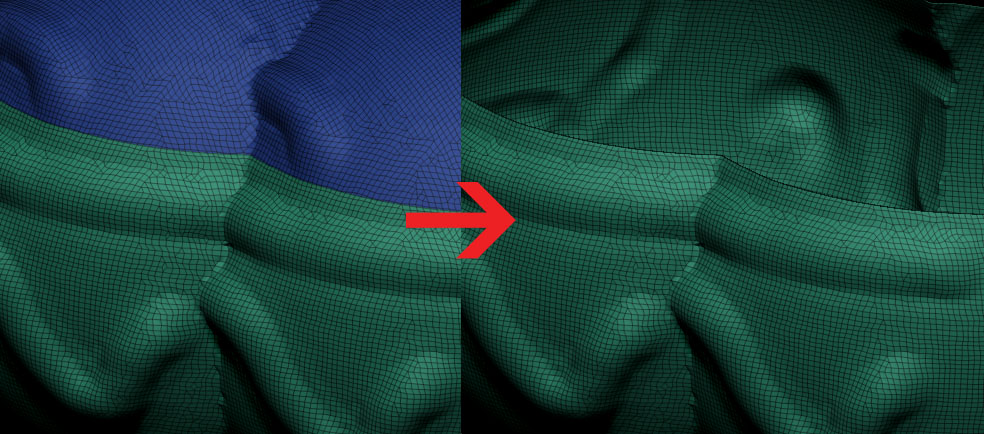
In 4R6 it does everything right except it does not cap off the object so you get a nice cut, remeshed, but the objects are hollow.

In my object (the image of the blue and green object) you can see that after the cut and remeshed it is hollow. In the tutorial (the yellow and burgundy image) after the cut and remesh, it has a nice cap.

Am I missing a setting or did they change something? How can I get it to work like the tutorial?

-Hawke

[FONT=Times New Roman] Ps. Sorry if this is the wrong forum for this, I didn’t see one that seemed appropriate.

Attachments
MyExperience.jpg

Tutorial.jpg

http://docs.pixologic.com/user-guide/3d-modeling/hard-surface/clip-brushes/slice/ and http://docs.pixologic.com/user-guide/3d-modeling/hard-surface/clip-brushes/trim-curve/ might help you out.

The behavior for this function is slightly different in the new version. The process to achieve those results is now this:

  1. Slice or otherwise divide your mesh into separate polygroups.

  2. In the subtool slot for the active tool in the subtool menu, switch ON the polypaint (brush) icon next to the visibility (eyeball) toggle. If you don’t do this, you will get complicated overlapping polygroups that require a bit of work to separate.

  3. Clear any masking and dynamesh the object with GROUPS active. This will result in multiple contiguous polymeshes with separate polygroups.

If this still doesn’t result in the desired outcome, there is an issue with the mesh you are trying to divide.

Thanks guys.

So following your directions resulted in exactly what I wanted. While the new surfaces were different polygroups, this works ok with panel loops or some of the other new tools. I will be able to accomplish what I need to with it. If I need it to behave as if it were a single group Autogroup seemed to do the trick.
-Hawke

If you need to maintain the same polygroups through the remeshing process, leave polypaint turned off. Be warned this will create some complicated polygrouping that will require extra work to pull apart should you wish to do so, whereas with the original method you could just Ctrl-click on a piece in Move mode to autmomask and move as desired.

See this thread for details:

http://www.zbrushcentral.com/showthread.php?181309-how-to-use-slice-tool-and-dynamesh-to-create-separate-pieces-of-geometry