Hi guys,
I’ve been having a tremendous amount of ZBrush issues and I’m getting closer to narrowing the source down before I submit a ticket to Pixologic and I was wondering if someone can do me a huge favor and download the subtool I link to and simply try and make a multimesh insert brush with it (PLEASE save your work first).
Here is a link to the tool: https://www.dropbox.com/s/1s4205qoagrvky1/BricksComplete.ZTL
Its about 2.12 gigs so its a larger tool. You would simply need to drag it onto the canvas and go to Brush -> Create Insert Multimesh and wait for it to finish.
Tate Mossessian did this exact technique in his bricks tutorial but when I try I get a crash which I can replicate on two Mac’s each with fresh images and fresh installs of ZBrush. It seems that ZBrush runs into an issue and cannot write more than about 4.5 gigs to the temp folder (regardless of operation, MMI, qRemesh, Subtool Master, etc) before it crashes with an “out of space error”.
If anyone could try this for me on their machine I would hugely appreciate it. I’m trying to do as much troubleshooting as I can before handing it over to the Pixo guys.

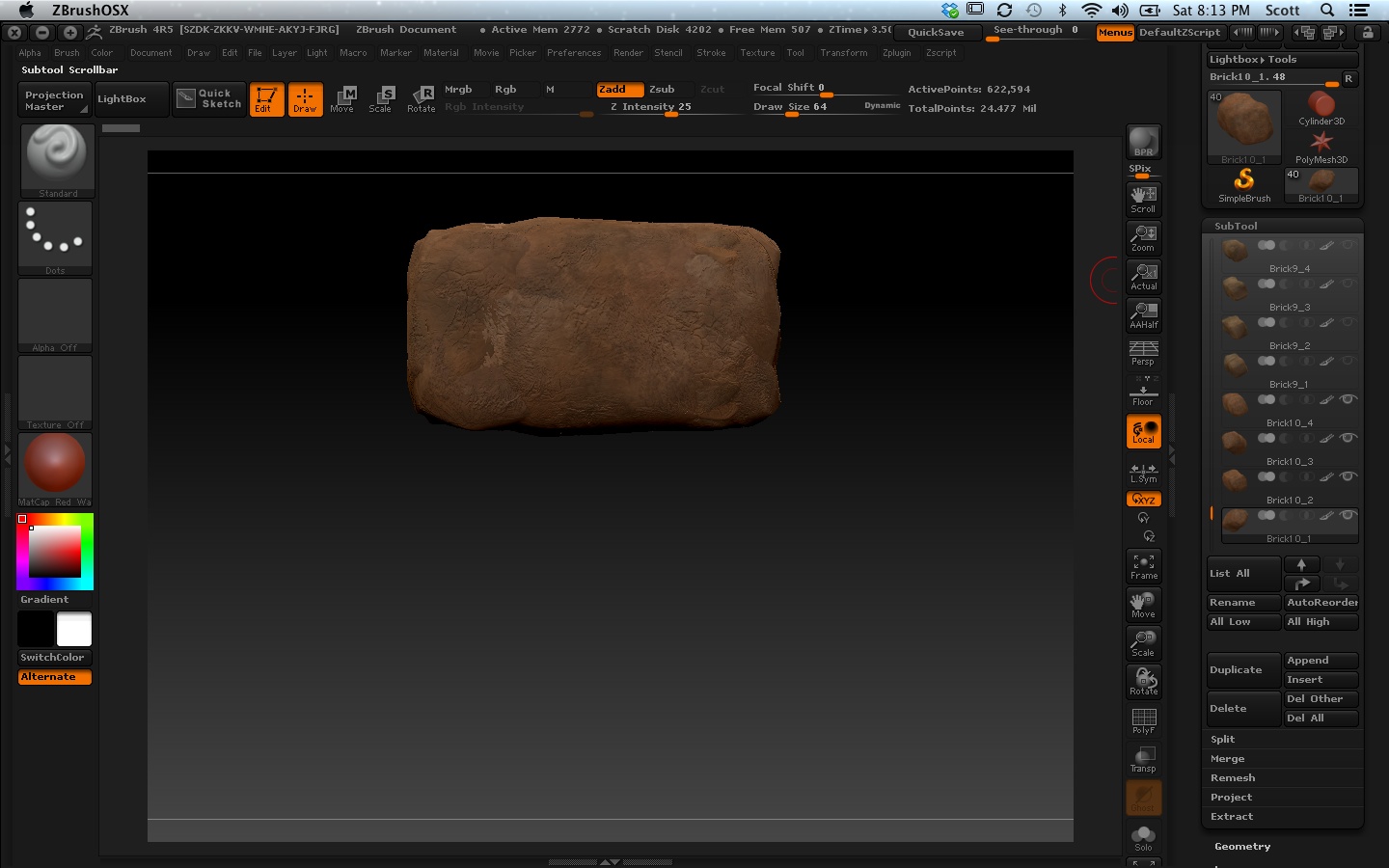
 Here’s a screen shot from video 2. Thats the polycount from the brick he is working on in the beginning. He does something because around the 13:00 mark when he loads his premade bricks his polycount is much much lower.
 Pixo should definitely hire you!