ZBrushCentral

N00b question

Hi everyone, I’m new to this forum and I think I can say to be new to ZBrush (I started using it 3 months ago).
Let’s jump to the point: I need to make a Racing Suit like this one http://img121.imageshack.us/img121/6621/sparcowhite674.jpg and I don’t have too much time (one week or less), but I don’t have enough experience with ZBrush to decide the best, smart and quick technique to make the squared stitches, so I decided to ask you as I know this place is full of experts and amazingly talented people. :cool:

So, how can I quickly make the squared stitches? (detailed information are appreciated)
Thank you for your help!
I’m nowhere near an expert, but, from what it looks like, for a pattern that big the best way would be to just draw it in. I would use the damien_standard brush at a low Z intensity with Zsub selected. Turn on lazy mouse and symmetry and start drawing… Good Luck!

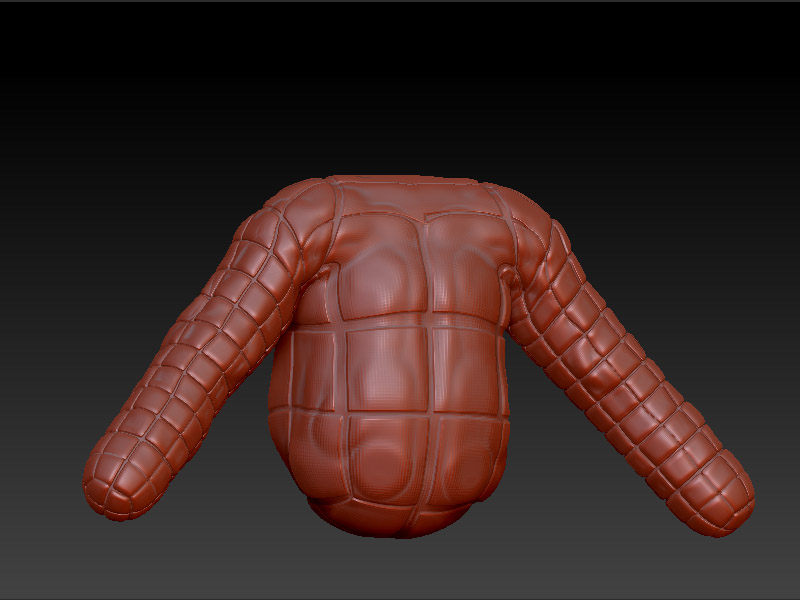
Create your model with zspheres, and create PUV tiles Uv’s for it, sculpt the major forms of the clothes and then assign a grid texture to your model, then mask the model by texture’s opacity and use the inflat deformations to get the squared pattern.

This method will make the subd-1 level faces one big square stitch.

This will work the best with clean and even topology, so, i would reccomend to make the base mesh in another 3d app, or to use retpology inside zbrush (search the froums) to control where will the stitches be made. Notice how the sleeves of the jacket are moreless the pattern that you are looking for, but the center piece is a bit different

[SquareStitches.jpg]

Thank you for your suggestions guys, I’ll see what I can come up with.:wink:

Stich brushes
One here but it is for jeans
http://www.zbrushcentral.com/showthread.php?t=48121

and one here these I have been using non stop as of late. This thread has several to choose from. and work really well in 3.5r3 version with the roll on.

http://www.zbrushcentral.com/showthread.phpt=71622&page=1&pp=40&highlight=Brushes

Hope this helps and happy zbrushing. :smiley:

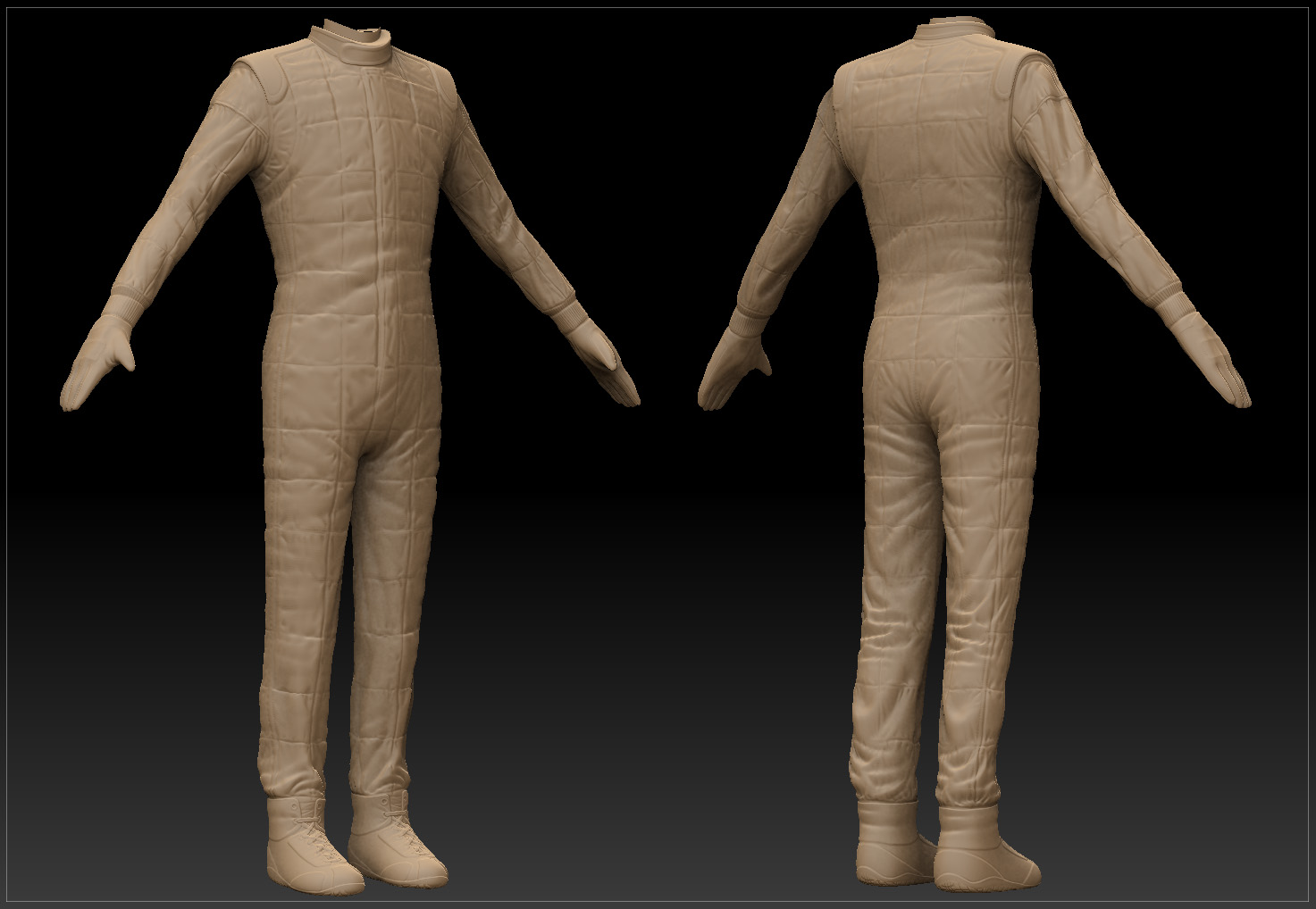
Thank you to all you guys. At the end I used the Selwy_Fold brush and I painted manually. This is the result, the belt and the pockets are missing because in the final low-poly model will be covered with another object, so it was a waste of time to model them.

I have another n00b question: how can I make an hi-resolution render within Z-Brush? Is it possible? Or do I have to export the mesh in another 3d application? Any suggestion? Thank you!

<img src=“http://www.zbrushcentral.com/pixo/atn.gif”>

Attachments

pilot_suit.jpg