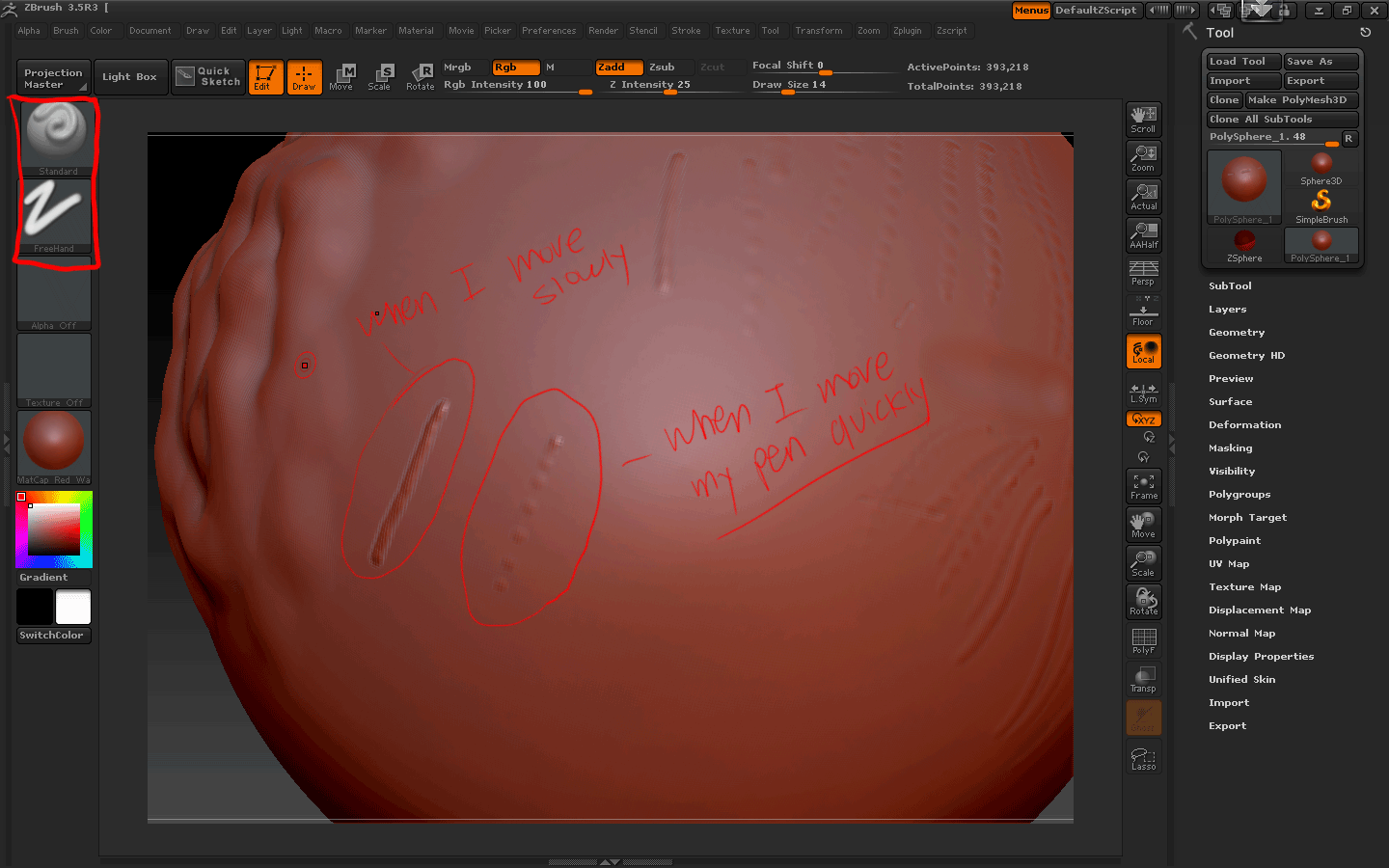
As you see the picture, when i set my brush size to less than 16 and move around my table pen quickly, the line is like dotted… like this ->(. . . . . . . . . ) but that is not waht i want… i want the line to look like the one left, which is straigt and clean. The funny thing is… I get straigt and clean line when i move around my tablet mouse very slowly… I also tried this with my regular mouse but same thing happens… If i move around my mouse quickly, it shows dotted line and if i move around slowly, i get straight line that i want. If i set my brush size to big, then it doesn’t matter if i move quickly or slowly and i get the shape i want but lets say my brush size is like… 14 or smaller than i get dotted line. Is there a way to fix this dotted line problem!!? 
Attachments