ZBrushCentral

My tablet will not show the entire zbrush UI

My little ASUS EP 121 tanlet has a max screen resolution of 1280 x 800 and it cuts off the bottom of the ZBrush interface. I have tried querying this in the search but to no avail.

Has anyone designed a custom UI that puts some of these lower icons within the frame?

Thanks and I apologiaze up front for asking what must have been asked before but I was not able to word my search to give me any leads.
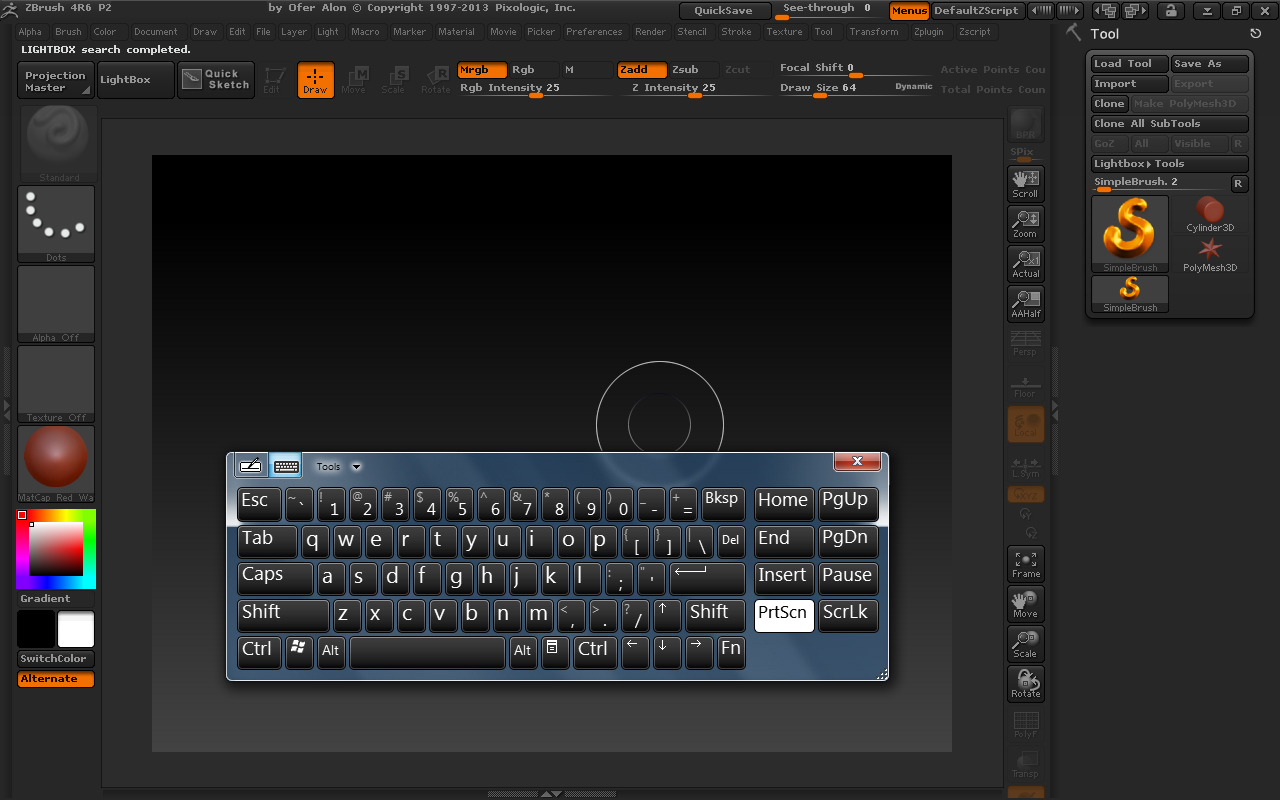
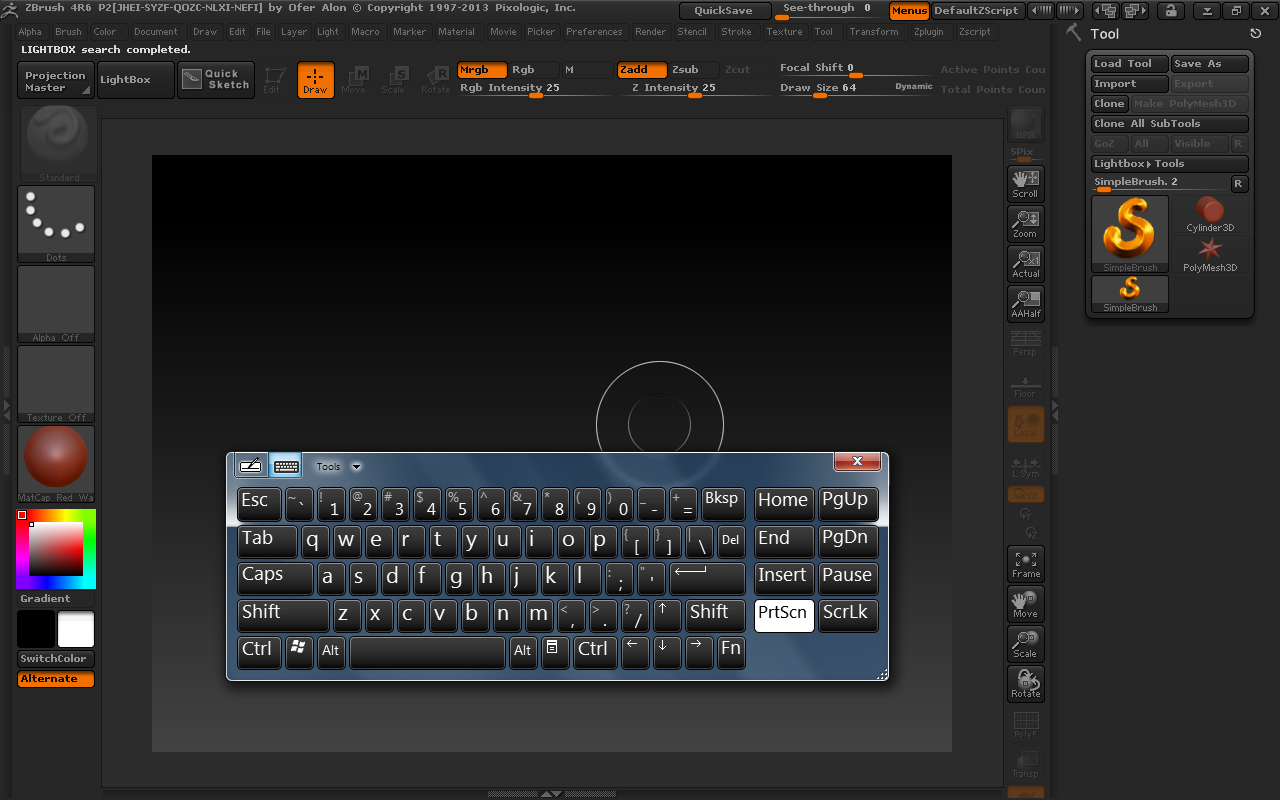
do you need those icons? Can you just build a new UI that fits your resolution?
Have you tried turning off the menus on the top to add more space?

No I have not tried to close the upper menu. I will try that. I have not been able to get to those bottom icons on this computer in order to move them.

Thanks for the reply.

That makes total sense, you can’t move something you can’t see!
Im going to TRY to make a UI for you but I haven’t done this sort of thing before, how far down can you see?

Actually when I try to customize it I lose the ability to see the Xpose button, I think someone with a bigger monitor than either of us has should do this.
ZBer springs to mind!
GRIN!

I can see the transp button completely and just the top of the one below that.

Thanks MealeaYing for trying to help.

It would help if you posted a screenshot of your complete UI so we can see what real estate you have available for moving buttons to.

Here is what I have showing. Thanks for replying.

zbrushui.jpg

Attachments

zbrushui.jpg

The one in lower right that’s cut off is accessible from the Transform menu. Hide menus at the top they might show to drag the away while customizing to something usable. You’ll want the Axis Plug.

I’ll have a custom UI for you in about 5 minutes.

I moved the buttons that you can’t see over to the left side, just under the ‘Alternate’ button. I removed Quick Sketch button and moved everything at the top over to the left so you can see your Active Points and Total Points. (the Quick Sketch button is in ‘ZPlugin > QuickSketch’ if you ever want to use it)

Extract the zip file to your Users/Public/Public Documents/ZBrush Data/ZStartup folder.

Open ZBrush and go to ‘Preferences > Config’ and click ‘Load UI’. Navigate to the above folder and load the UI. When UI is loaded, store the config by pressing ‘Ctrl+Shift+I’ or you can click ‘Store Config’ in Preferences > Config.

Wow…thanks for taking the time to do this for me Zber. I got the zip but have to run out for a bit. I will install it tonight. And thank you doug for the info about finding the alt in the transform menu. I am grateful for all the support I have received since asking for help on this.

No problem, a screen grab of my interface is at least 4 times the size of my monitor. Lots of menus. Been working on mine for over a year and I’m still not quite happy with it. ;). Happy ZBrushing!

The custom UI you made works great…thank you.

Is there a key combination that will save it as the default UI fo me? So that it opens when I start ZBrush?

Great! :+1: You can store the config by pressing ‘Ctrl+Shift+I’ or you can click ‘Store Config’ in Preferences > Config.

You can also export it with the addition of the Alt key.

Got it…thank you again…

Thanks for the great help. Am also having the same problem. How do I get the custom UI you made please