While they aren’t completely unworkable, the icons on my own custom brushes are quite a bit smaller than any of the defaults, or any that I have downloaded and installed. Any thoughts, or words of wisdom on this?
Attachments
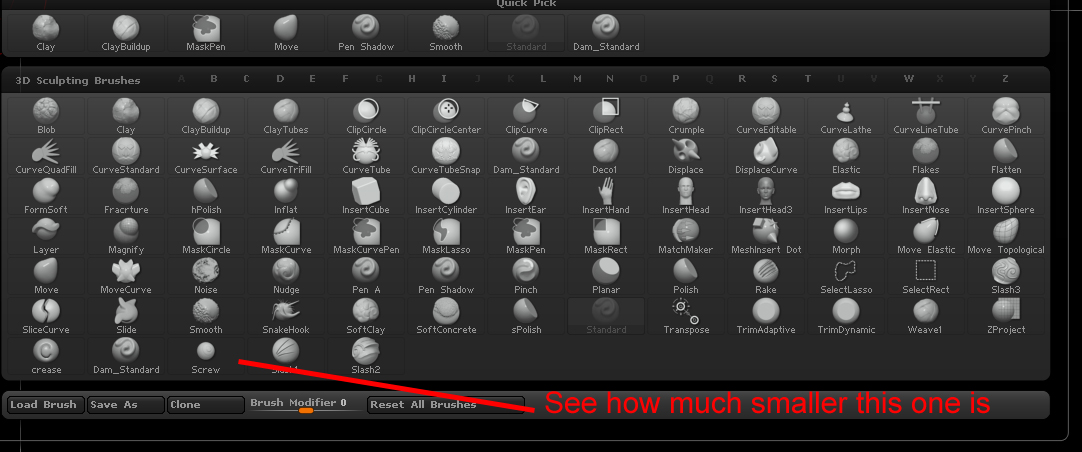
While they aren’t completely unworkable, the icons on my own custom brushes are quite a bit smaller than any of the defaults, or any that I have downloaded and installed. Any thoughts, or words of wisdom on this?
The best image size to use is 96 pixels X 96 pixels. I guess that for your icons the sphere is too small in relation to the image - it needs to nearly fill the square.
There’s also a quick way -if you Alt+click the Brush>Select Icon button ZBrush will automatically copy the current mesh and create an icon.
Thanks for replying.
The alt-click method is the one I used; the square being as close to completely filled as possible, without clipping the edges off of the ball. Maybe I’ll try making it manually and see if that works out better.
And making the icon myself, rather than letting Zbrush do it for me (by alt-clicking) worked as intended. Thanks again.