ZBrushCentral

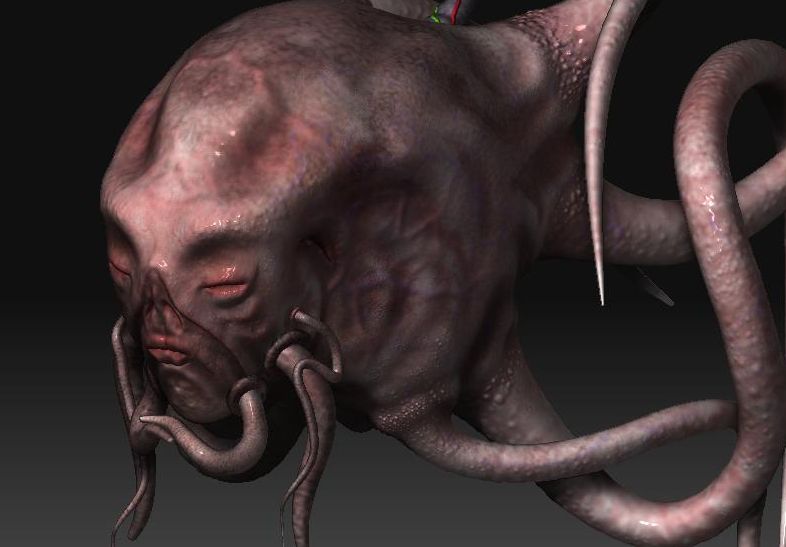
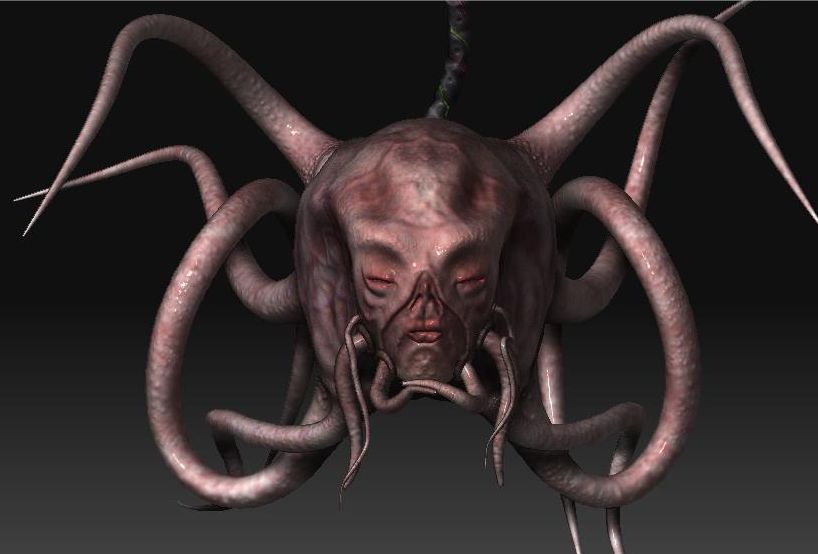
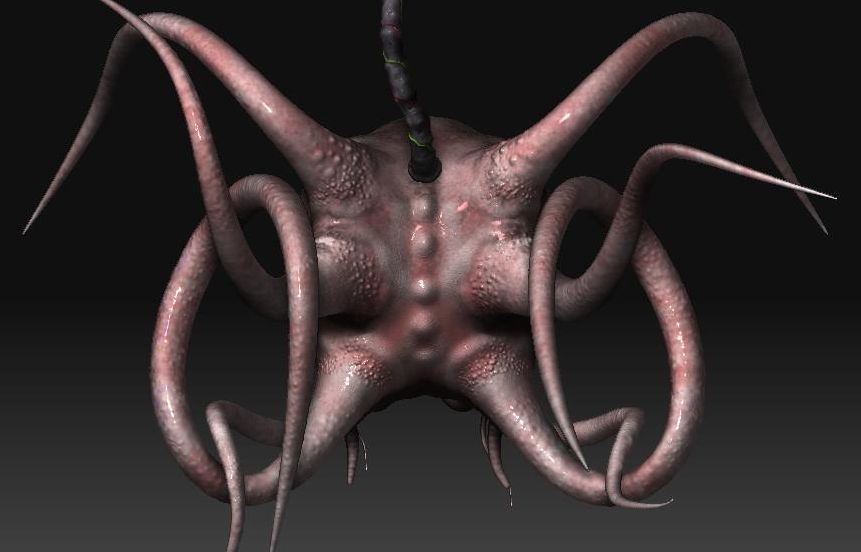
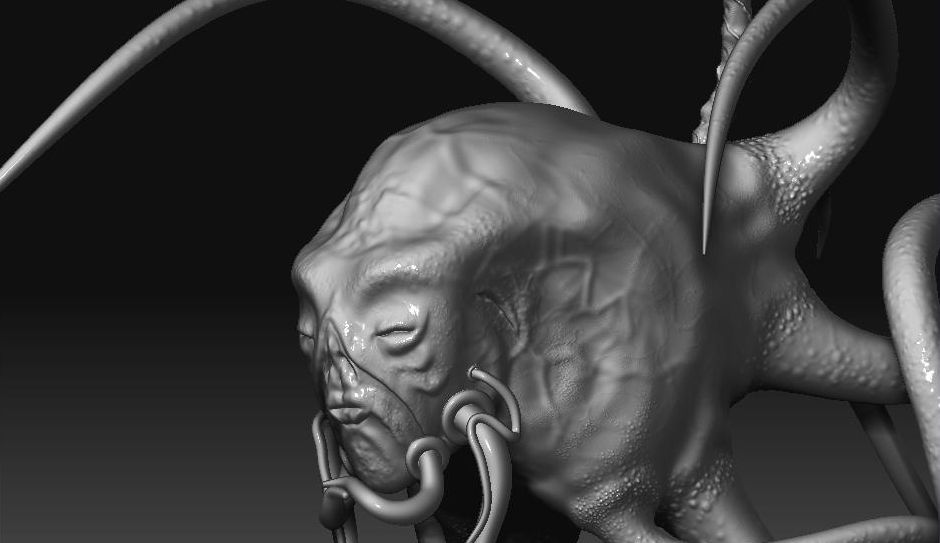
My creation, take a looksee

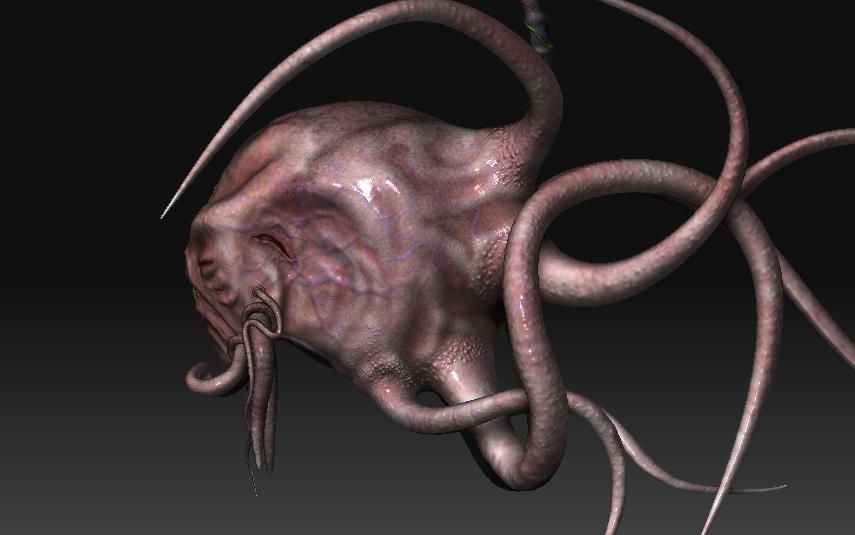
This was done 100% free-handed. No models, no sketches, no concepts. All 100% pure, homegrown tentacly goodness. All base meshes were made from zspheres. there are 15 sub-tools, all of which were sub-divided to their max level (7-8)
The whole model has 35 million points (vertex’s), and took about a days worth of work to do.

Feel free to give me any and all feedback you like. I’m sweet like that.
Head-side.JPG

Attachments

Head-3-4.JPG

Head_front.JPG

Head-back.JPG

Head-detail.JPG

one word: too many polys!

if you are going to use that many polygons, actually put them to use. thats alot of useless polygons hanging around.

i do like the idea though ^_^:+1:

Well… first I have to say “too many polys” is 3 words, not one.

But anyway, your learning, as we all are :slight_smile: . The tentacles are cool the way they are looping around, I think the model would come to life alot more if you just focused on the head/face . Bring that tentacledactle to life!! :wink:

on the too many polys issue i can just say it is not too much .
as a test i once nailed togheter a scene with 80 or 90 million polygons in subtools and it worked out fine as long as you keep some subtools down some up of course a pc is going slower then but immagine any other 3d package and you wouldnt even be a able to open the file.
i zbrush u just have to be patient and carefull always aware of crashes(so save your files!!).

about your model.
way too much polys!!
it looks as if its madeby maybe 1 million points.
in any other 3d package with nurbs normal maps and displacements you
would maybe need 4000-8000 points.
you have to get way more detail and contrast to get him really interesting.

This model is deffinetly still a wip, i just need ideas on what details to add to it…
the main reason iv added so many pollys is so the lighting on the skin is consistant, sence the tenticles on the jawl line are seperate sub tools, i didnt want the lighting and textures to look different then the actual head. and the head has so many poly’s because of the face, at the time i didnt know how to only subdivide one area. if i could go back now i would have done so…but i cant. i wish there were a poly reducer for blender, it would come in hany right about now.

one thing i wish i could do is put him is a sphere that is seemingly filled with water, but as far as i know zbrush cant make an object see-through…

one thing id like to see coments on is my textureing i did on him and how that could be improved.

please, feel free to show me what i should do, im stuck and i want this to be the best it can
okay, first. i dont have a clue how to reduce the poly count, and i realy cant… it would get rid of the detail in the texture…however i wouldnt mind finding a way to move more polys to the face… up close its all blocky n stuff, i cant do much more detail on it because the geo is stretched so much.

need help with this prosess, thanks

ok guys, comment please:confused:

anyways, last night i found out how to do retopology, so im working on that now, its gona take forever tho, i want to preserve all the detail in the head area, sence it took the most time to do. im also going to touch up the textures a bit. after retopology i can start to add more detail to the face.
i will post my retopology lines when i can