ZBrushCentral

Multiple Subtool Rendering

I have multiple subtools, all polypainted. How can I render this scene with all the objects having the same degree of shading? I have read earlier threads that state that you can fill the subtools with white to get rid of the different shading, but that destroys my polypainting.

Any suggestions would be much appreciated!

Thanks

If you use SubtoolMaster when you paint only use M (Material) but turn off Color becouse it will fill your objects with white and kill all the painting
just use M and fill object or Subtool Master> Fill and chose only material :wink:

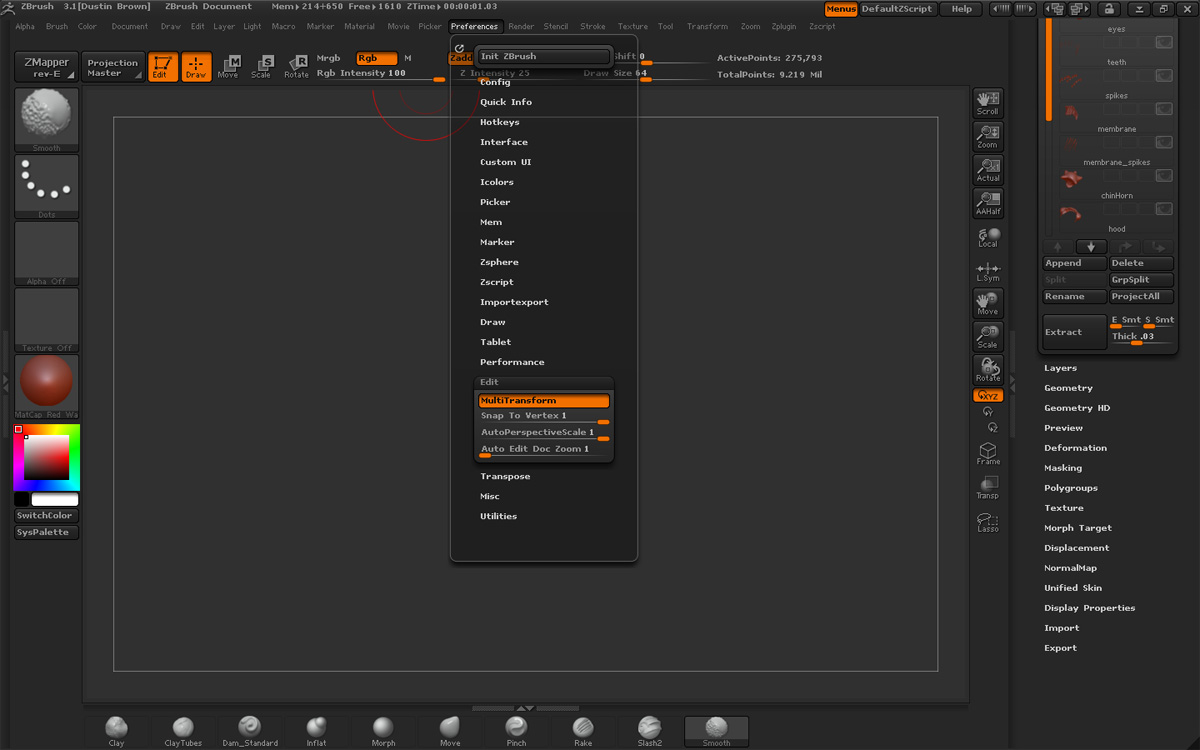
Preferences > Edit > Inactive Subtool Dimming

Slide it all the way to the right. :wink:

Thanks guys. I will give these a try!

em

Another option is the HD Render All plugin, available from the Downloads page. (It doesn’t need HD GEometry to work.)

Just a note, the tip I gave you doesn’t completely eliminate the shading of inactive subtools. They’ll still be a few percent darker, but it’s hard to notice even in renders.

It’s great to know for two reasons. First, if you don’t want to see any shading of inactive subtools during sculpting or rendering. And second, if you have many subtools and are having a hard time finding the right one. Sliding it further to the left will extremely shade inactive subtools, making the highlighted one stand out clearly for easy selection.

I’m still hoping for some kind of quick selection for subtools, but this helps for now.

I don’t seem to have a subtool dimming option. Is that something that was introduced in 3.12, or is it perhaps part of a plug-in?

Attachments

subtoolDimming.jpg