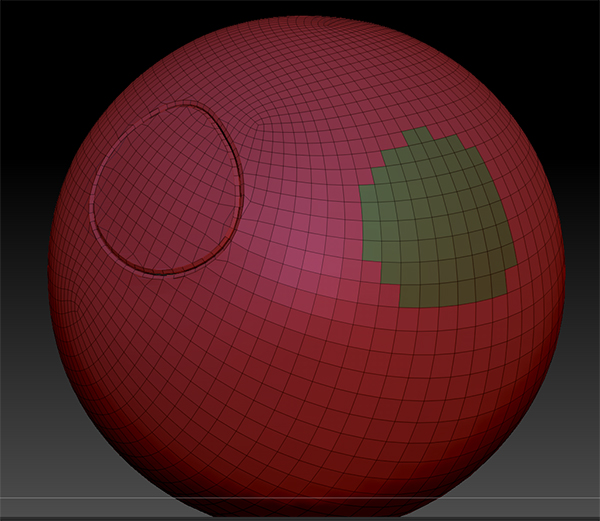
According to the tool tip on “Ignore Loops” I should be able to create panel loops on portions of the mesh not hidden and ignore the other poly groups. Not sure about the wording on this. But it does not work - at least for what I want. So I am not sure what it is supposed to be doing. But it does something - just nothing to do with ignoring groups. LOL!
But my problem is I want to be able to create panel loops in controlled areas of a mesh that already has panel loops and I am stumped.
For example I create a series of panel loops, then I want to go in and in other areas of the mesh, create more panel loops without creating more panel loops on the existing groups other than the one I am creating loops on.
One workaround I can thought of would be to create one group for the entire mesh again and then create a new series of groups where I want new panels and then go back and use auto groups to restore the groups for further editing and so on on the panels.
However this does not work:
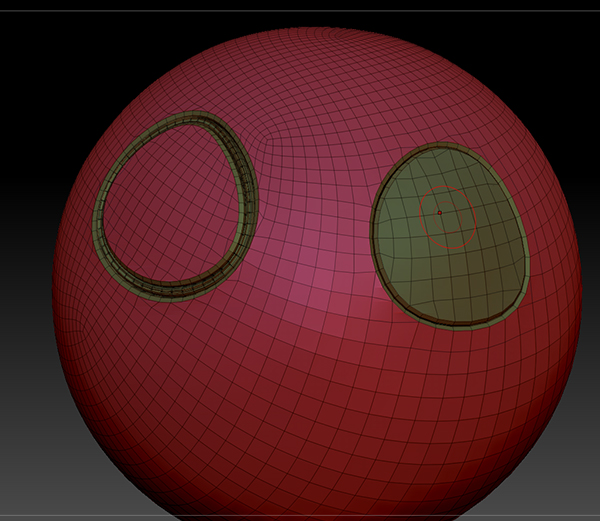
It just creates more Panel Loops on the existing ones anyway - even thought there are no groups there!
As a side note : Group Loops does another maddening thing. It also messes with the other non-grouped loops! So there is no way to execute that command separately either. This appears very limiting unless there is a solution. Because even hidden or separate sub tools create the same problem with the edges.
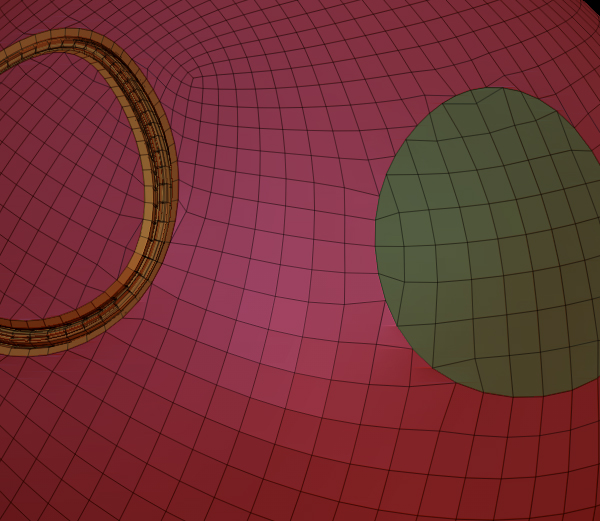
Ignore groups button does this:
I will concede I don’t know what that button is supposed to do. But whether the other polys are hidden on not it does this which does not look anything like ignoring groups other than it does not put a border loop on the unique poly group.
How would you do this?
Attachments