ZBrushCentral

Multi map exporter subdiv level

Hi, i’m a new user, also new to zBrush.
I have a question about the multi map exporter SubDiv slider. Let’s say i have a 6 subdivision levels tool. I will export the tool at 3rd subdivision level and get the details from the other 3 levels from a displacement map.
Should i put the slider on 4? Will i get a map containing the details for levels 4,5,6 or only for level 4?
Also, why i can’t put the slider on my last level? (this is what the MME manual says: " If the slider value is greater than or equal to the highest subdivision level then level 1 will be used.")

I would also like to ask another question. Can i get an HD displacement map from MME? Should i follow the standard procedure, putting the subdiv slider on level 1 while the HD level slider on max and hitting “export all map”?

Thank you.
Set the MME slider to the same level as the mesh you wish to export. So if you want to export the mesh at level 3 set the slider to 3. The displacement map you get will give the detail from the top subdivision level whatever you set the slider to. You can’t generate a displacement map if the slider is set to the top level because there’s no difference between the mesh at that level and the possible displacement; that’s why the slider will revert to level 1.

For HD Geometry to be included in the maps, yes, you should follow the standard procedure with the HD Geo slider at maximum and MME Subdiv slider at 1.

Marcus,
thank you, this helped me immensely. I’m very confused by maps and HD.

Another thing i was wondering about:i read on zBrush documentation that a 4096x4096 map can store details of a 16 millions polygons mesh.
So, when i bake a map from HD geometry, comprised of hundreds of millions of polygons, should i increase the map size?
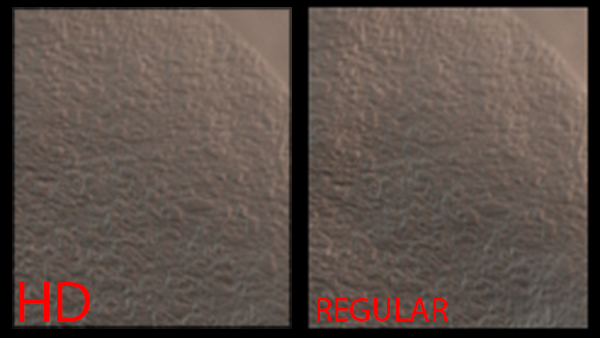
Because i noticed two things: a normal map baked from HD Geometry (so a 16 bit map, that contains 4 millions of pixels,) store very confused details.
On the same line, the difference between two 32 bit maps, one baked from the regular subdivision levels, and one from HD geometry, was nearly non-existent.

Here are two images showing this:
hd.jpg

The amount of detail that a map can contain depends on the UVs. A 4096x4096 map has a bit over 16 million pixels but the UVs will never cover all that space, so the maximum detail possible, with one pixel holding the data for one polygon, is about 16 million. In practice it will generally be less than that, possibly only 8 - 10 million for ‘unwrapped’ UVs of the sort UV Master creates.

So if you are using HD Geometry then you have to use larger maps. Even an 8K map will only give you 64 million pixels, so if you plan on using displacement maps there is no point in going crazy with HD Geometry.

It’s impossible to tell with you examples as to why you aren’t seeing more detail, but increase the size of the maps and see if you get better results.

HTH,

Thank you Marcus, this really helped me refining my workflow.