HI! i was modeling a bone and was using some reference images applied to planes . The reference planes aren’t polymeshes, they are planes with textures applied to them. I created a basic zsphere base mesh ( polymesh ) and then switched transparency on to move parts of the mesh to conform to the references loaded on the different planes. Strangely i couldn’t use move elastic on move on the mesh when a plane was in the way. clay buildup and other brushes work fine, but the move brushes just don’t work. I am attaching an image to explain this more clearly. In the left, with no plane in the way, i can use move elastic. on the right, with the reference plane in the way, move elastic doesn’t work. I want to be able to use move with the reference visible with transparency to make my model. some help will be greatly appreciated.
[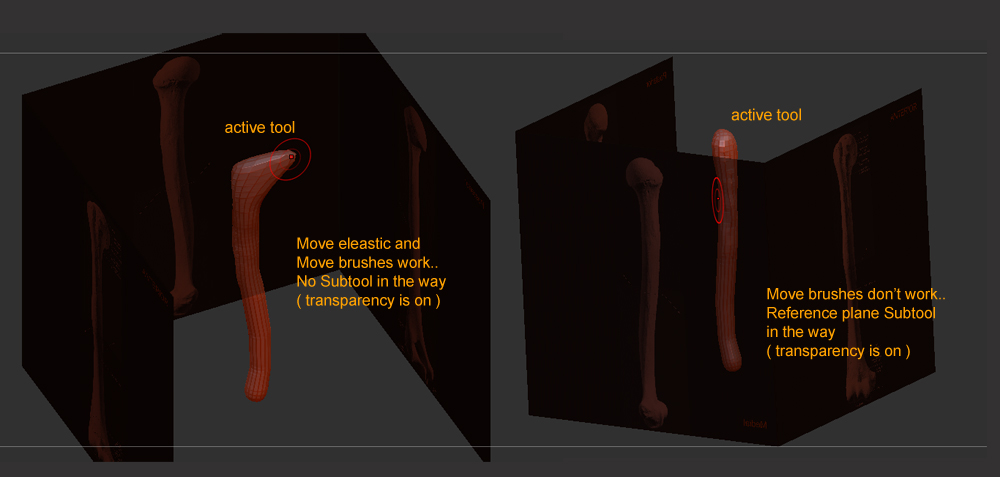 ]
]
