Thanks Stephon!
Hello, hello….
Updates:
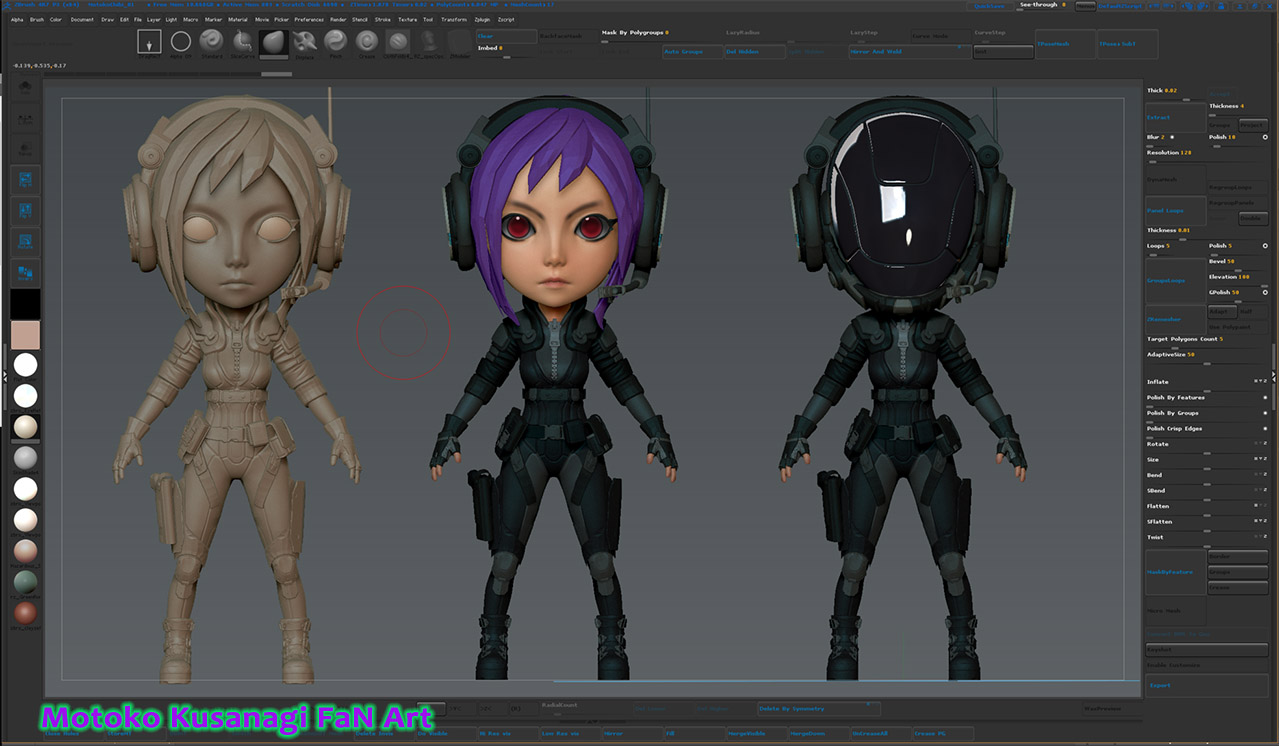
I’ve done some work on Motoko that I’m not sure I like at this point, might roll back to a previous version of the body. Also considering scaling the head down about 30-40% for a more proportioned Chibi….anyway…
I’ve done allot with accessories, particularly her back, SMG, and pistol. The SMG in the reference appears to be based on a P-90.
Since this is a character WIP, and I want to move quickly with things I searched around the web for a low res P-90 to add to my “deadly hardware” IMM collection I’ll use as a base to create (not a 1-1 match but approximately) the SMG in the reference material, I have named the P90-9 Drum….
The deadly hardware kit in the image is a mixed collection of Kit containing pieces that I’ve made, and what I can find around the web for free on share sites like Bad King, here, and other places (which I do donate monies to regularly). Now the funny thing is I end up not using allot of these parts, but you never know. I guess I’m a kleptomaniac that way, and I typically end up using stuff from the 3D creation kits (bad king) and my trusty “ready to clip”, hirez block for much of the primary, and secondary shapes and forms which I’ll then carve out greebles, nurnies etc with the clip brush. Than dynamesh pieces together so on and so forth and keep building up the model until I’m satisfied with the result. I try to apply the 70/30 rule, and overall I’m looking for a good balance, and flow between/among the shapes and details…
Results thus far….
Updates pt 2… the Drum…
I’ve also thought a little about functionality of the SMG, in a lazy way  Since I removed the standard chamber and mag I came up with this idea of the “Drum”… hence the name - P90-9 drum…
Its basically reversed engineered revolver that uses rows of round magazines, containing 16 rounds/clip X 4 inside the magazine chamber or Drum, for a total of 64 powerful rounds!
Due to simplicity of its cylindrical design, and to keep reusable meshes as lowrez as possible I used Zmodeler to create this, and added it to a kit for quick access when placing it about the character….
One of the features I love in Zbrush is, morph targets. Morph Targets in zbrush allow for quick and dirty illustrative prototyping of functionality for things like fire arms, or whatever you want really. As such I added all the relative buttons to the custom UI for quickest access possible…


 Since I removed the standard chamber and mag I came up with this idea of the “Drum”… hence the name - P90-9 drum…


