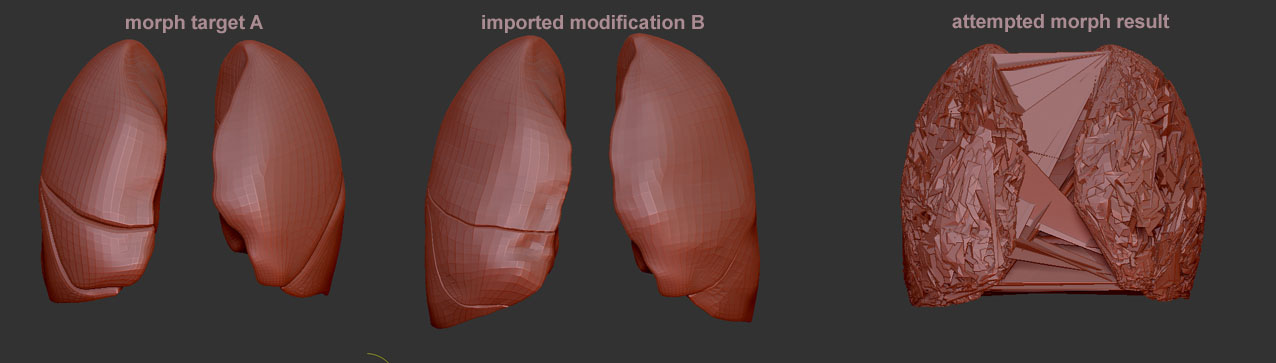
I have been working with various projects recently and in a few I have hit the same wall whether it be related to morphing or UV map copy and paste. These are the 2 main problems:
-
Object A and B both derive from the same original shape and are slight variations of each other, but they keep the same topology and they keep the same UV’s. When I try an bring B in as morph for A there is no problem importing and it looks fine, but when I slide the morph slider in order to bring back the saved morph target of A the polys cross over one and other, finally morphing to a rough version of the shape but are in fact an entanglement of stretched and crossed over polys. I cant figure out what is causing this?
-
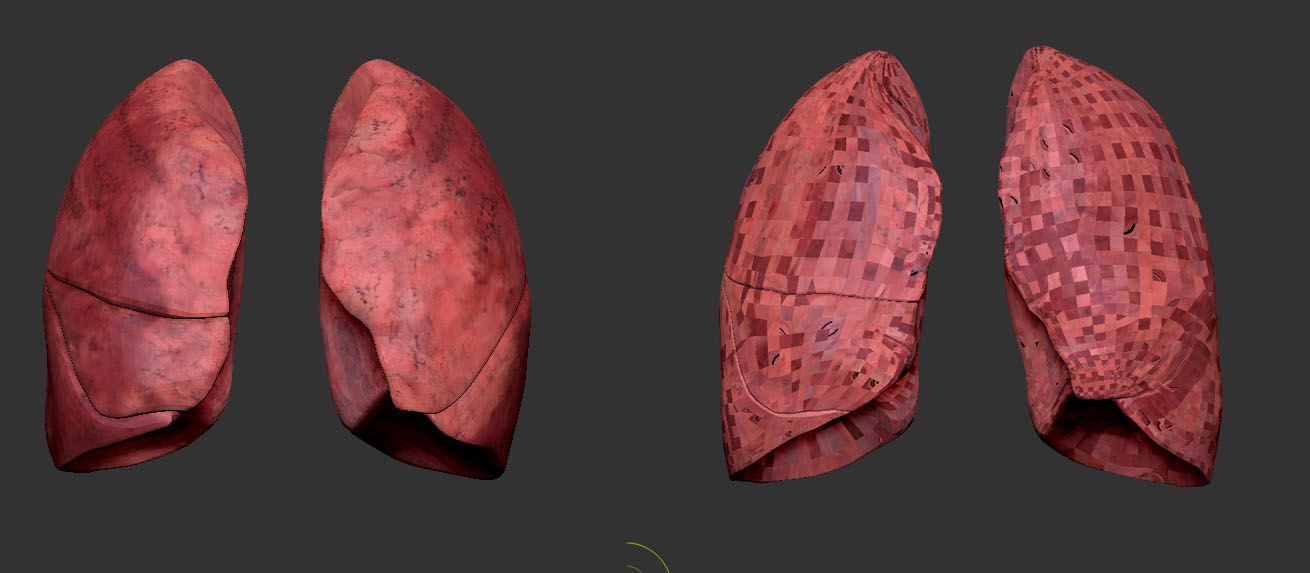
Object A and B are the same objects, with one being slightly softened in its shape, to be used as morphing stages. A gets UV’s assigned and textured up and works well. I copy the UV map to B, but it goes all over the place with some of the UV squares being okay and others are very wrong. I try morphing these two objects and they seem to share the problem described in 1 above. I cant figure what causes this either?
If anyone can offer help or suggestions then that would be great as it is causing a lot of disruption to my work-flow
Arran
[ ]
]