In this first attempt at retopology, it seems like every other click leads me to a new impasse. I’ve attached two images:
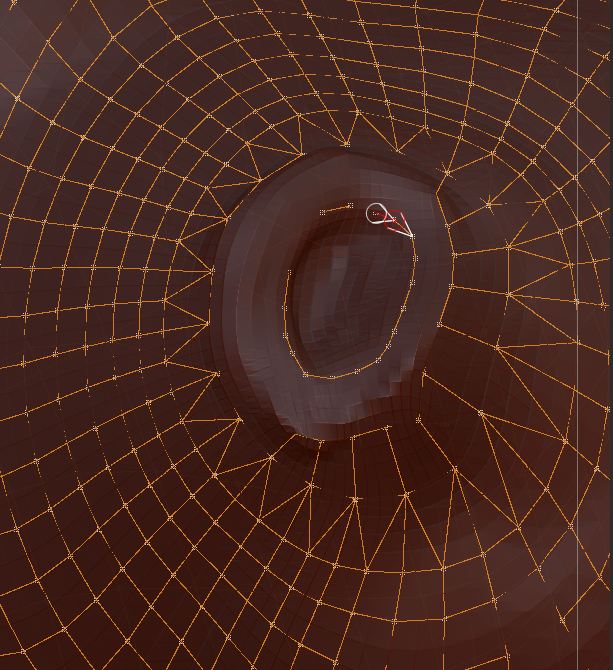
Retopo_1:
I deleted the topology in this area and started to redraw it. I drew that interior circle by just clicking at various points. I thought the points would lie along the surface, but some points are hidden. How to unhide them? Note how each intersection is “starred.”
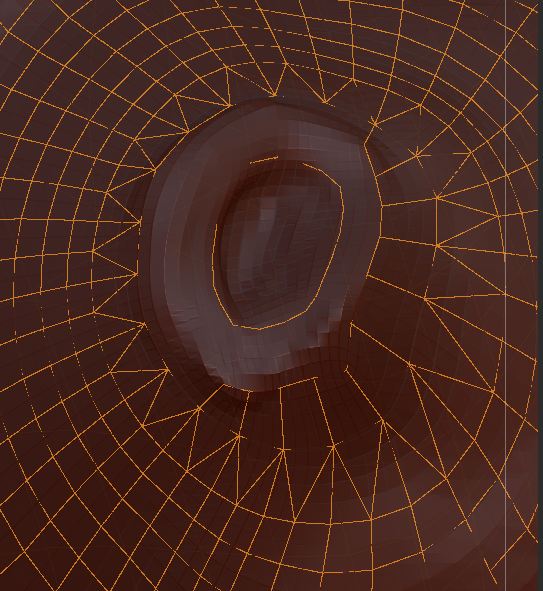
Retopo_2:
I then tried to draw a second circle around the first. As soon as I clicked on an empty area of the mesh (as I had done before) the topology lines “deactivated”; i.e., the points are no longer starred and my clicking on the surface produces no result. I tried ctrl-click, which also produces nothing. (That should only be done to extend a line from an existing point, correct?) So, at this point, I’m dead in the water.
Can anyone tell me what’s happening?
Doc Pit
Attachments