ZBrushCentral

Modeling a water wringer. Is this method the best?

Hi all,

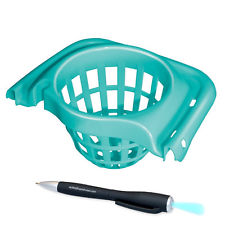
I’m trying to use zbrush to create a water wringer for a pail bucket.
Something like this:

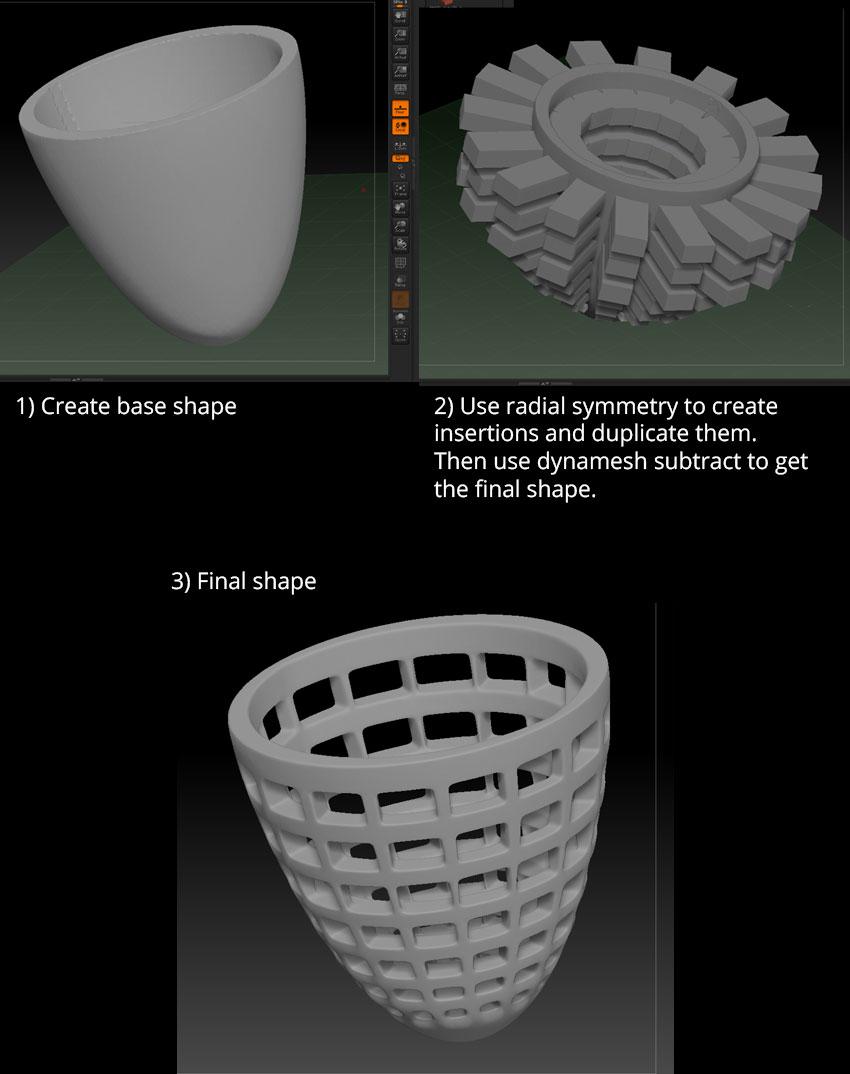
Below is a screenshot of my mesh and process:

What I would like to know, is, would you guys use this same method to achieve this object? Or is there a wiser and smarter / less painful way of doing this?

I don’t even dare to imagine doing this kind of thing in a traditional 3D modeling program LOL
I tried using shadowbox to create the whole thing but it doesn’t give me the shape though.

Tks for any insight!
Nik

Attachments
121.jpg

IMG_0067.jpg

mHT2ZMeUhDjuGyX5LVKCJqw.jpg

I would model something like that in a traditional app. Make 1/64 of the object and then array that to complete the shape.

The way you’re doing it is fine though.

Hi, tks Beta!
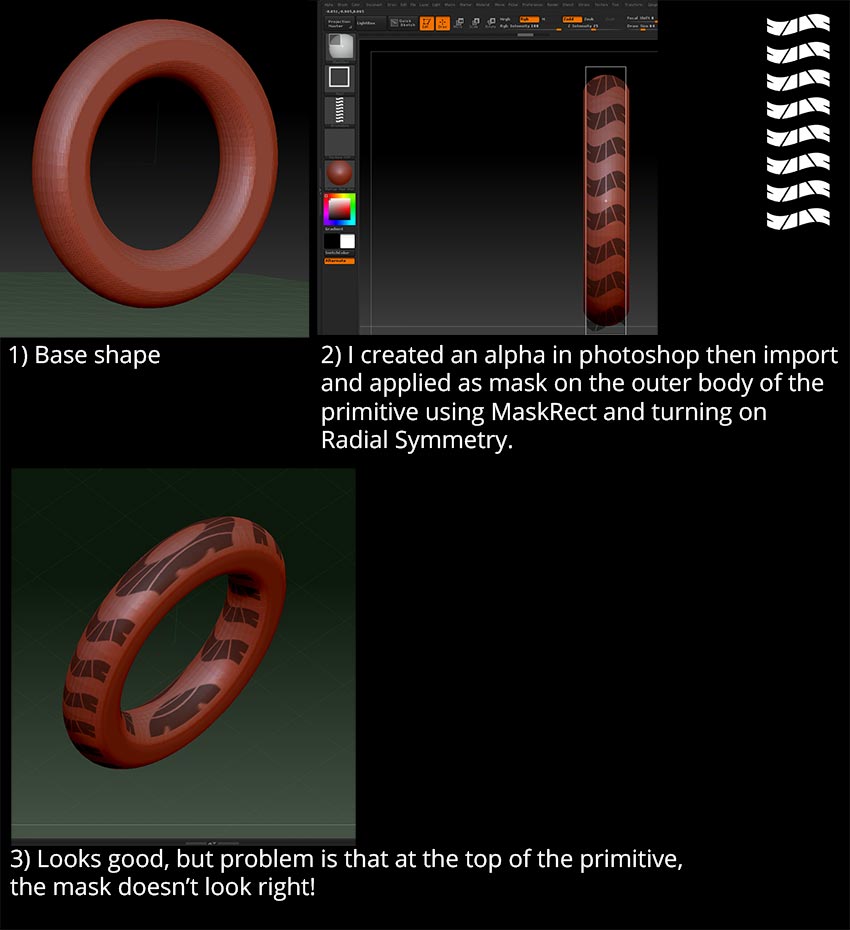
Another simple side question. See below screenshot:

A.jpg

How do I get around this problem? The workaround is to paint the mask inside zBrush itself but what if I wanna use a custom texture created in photoshop?
I thought I could just import the alpha image and use MaskRect to drag it over the mesh but as you can see above, it doesn’t work perfectly.

Tks!
Nik

Turn >M< on in the Symmetry settings.

Tks, but it’s been on all along but doesn’t work.

i find stretching to be a major issue with zbrush. it’s a problem that always involves some hinky work around.

maybe you can do half or a 1/4 of the ring, then mirror and weld.

about the first question. in my limited opinion you found a very good way of doing it. i doubt there is a less painful way.

I don’t believe the maskRec supports radial symmetry, but I could be wrong. Something like your tread should be done with a dragRec stroke on, probably the layer brush.

Of you can actually unwrap the object and use tool.surface with UVs and your alpha to wrap that to the object.

Maybe this could be better produced in Projection Master?

Tks a lot guys! Will try the DragRect and projection master suggestion. :slight_smile: