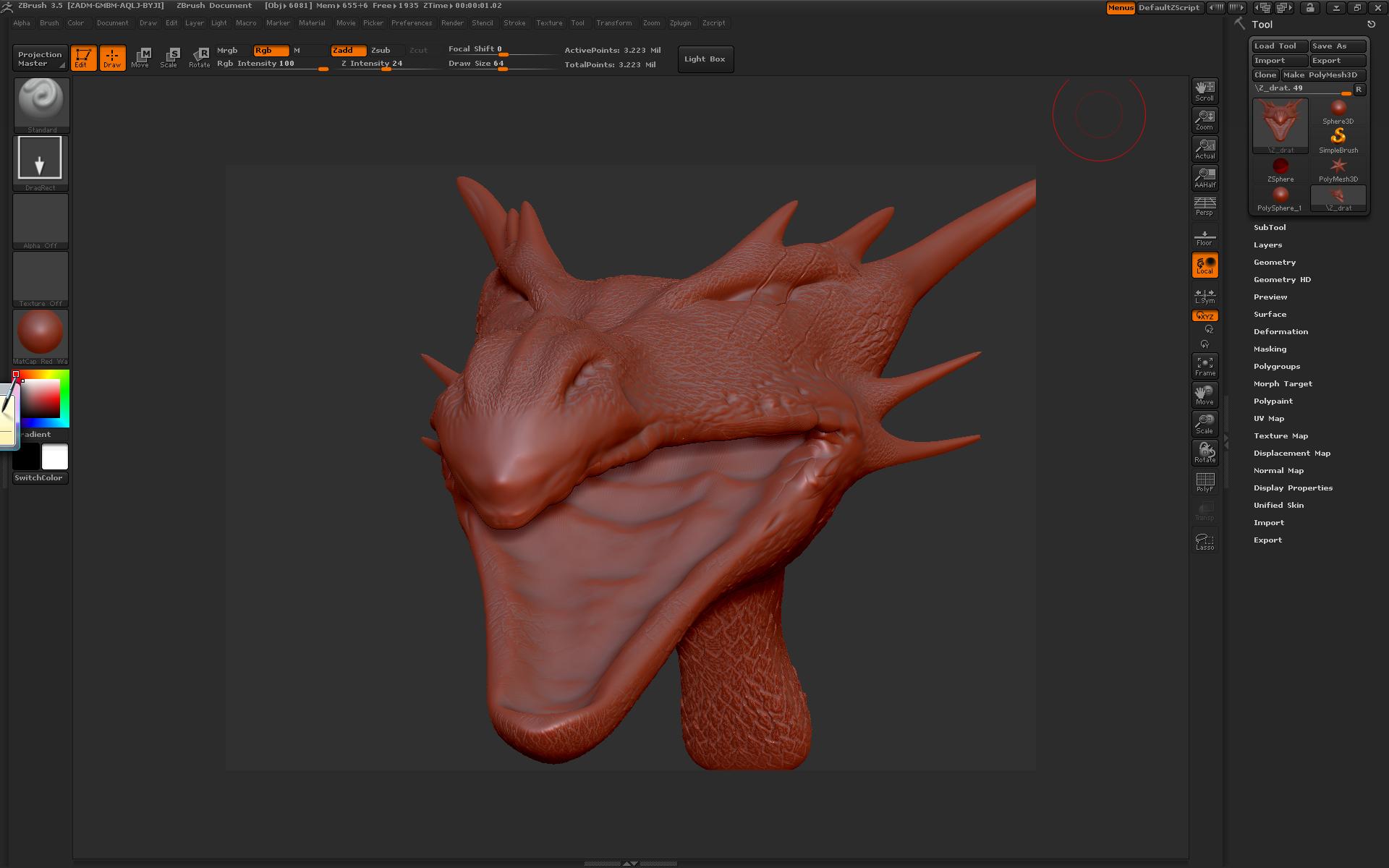
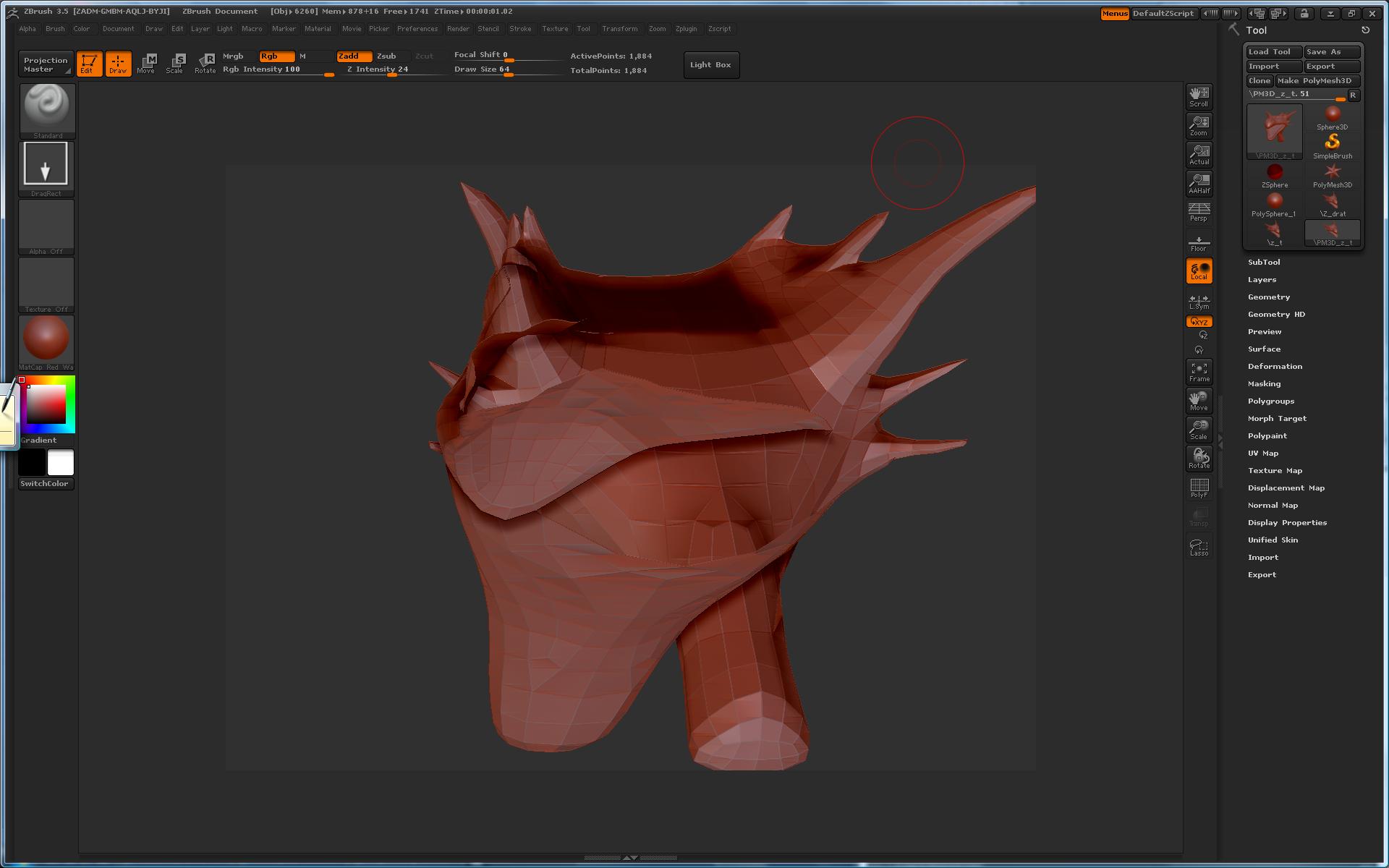
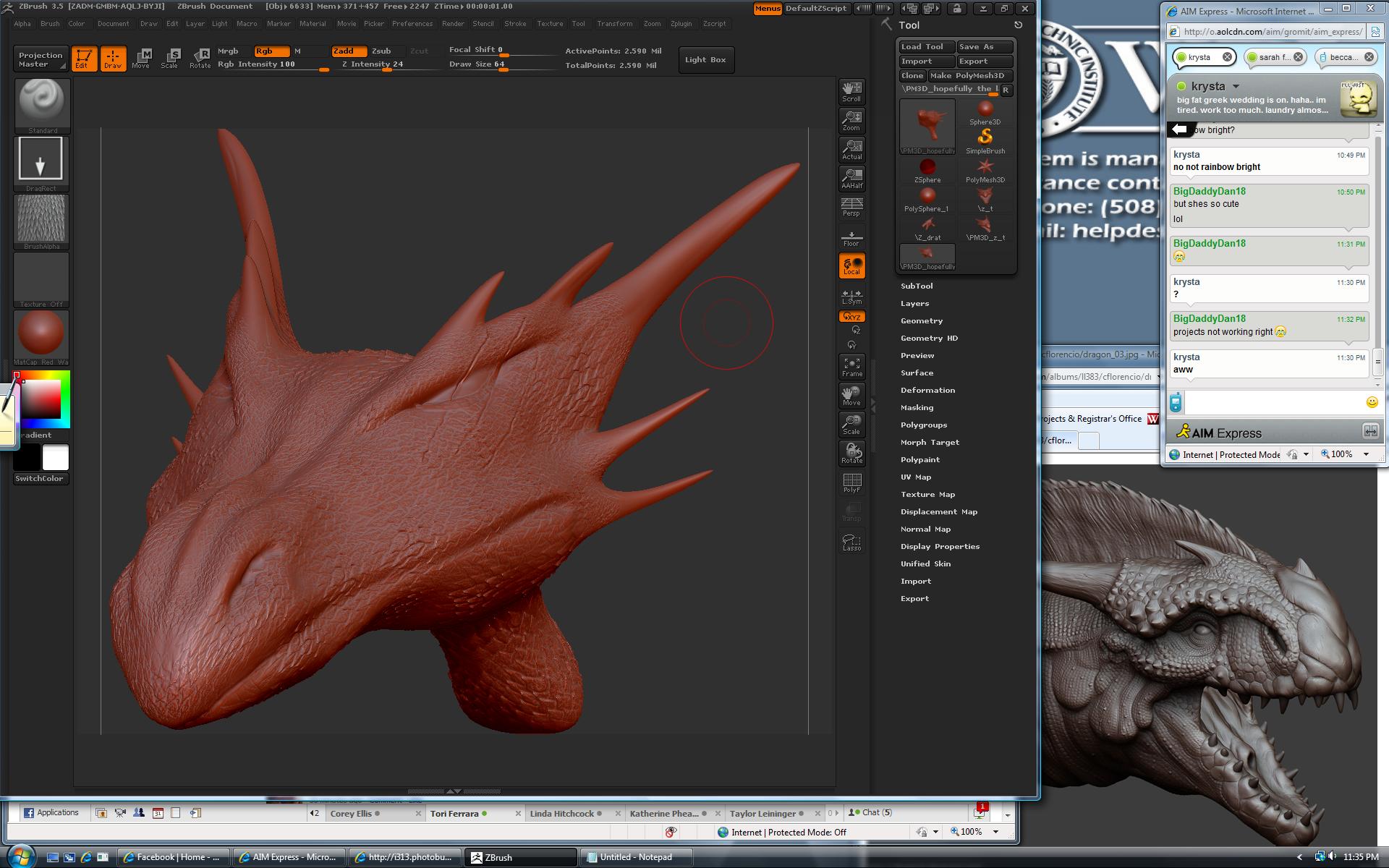
i just opened the mouth of my model as you can see between pics 1 to 2. i tried to retopologize before begginng to sculpt further after seeing some holes. hitting “A” revealed a perfectly retopologized model, however, once i hit “make polymesh 3d” it gave the hollow image in pic 3. does anyone know why this happened or how i can fix it? also if it means anything to any of you, for some reason the storage usage jumped to 6 times its normal amount, so perhaps something is attached to it i cant see? any ideas?
Attachments