ZBrushCentral

model material/color problem

Hi there,

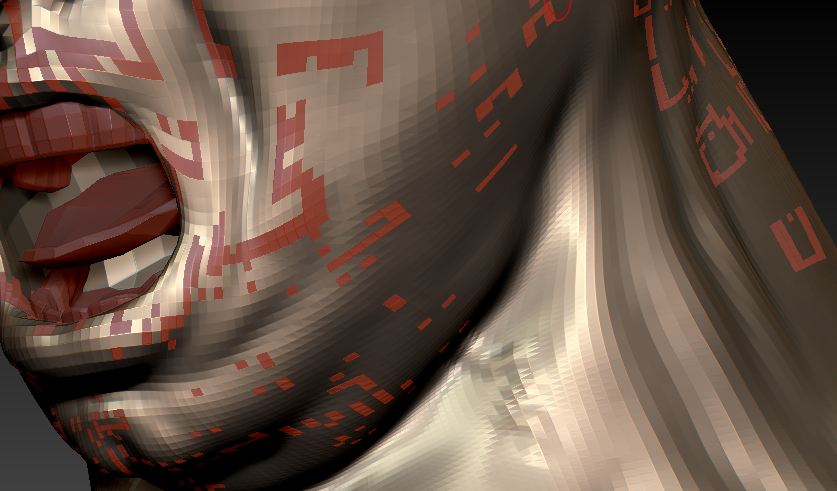
I started to work on my old model after a year. I opened it in zbrush 4 and on certaint subdivision levels apeared these artefacts. Now I can not change the material or color of the model. I can change color or material only of those artefacts. I can not change the original material of the model [golden]. It always stays the same. Is there any way to handle this problem ?

Old model was created in zbrush 3.

[Capture.JPG]
To reset the material, try the following.

  1. Turn on ‘Mrgb’ button
  2. Select the ‘Flat Color’ material from the Standard Materials palette.
  3. Go to ‘Color’ menu and click ‘FillObject’.

Now select any other material and you should have the live preview back.

This is an eXTREMELY useful piece of info,thank you very much.

thanks a lot,
what a stupid mistake from my side. :D:D I forgot about that buttom already.