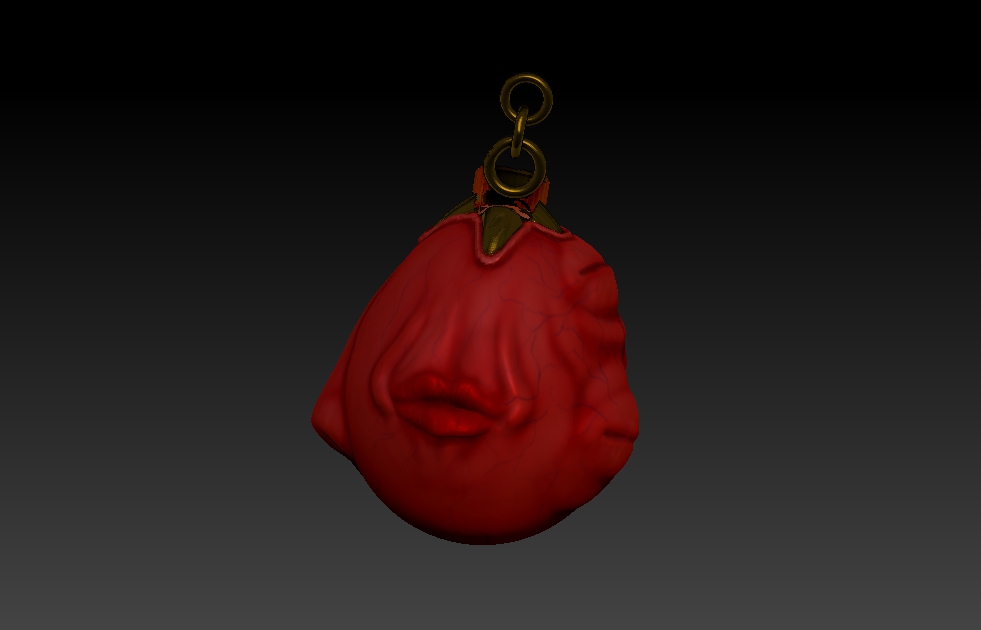
So I started messing around in zBrush trial version a few weeks ago, and I’m pretty satisfied with what I could come up with : a sculp of the Crimson Behelit from Berserk. However, I encountered a small problem :
As you can see, the “claw” part of the object is rendered incorrectly, with what should be visible being invisible and what should be invisible being visible. Any idea where could the problem come from ? I guess it may be related to the fact that the “claw” part was modeled with Blender and imported in zBrush. Any suggestion on how to fix it ?
Attachments