ZBrushCentral

Missing polys when I export mesh from ZBrush to 3DS Max??

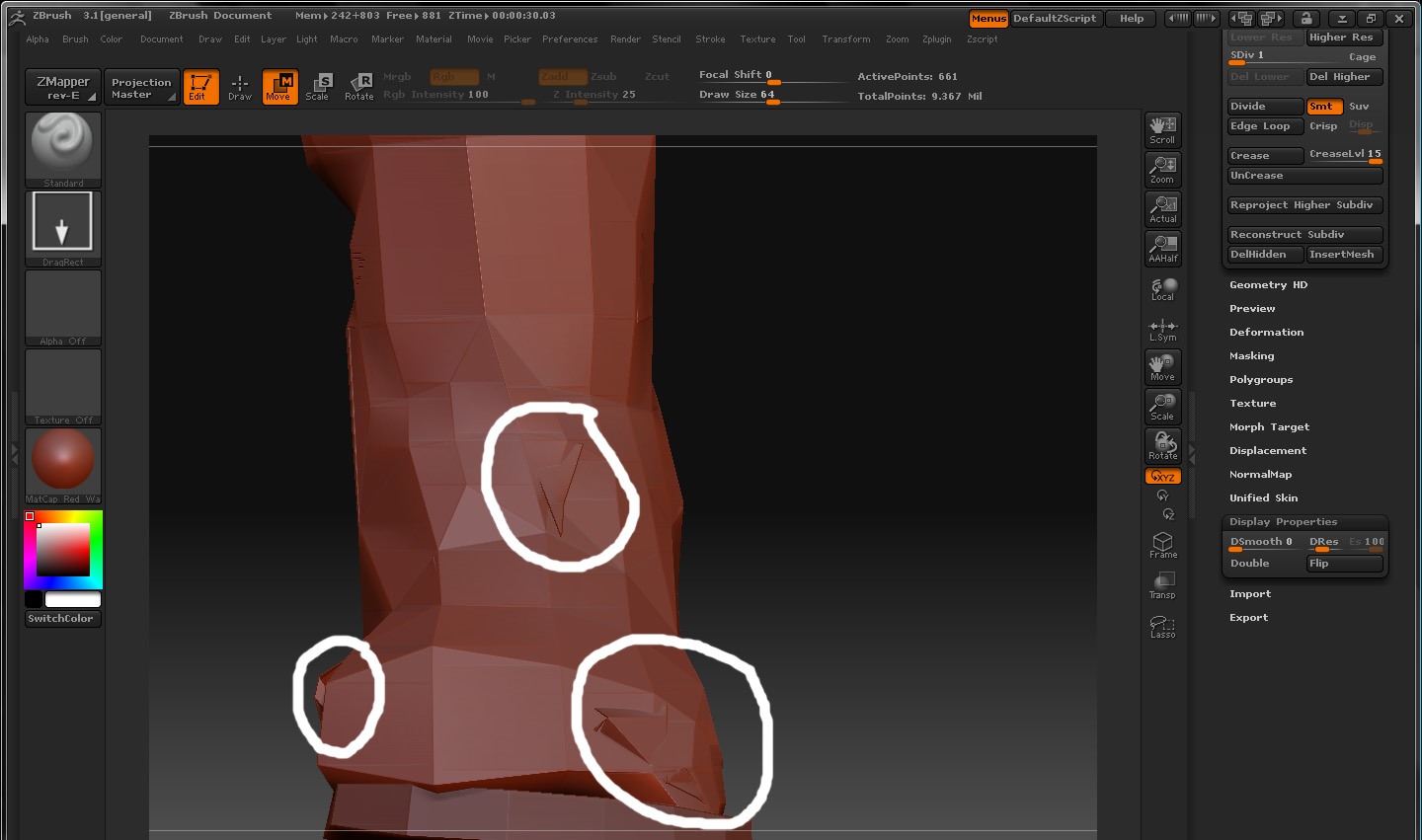
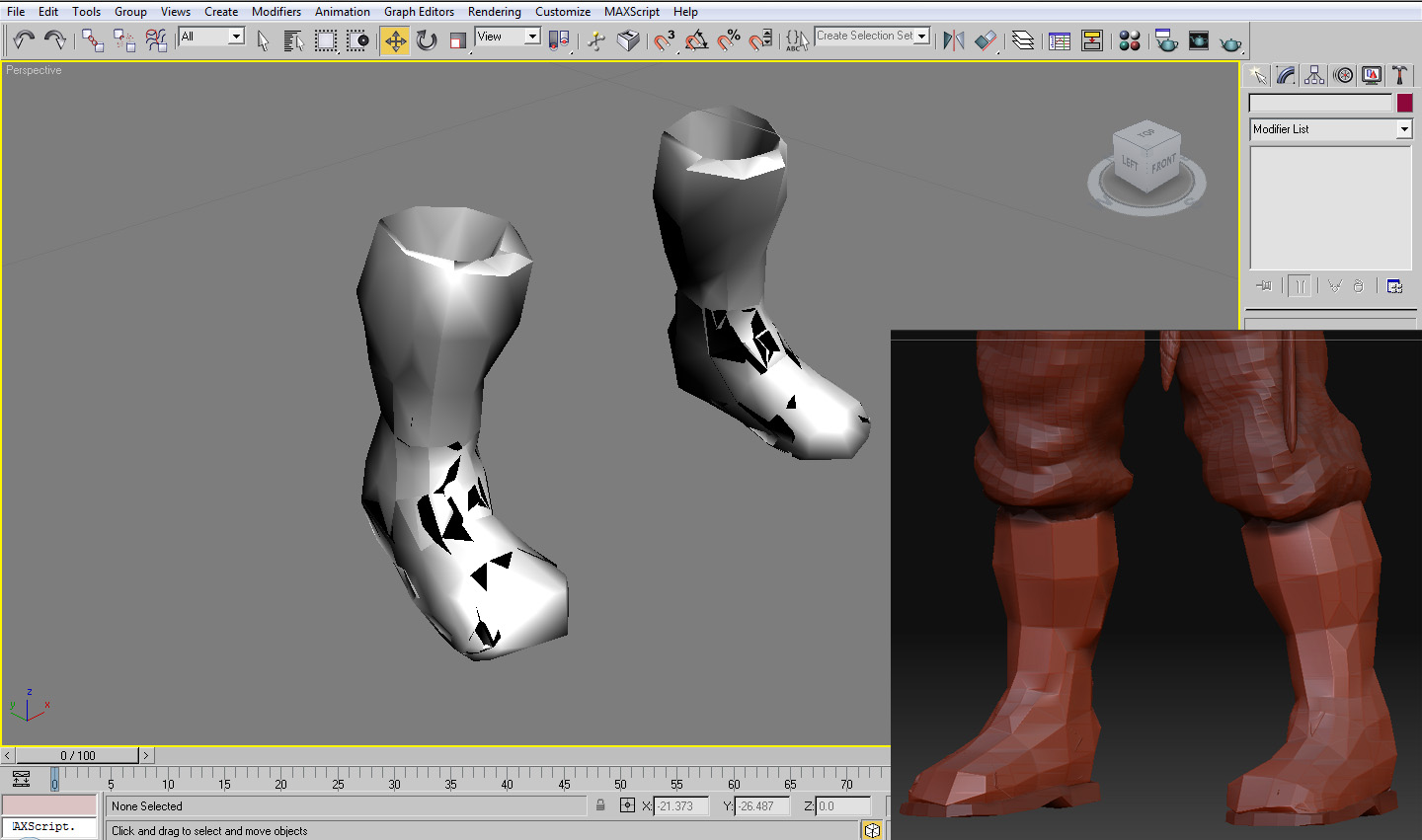
Hi, I’m hoping theres a simple solution to this, I’ve attached 2 pictures below to better illustrate my problem but basically I’m exporting a low poly level mesh such as these boots of my character into Max, once I import it, it imports it in 3 seperate poly groups for some reason, each group being a random collection of polys from my boot, the black pieces are missing polys! The second picture shows some odd polys that seem to be jutting out through the rest of the mesh, I’d imagine the problem could be coming from these. Any ideas what may be causing this? Thanks problem1.jpg
Attachments

problem2.jpg

I suspect that where you have points overlapping your mesh is inverting some of the normals on export, you would need to tidy up your zbrush sculpt, or isolate the gaps and invert the normals in 3dsmax. its also pretty easy to do if you have magics, you just export the obj, hit fix normals and it does it for you.

Thanks for your reply, I worked out what it was, basically I applied a shell modifier to certain meshes inside of Max, which thickens out the otherwise flat mesh, when sculpting inside Zbrush the brushes supposedly only work on one side of the surface so I had all the other polys on the inside protruding through the flattened parts of the mesh! It never comes up tho until you export it from ZBrush, very annoying! Thanks for your suggestions tho :slight_smile: