ZBrushCentral

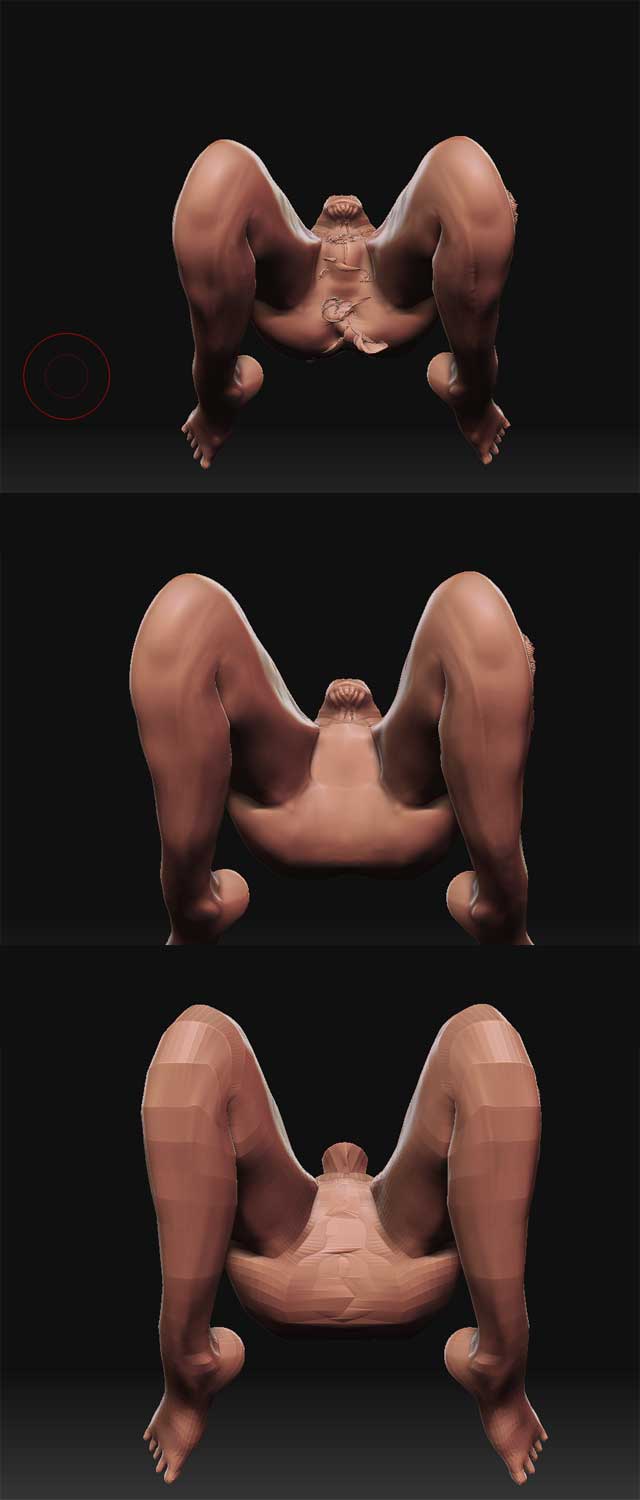
Messy mesh after transpose

Hello!!!

I’m studying zbrush and I have a problem that occurs in almost all my models after some time working on them. The mesh become messy in some areas and I “fix” this with some “flat”, “clay” and “smooth” brush but this only masks the problem, the mesh still messy and if I subdivide the mesh, the error become visible once again.

Someone knows how to fix it and why it occurs? What I’m doing wrong?

I hope you can help me!

Best regards,

Greetings

Rafael

[[ATT=]erros.jpg[/ATT]](http://javascript%3Cb%3E%3C/b%3E:zb_insimg%28%27%27,%27erros.jpg%27,1,0%29)

Attachments

erros.jpg

Looks like you lost symmetry. Go to subdivision level 1 and hit Smart Resym.

No, my problem isn’t symetry, the problem is the mesh, I can’t even smooth cause appears some kind of little “holes” on the model.

But thank you anyway! :wink:

(there’s no problem on the base mesh also, this become to happens when I did the transpose on the legs)

Greetings