ZBrushCentral

mesh to fix - Urgent!

Hello the pros,

I have this deadline tomorrow and of course I ran into a dead end. I would really appreciate any help fast!

I am a newbie of course! ;o) mac user so I am still on version 2,0

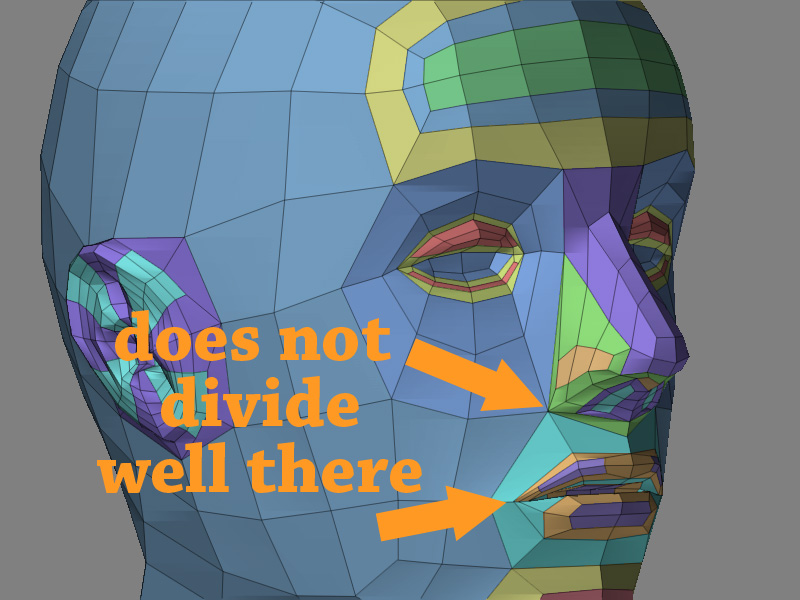
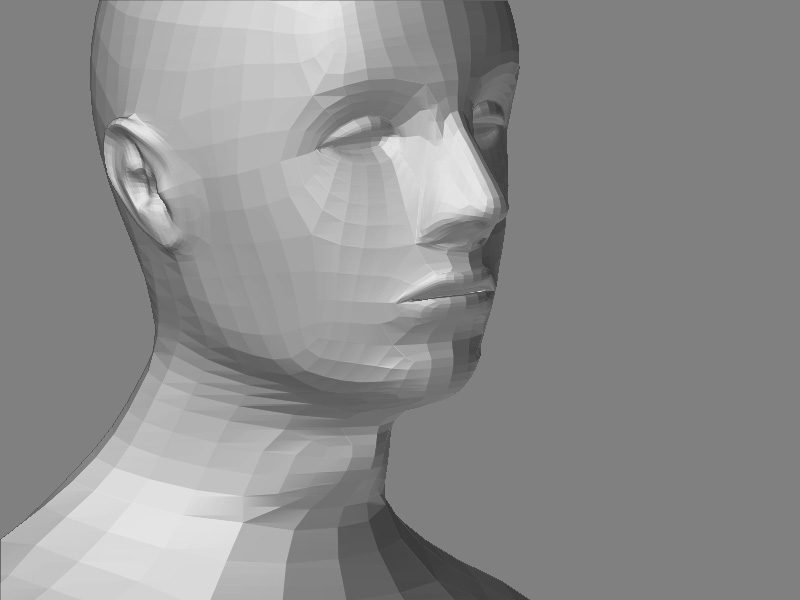
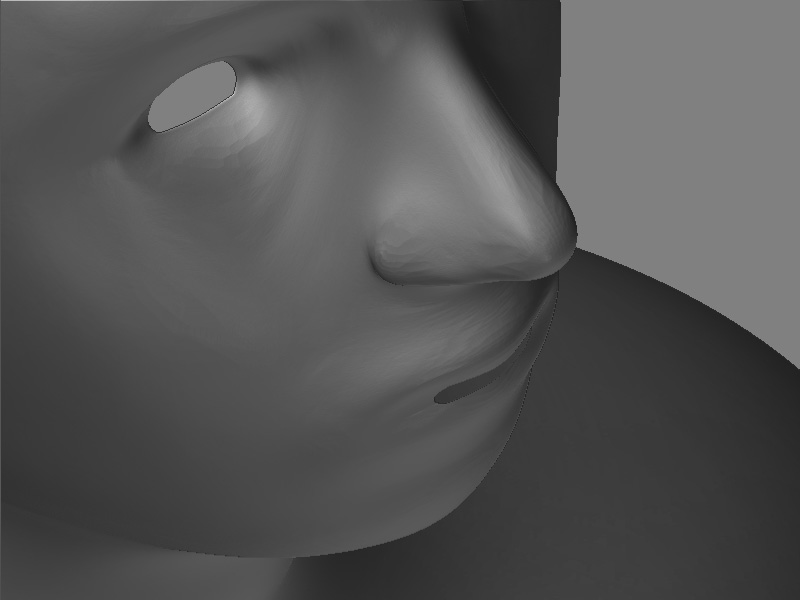
I edge looped bad I think!!! can I fix only a part of my mesh? basically I dont want to loose all the work!

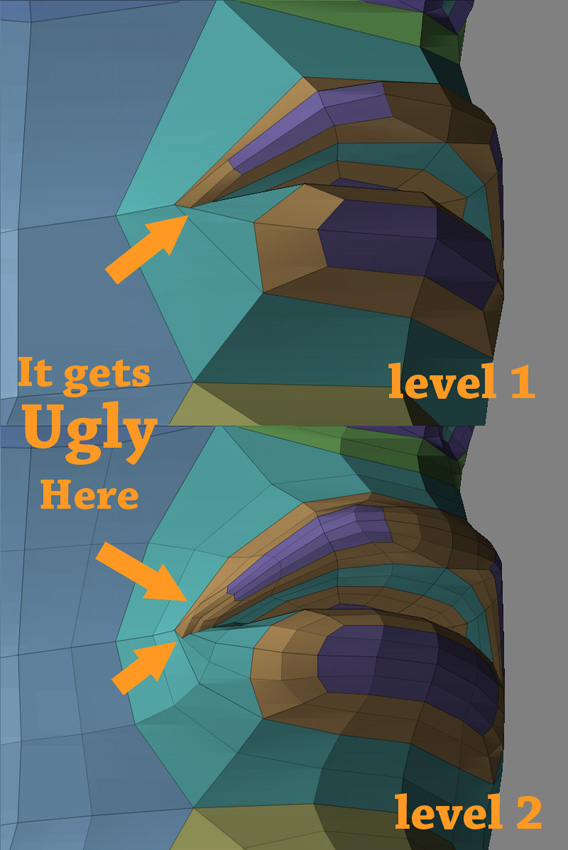
The mouth is giving me most of the trouble when I start dividing.

thank you all!

Helios polycrush8.jpg
Attachments

polycrush7.jpg

polycrush6.jpg

polycrush5.jpg

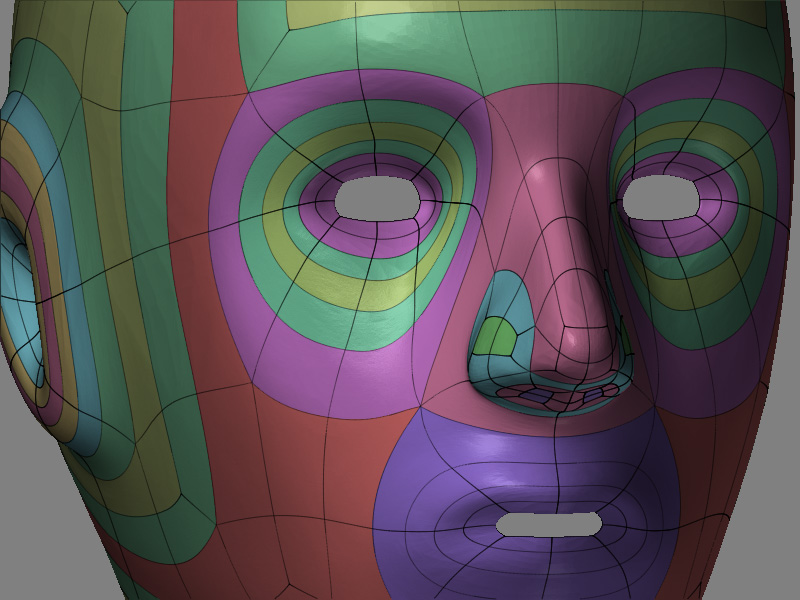
unfortunately your topology is messy, bad edgelooping, you’ll probably have to retop. you can try the reproject in tool/geometry, it might help. honestly you may be better off just starting over, you don’t really have too much work done right now anyway.
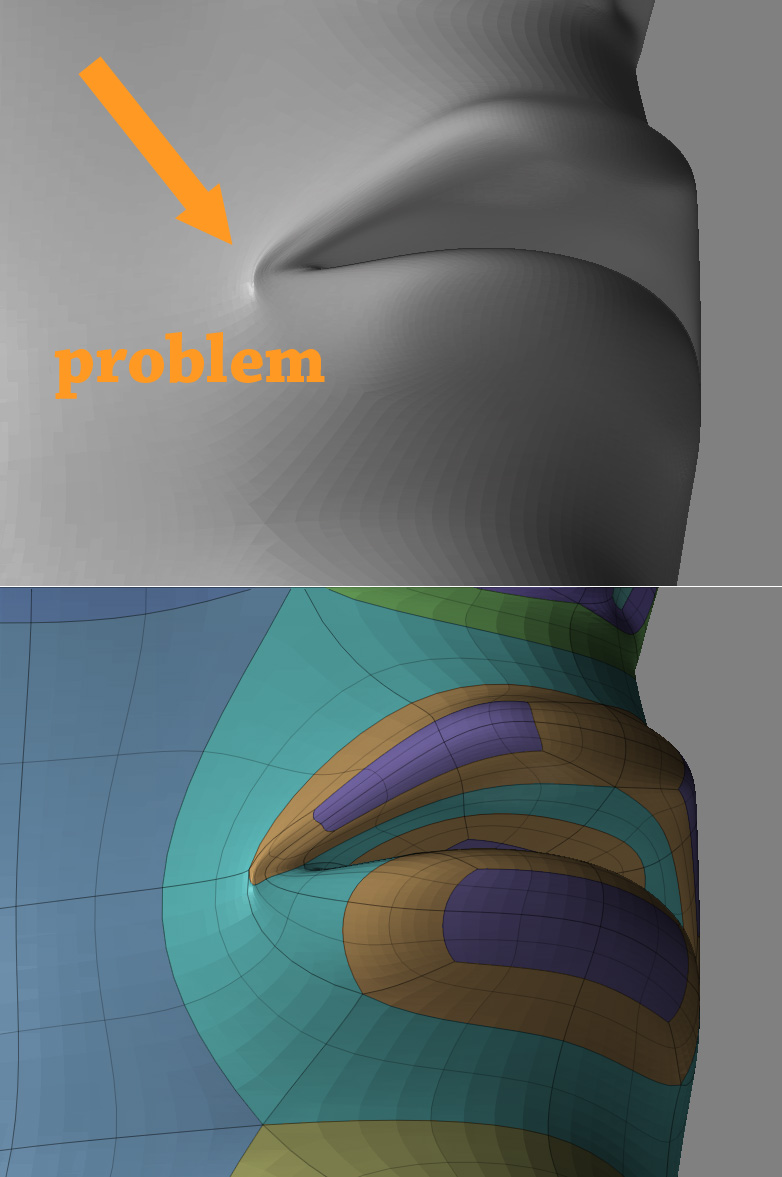
also try to avoid points that have over 5 edges coming out from them. it no surprise that the point at the nose is not smoothing you have 9 egdes coming out from there.
not to give you a hard time but maybe you shouldnt take jobs and deadlines until you know more of what you’re doing.

Like said above, all those points with so many lines intersecting are not going to smooth right. It needs more edge loops around those features, like the nose and mouth.

I took this shot at it in photoshop. Took a bit of time, but I always find it somewhat fun, like a puzzle. And I’m a beginner, so I’ve only constructed maybe 3 faces. So I bet another more experienced user will spot better ways than I’ve done. But, it was hard to try to keep it within that area without adding too many new polygons, removing polygons, and without redoing areas across the entire head.

I tried to get rid of some of the triangle shaped 4 sided polygons on the inner edge of the eye, but that added polygons. And more polygons around the lip to get rid of that flat triangle shaped 4 sided polygon there too.

Hello

thanks for the answers - don’t have much solution there so I’ll start again with the advice of spaceboy and Timothy in mind.

Timothy thanks for take the time to send me a graphic explanation it does make a difference!

The model comes from zspheres not always obvious to do a mesh like in maya of max! (I don’t know those soft - but I saw meshes much cleaner coming from them!)

thanks

Helios

I was wondering if you did that in Zbrush, which would surprise me. Usually each zsphere creates a polygroup, and seeing all the ones you have on the face, I can’t imagine there being that many zpheres used there.

Good luck. I might just be easier to export it to one of your modeling apps to edit it and import it back in to finish sculpting. Or, try retopology within zbrush, but that can take too much time to learn and get right.

hello Timothy,

I went back to the zsphere model and did fix some (not all!) of the problems

making poly more square

my biggest mistake of a beginner was to try to get to close to reality (its a portrait ) already in low poly- this created the triangles… or close to triangles.

zsphere are square geometry so it does create some time multi point edge connecting… I cant avoid that! anyway I will post the evolution soon!

thanks you very much
Helios (running!)

Hello everybody,

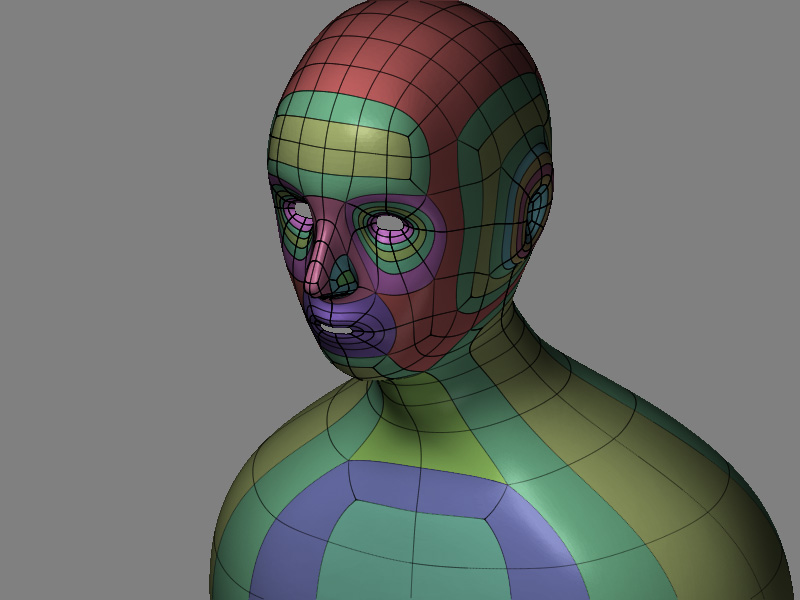
Here is my new mesh that I start sculpting now - it did inflate well this time.

It looks like nothing for the moment - I am following Antropus’s Picasso tutorial… if you have suggestions or see something wrong please drop your comments!

Happy ZB all,

Helios newmeshstefano.jpg

Attachments

newmeshstefano2.jpg

newmeshstefano3.jpg

Hello the pros,

I got the start of the ear posted for your comment and advise! going to bed!

see ya tomorrow!

Helios

P.S. any tips to get rid of the jaggy lines of the highlights? in ZB … ;o) thanks

zb 2,0 user /// zb 2,0 user /// zb 2,0 user /// zb 2,0 user /// zb 2,0 user /// zb 2,0 user /// zb 2,0 user /// zb 2,0 user /// zb 2,0 user /// zb 2,0 user /// zb 2,0 user /// zb 2,0 user /// zb 2,0 user /// zb 2,0 user /// zb 2,0 user /// zb 2,0 user /// zb 2,0 user ///
oreille.jpg

you are still going to run into problems with that point that has 7edges coming out of it near the nose.
you can make a decent head with zspheres if you understand the res sliders.
also you can always make a simple head with zpheres, then edge loop afterwards, which i think antropus did. you really needed one more horizontal loop across the face to separate the eye loop from the mouth loop. good luck, every mistake leads you to become better.
lastly probably too many loops for the ear, if you do it right you can get away with one or two at the lowest level, now you’re going to have way too much geometry on the sides.
you might want to look into the retopology feature.

Hello Spaceboy,

Thank for the coaching! ;o) I appreciate - You are right the more I redo things the more I understand the no do things!!!

I am very curious to get some more knowledge on how to use better the zsphere… a little screen shot perhaps! (very demanding student - :lol:)

my model now have 7 sub divisions and it did inflate very well - I stoped there cause my system is at ease under 4 milions polys - ( 3,8 now)

I wont go for wringles - so it should be enough!

I am following the master Antropus videos ( see the link ) he did create this 7 edge terrible mesh!!! the work around ( I believe) is to put the point in the most flat area of the cheek …

see you tomorrow!

Helios

http://www2.zbrushcentral.com/picasso/tutorial.htm