I’ll try to explain this one as thorough as I can 
/Edit: This strange behavior does not occur in 3.1.
If it’s any help, I’m running Vista HP 32-bit.
Attachments
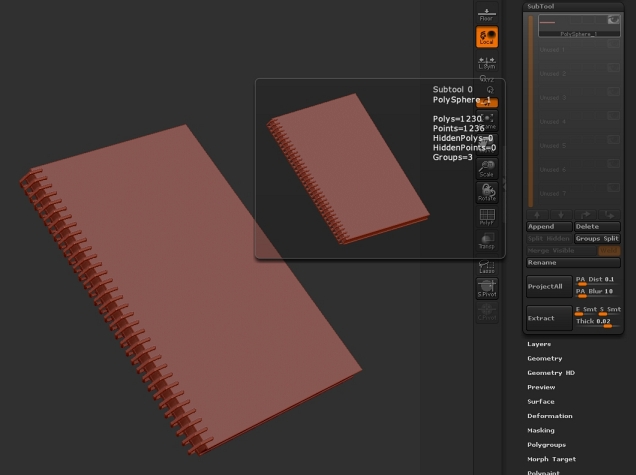
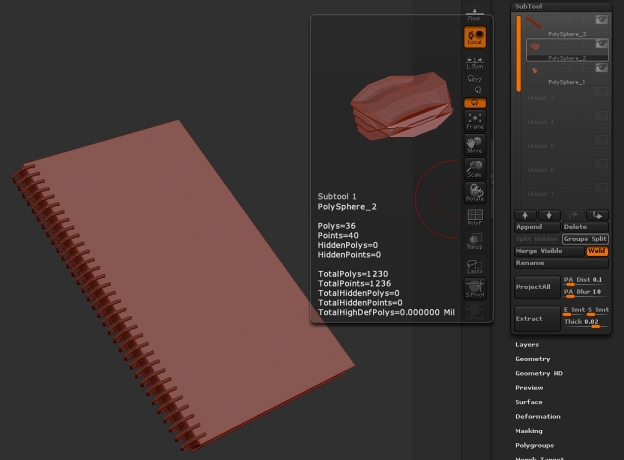
I’ll try to explain this one as thorough as I can
/Edit: This strange behavior does not occur in 3.1.
If it’s any help, I’m running Vista HP 32-bit.
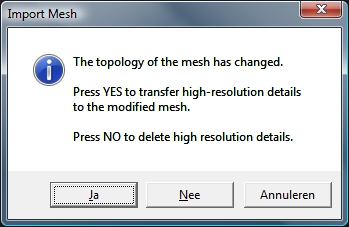
Zbrush thinks you wanted to import your notebook into one the the active subdivision levels of the mesh you had active at the time (in 3.5, that polysphere is live by default for some reason. That preview looks like the love child of the notebook and the poly sphere. But obviously, the verts are different, hence the warning. In ZB 3.1 it wouldnt have let you import meshes with disparate vertex counts in on top of another one period…Im not sure the reason for the option warning now…only bad things can happen (like that preview).
Short story, make sure you have no active 3D tool when importing another mesh obj, unless you actually do want to import that mesh into your active tool, and overwrite that subD level . Do this by switching to any other non-3d mesh tool first. Like the “simple brush”.
I don’t know why the polysphere is live by default. It’s just a quirk.
Thank you very much Bingo_Jackson! Now that I know why ZBrush did what it did it seems quite logical really. :o The import and preview all went OK this time. Again thank you for your fast reply.
Slightly off-topic: if anyone wants to use that notebook, feel free to do so. If you use Silo like me and want the original .SIB file, let me know.
That preview looks like the love child of the notebook and the poly sphere.
haha, I always start with a PolyMesh3D primitive when I want to import. I don’t know why this works exactly … it’s a star shape and it has a different topology than what I’m importing … why is that better than importing into a sphere?..but I’ve always been told to use it and I do and it seems to work.
Most of the default Zbrush primitives are parametric, and not polymesh 3d objects, and so they wont give you any trouble. The star is an exception, but has no active subD levels, and wont give you any trouble unless you divide it.
The new 3.5 default polysphere is a new object though, a live polymesh 3d tool with active subdivision levels, different from the other parametric sphere primitive. It is just sort of a quirk of 3.5
[delete]double.
Thanks for the information, I keep learning every single day. 