ZBrushCentral

Mesh geometry screwed up all of a sudden

Allright, first image is what my mesh looked like just recently (screenshot taken from a backup). It’s made from a basemesh in maya 100% in quads, so i got all that topology stuff clean.

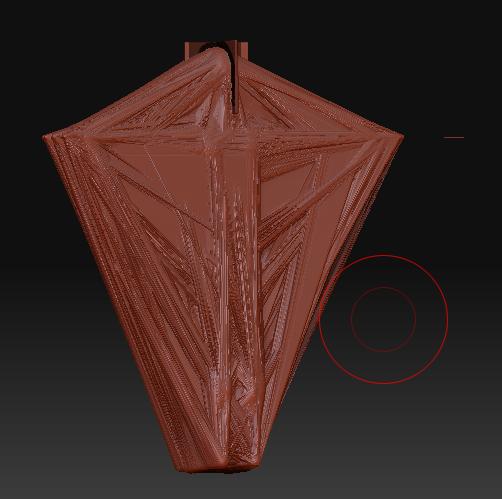
And the second image is what happened when i just loaded it into zbrush this morning. It’s very sad, i had gotten quite far on it. Allso it still looks okay on the preview so I was wondering if there’s anyway to restore it…

In anycase, if there isn’t at least i wanna avoid this ever happening again =(

Attachments
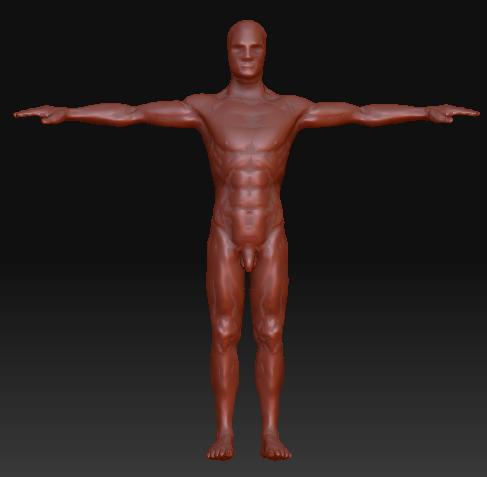
original.jpg

screwed.jpg

It’s a corrupted file. So it is lost.


ways to prevent.

  1. Always save at lowest SubD on all tools.
  2. Always make sure there are no hidden polygons on any subtool.
  3. Always clear all masks before saving.
  4. ALWAYS save using subtool master. NEVER ctrl+S
  5. Save in iterations! After saving a tool, load it again and draw it on the canvas to make sure it isn’t corrupted.

Also, play nice with Zbrush. Give it a second to do it’s thing before you start doing other things.

Sorry about your lost file, hopefully you did save an iteration back and didn’t lose too much work.

That’s good advice Ghost666. I learned something there! Thanks.

Oh I just randomly found the same version but without geometry screwed up on my desktop :smiley: cheers