ZBrushCentral

Mesh "Collide" when i zoom out.

I’m pretty sure there are something you can do to avoid this problem… I’m trying to make a wireframe render in zbrush, but everytime i zoom out the mesh starts to collide, even thou the mesh ain’t colliding in the actual model… When i zoom in zbrush reads the wireframe correctly… It would be awesome to receive some help, cause It’s really bugging me… :slight_smile:

This object consists of 1 subtool

Thanks in advance.
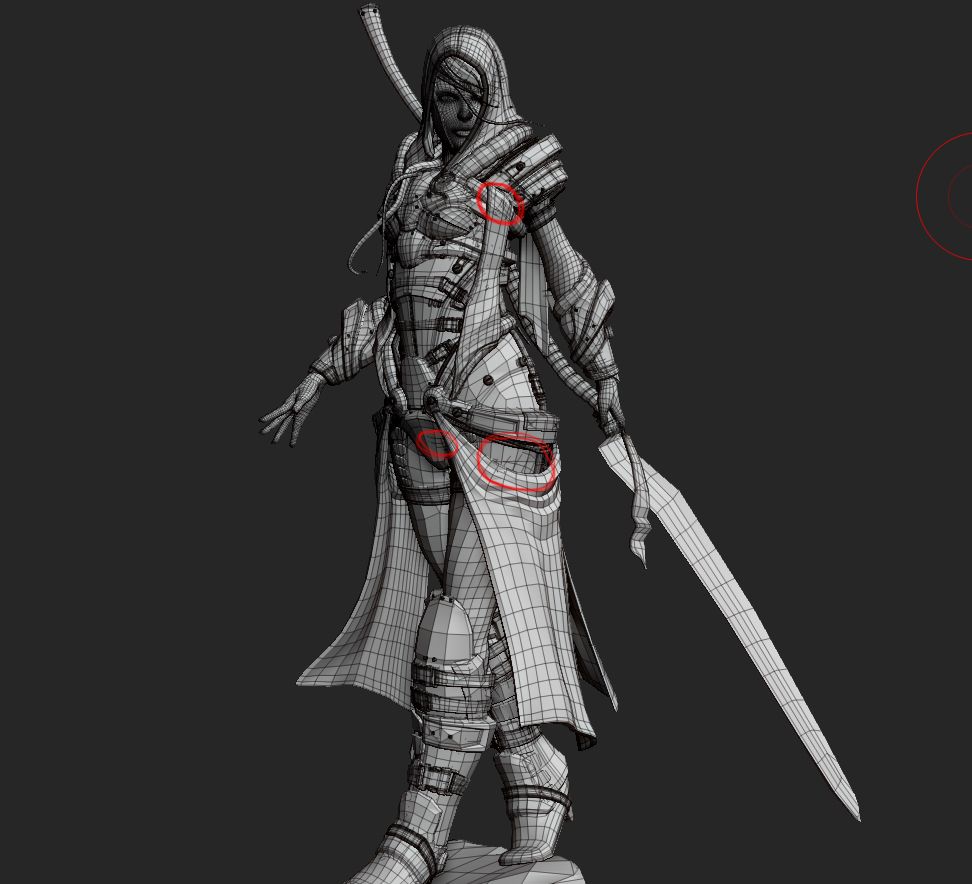
I couldn’t find a way to get rid of this with a single subtool but it will work if you split up the model and use BPR:

  1. Back up your model.
  2. Press Tool>Polygroups>Auto Groups. (This assigns polygroups based on the topology.)
  3. Press Tool>SubTool>Groups Split. (This creates subtools based on the polygroups.)
  4. Turn on polyframes (Shift + F).
  5. Do a BPR render.

You can turn shadows off in the Render>Render Properties if you wish.

HTH,

Yo Marcus and thanks for the reply…

yeh, i figured that out. Breaking up the model would fix the problem… Thanks for taking your time throwing a comment, very much appriciated!