Hi to all,
I am an architect and just started to explore zbrush. Maybe it will be helpful in my future arhitectural projects…
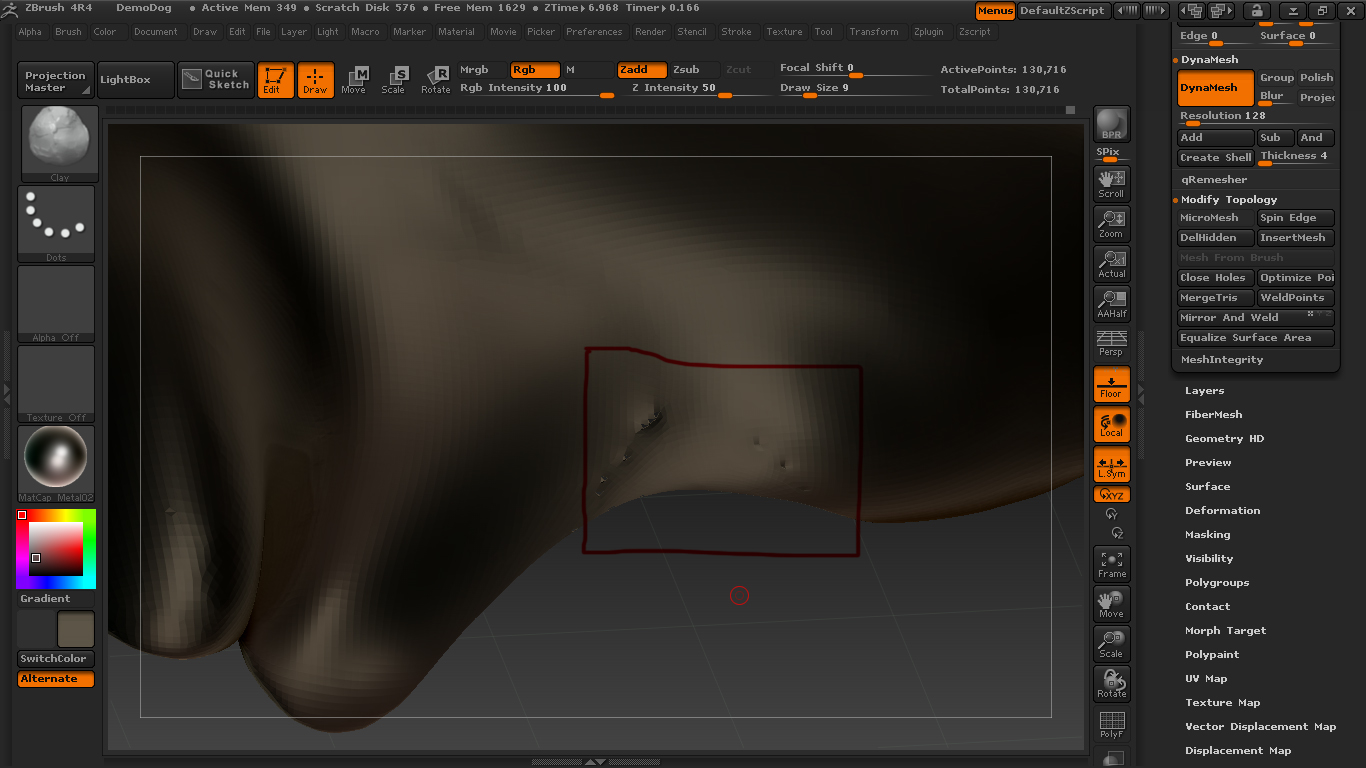
On picture you can see this broken mesh and I want to close it. Any suggestion! Thanks
Attachments
Hi to all,
I am an architect and just started to explore zbrush. Maybe it will be helpful in my future arhitectural projects…
On picture you can see this broken mesh and I want to close it. Any suggestion! Thanks
It appears you are using Dynamesh on a very thin object.
Dynamesh is based on volume, when you get too thin, it creates holes.
You can inflate the area in question and then redynamesh until it doesn’t have the error.
I will try that!
Answer to question, bring another question.
If not working with dynamesh, how to get more subdived mesh for detailed and smother model?
Thanks again
tool.geometry.divide
you should be using dynamesh for volume changes and subD levels for detail work.