Ive noticed when I bring an .obj file from maya into zbrush that my model’s definition gets smoothed away. Is there away to just bring it in as is?
Could you show screenshots?
I think you can hit the cage button if you want to look at the non smooth version of your model, ussualy i used this when i want to retweak it outside zbrush again.
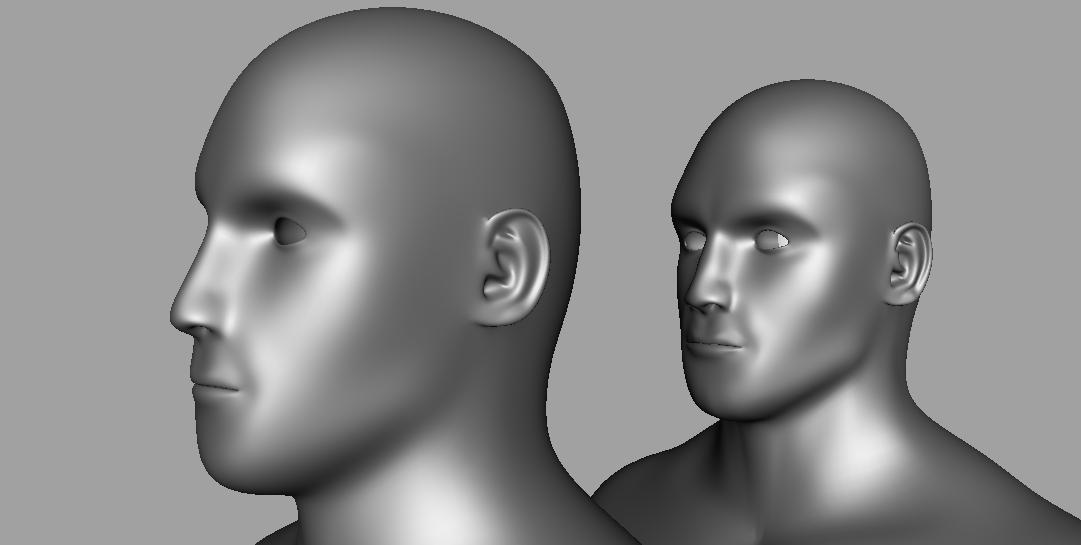
Hey thanks for the replies, so figured it out it’s not when I import it into zbrush but when I export it out and bring it back into maya. When I don’t touch the model at all, just bring in and back out again. It averages the vertices very slightly, but enough to notice. So is there away to make sure it doesn’t change at all when doing this?
Picture included.
Attachments
If you just import and export, nothing should happen to change the model.
But if you import, divide, then return to level 1 and export you will see changes. This is because when you divide the algorithms smooth the surface (which also causes it to contract). When you return to level 1, the multi-resolution mesh editing feature of ZBrush dictates that those changes will be translated back down to level 1.
This is easily avoided. Before you divide the mesh, store a morph target. (Tool>Morph Target>StoreMT) When you return to level 1, switch to the stored morph target. (Tool>Morph Target>Switch) This restores the base mesh to its original imported state. You should do this before you create displacement maps. If you’re then going to go back up to the higher levels again, switch morph targets again. Otherwise, the change made by restoring the base mesh will end up being translated back up through the levels and cause them to change.
Nice chunk of info there, thanks for the quick reply.