Hello,
I noticed that some materials that show up fine in ZBrush under XP32bit,
seem to lose their textures/settings when used in ZBrush under Vista 64bit.
This also happened with the 2 great material collections I purchased recently from Gnomonology, made by Ralf Stumpf.
Has anybody else experienced such a thing? cheers
I haven’t heard of any such thing. I haven’t seen it either.
Are you sure that the materials that you’re comparing were created for ZBrush 3 and not ZBrush 2? Due to the changes in the rendering engine for ZBrush 3, several materials from ZBrush 2 now look different. Also, many material effects won’t show up until a best render. (Color Bump, for example.)
Aurick, possibly this happens too. Problems occur with some of the start up materials and also with some of the freebies materials I got here in the forum (apart from the ones in the 2 collections I got).
I will try to screencapture the materials popup window and let you have a look…
A few of the weird appearing materials between the 2 OS…
Attachments
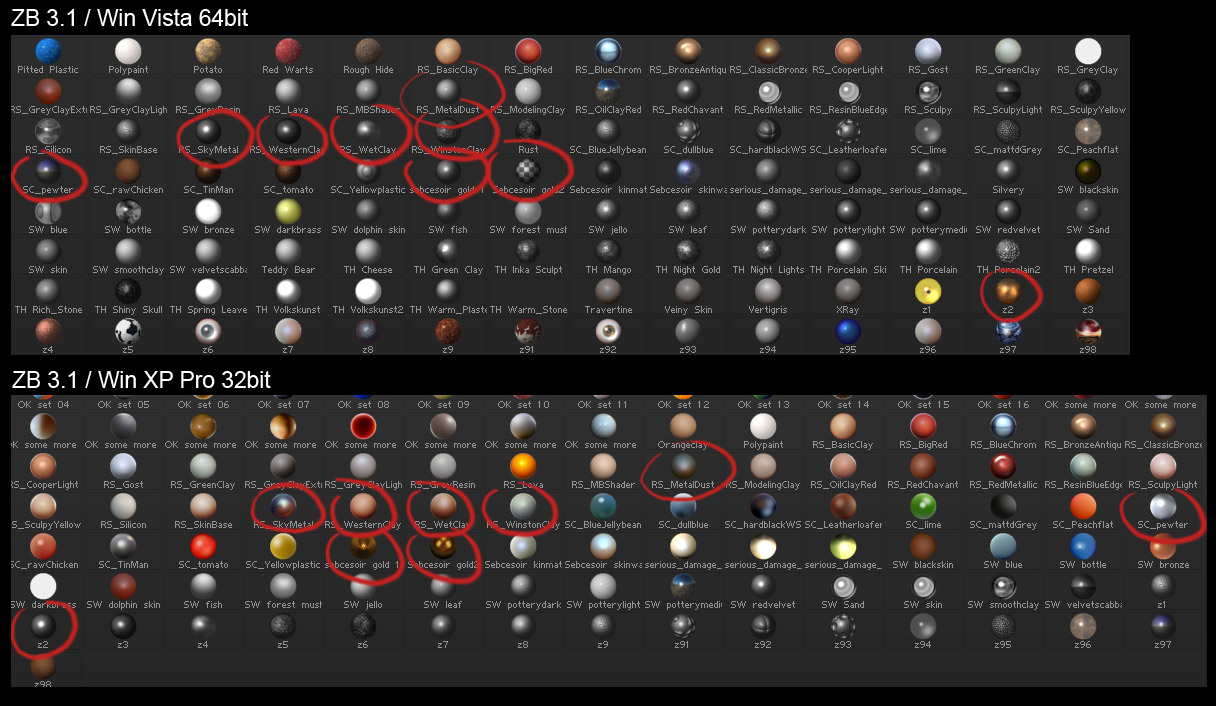
So… after I downloaded every single material from the library here and doing tests with all the materials I have got (free, purchased or made by myself) using them in ZB 3.1, my conclusion is that you cannot have them all in the materials folder and use them properly into the program.
Definitely, quite a few of them were made for ZB 2, therefore they conflict with the newer ones, but still cannot be sure about which ones to use and which ones to let them outside of my material folder.
For instance, some older materials can work fine together with the newer ones, but as soon as I add to the folder some others, the first materials lost their settings/textures. The worst thing is that I cannot be sure which materials are the older ones, just by looking at the date of creation.
Anyway, I hope this issue will be solved some time in the near future, cause it can be really frustrating.
I think I just found out what’s the source of the problem.
Older and newer materials can actually coexist in the same folder quite fine - show up on the preview and render properly.
The thing is, if I put too many material presets into the material folder (I used ZStartup/Materials), specifically more than 176 materials, then the section of the matcap materials preview pop up floating window shows some materials of the last row(s) messed up, as for textures and settings.
I think 176 is the maximum number of matcap materials available to preview and render properly, cause If I remove all the materials from the folder and open ZBrush, I only get four default matcap materials :
red wax, white cavity, pearl cavity and matcap2, which I guess I cannot remove (and rather don’t want to).
As soon as I put again to this folder my selection of 176 matcap materials and open ZB, I can preview and render with all these materials.
Therefore, I had to miss some of the many great materials available, so that my 176 selected ones can be viewed and used properly.
I wonder if using ZMATS material manager, http://www.zbrushcentral.com/zbc/showthread.php?t=57589&page=1&pp=15
would make me able to handle all the matcap materials and use them properly inside ZBrush. Possibly I sound like a newbie but I never faced this issue so far.Any help would be greatly appreciated 
I was actually just going to post that it looked like you were putting too many materials in the startup folder.
The startup folder is not meant to replace loading anything you think you might need or want at some point. It’s meant to give you permanent access to a few materials (or alphas, as the case may be) that you ALWAYS want and use.
Yes, eventually I noticed that and made my choice of materials…
There is always hope, though, that a future version of ZBrush or someone with script knowledge and some free time to spend, will give us a hand with this 