ZBrushCentral

Material

Hello, I’m new in Zbrush and I just finished my first model, but there is a problem. I did all the model using the Matcap Red Wax, but now, when I try to change the material appears a few zones where the material doesn’t change and remains red (no matter the material I change). I just want the material to be changed in all the model. I upload a screenshot to show you what’s going on. Do you know how can I solve that problem? It’s maybe something related to sub tool panel? I hope you can help me. Thank you very much.

Attachments
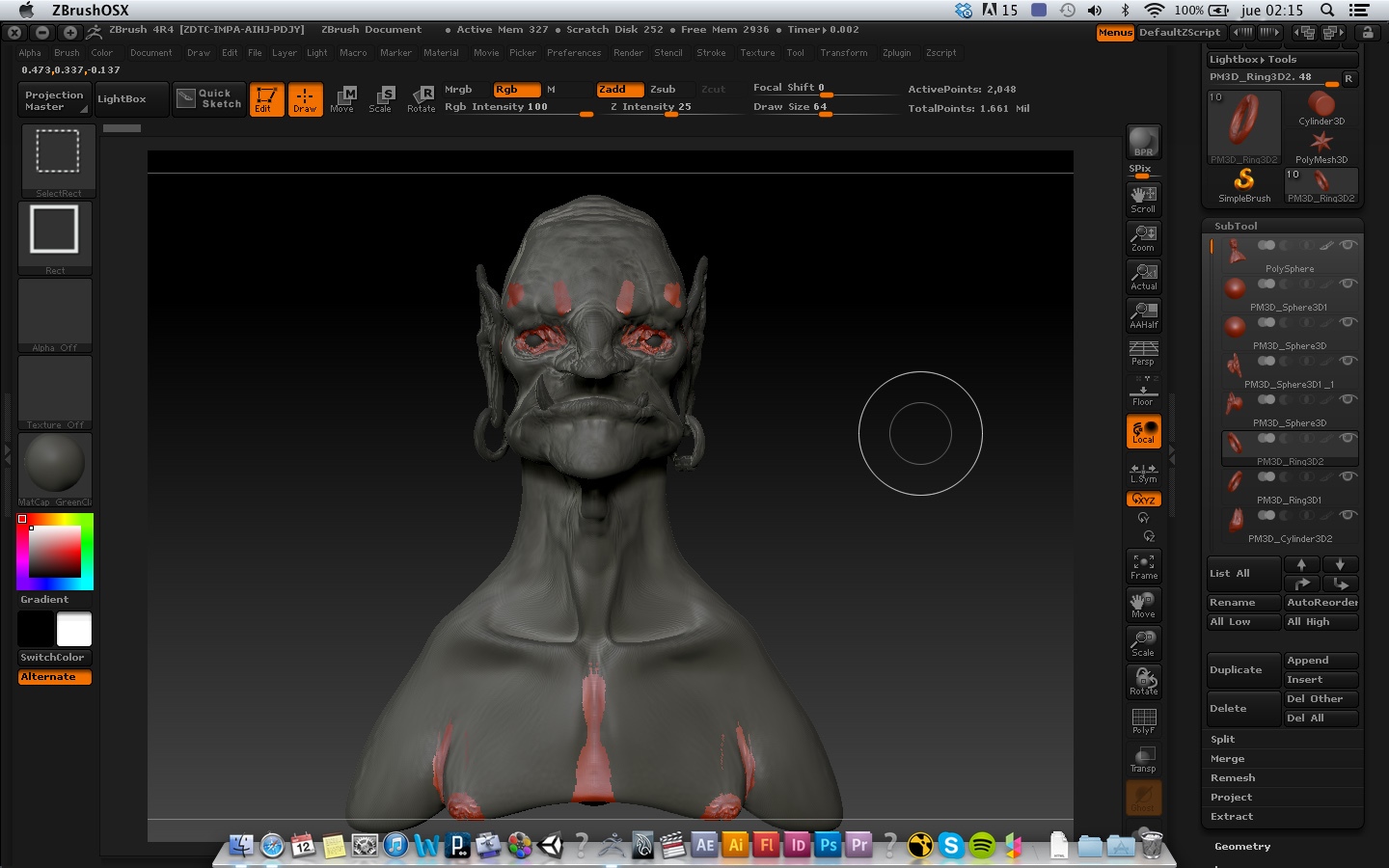
screenshot.jpg

Somwhere along the line you painted with a different material. To fix it, first select the subtool it is appearing on, then…

  1. Select the ‘Flat Color’ material in the ‘Standard Materials’ palette.
  2. Enable the ‘Mrgb’ button at the top of the UI.
  3. Go to ‘Color’ menu and click ‘FillObject’.

This will reset your material and you can now select what material you want to use.

I’m sure it was accidental, when you change brushes, sometimes they’re all set to paint as well as sculpt. :wink:

Yes it was accidental, but anyway I followed the zber2 steps and I fixed it. Thanks all of you, it was very useful. And I apreciate your fast reply. I will try that doesn’t happen again. :wink: