ZBrushCentral

Matcap issue SENIOR MEMBERS help PLEASE !!!

I will post some pics after of what I am talkign about, but my main issue is that I will finish a model with all the different MatCap Materials I have chosen for all the different subtools. Also I will have polypainted information onto the model. But everytime I begin a new model and begin applying new Materials it goes crazy, when I go to load the previous model I just finished all of the color and material information will be crazy out of wack. All the Matcaps will be replaced with different ones and all my polypaint is gone because new color and material information has been put over it. My process for applying materials is: Choose subtool, hide all other subtools, chose material and color, Subtool master “Fill”. The model will maintain this info for as long as I dont start another model. As soon as I do that then go to load a previously saved model, everything is crazy!!! on that previous model. The current model stays intact. Please help. does this happen to anyone else? Is my process for filling material and color incorrect? IDK I am lost. Pictures of what im talking about to follow.

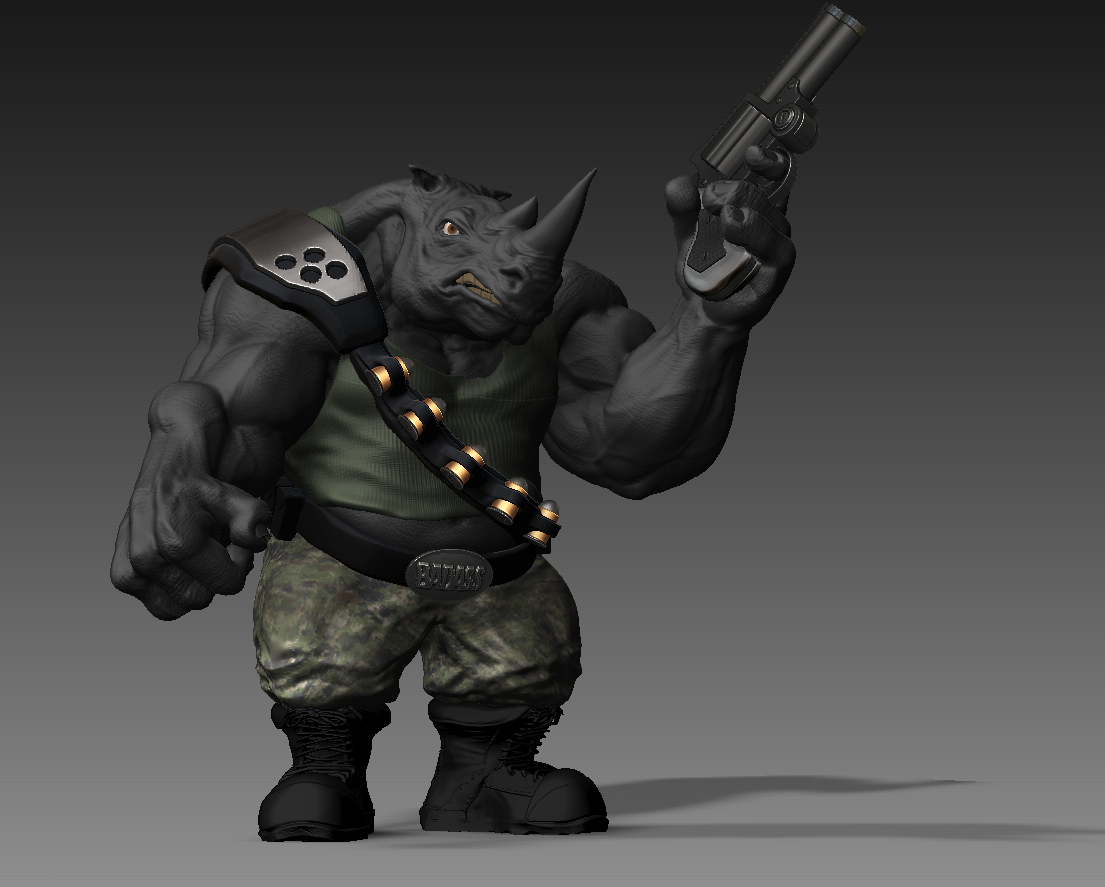
the first image is my character rendered out right after I finished with him. The next picture is what appeared when I opened the same file after I began a “new character”. Same holds true for all of my saved characters. They all go wacky like this except the current one im working on. SOMEONE PLEASE HELP!! I don’t want to have to go back threw and redue all of my models. If so can someone please tell what to do differently for the future.

Attachments
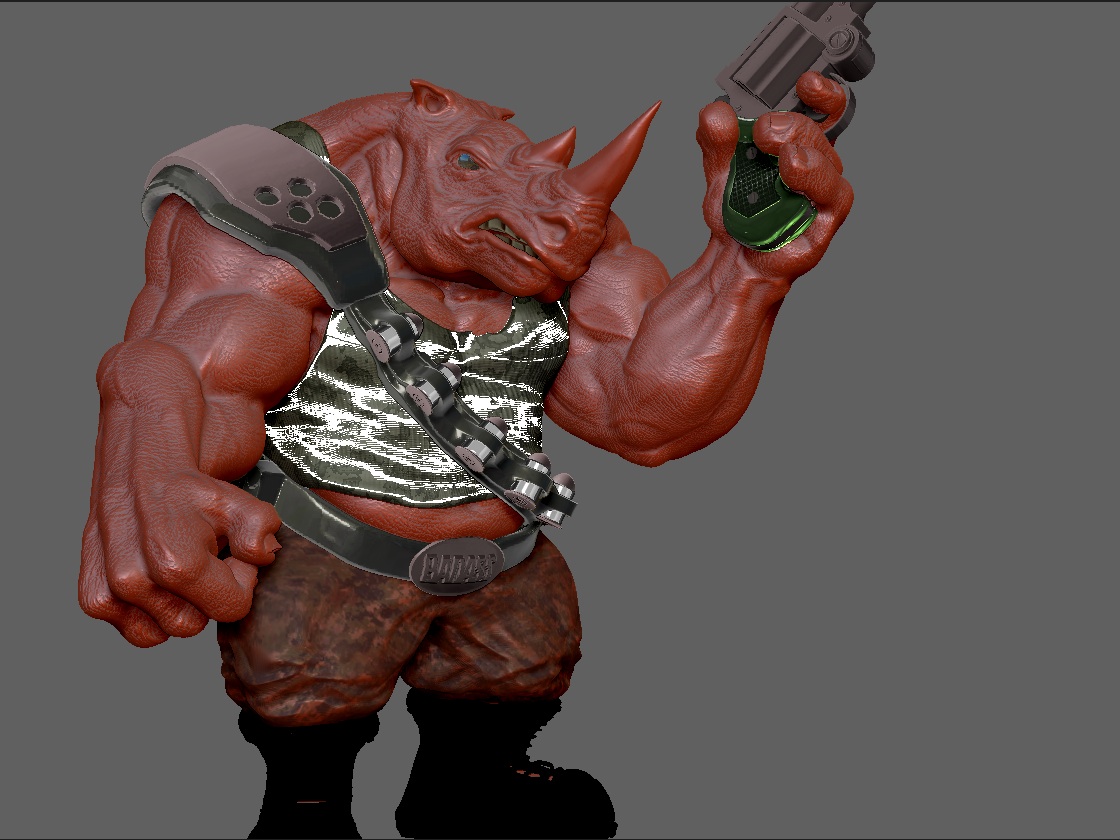
wallaceahh.jpg

Wallace2ndGradBPR.jpg

are you working with .ztl files or .zpr files?

I am using Ztl. files

I have been reading in the forums about how materials get assigned a number. Is it possible that as I download new materials from brush that they replace my old materials. And now that number that is assigned to say the shirt I just did now has a different material in its place. I do put all the new materials I download directly into my startup menu. Let me know if this sounds good or im just making stuff up. I just need an answer so I can stop doing whatever it is im doing to cause this. :frowning:

A couple of suggestions. If your only filling one subtool at a time with color and/or material, you don’t have to use Subtool Master. Use Subtool Master to fill multiple subtools at a time (all visible subtools). The following is the normal proceedure.

  1. Select the subtool you want to fill.
  2. Select the material and color.
  3. Turn on ‘Mrgb’ button.
  4. Go to ‘Color’ menu and click ‘FillObject’.

‘Mrgb’ button will fill both color and material.
‘Rgb’ button will fill with color only.
‘M’ button will fill with material only.

If you are putting materials into your ZStartup/Materials folder, Pixologic suggests that you put no more than 25 materials in there. I believe it’s due to memory limitations.

If you make any modifications to any of the materials, the modifications will not be saved with the ZTool (.ztl). You will have to save the project (File > Save As).

A word of caution if saving the project. There have been issues with opening large size project files ie. ZBrush allowing to save a large project file and then not being able to open it. If you are saving as a project, as a precaution, always save the ZTool also. There are seldom any problems saving a .ztl.

thanks alot for the reply ZBER thats a big help. I think I just need to stop putting new materials in my startup menu because I went back and started redoing some of the materials on past models and saving them and everything seems to be okay. I guess everytime in between new models I kept downloading new materials to use. Thanks again for the reply its a big help. :cool: