ZBrushCentral

Matcap baker seam issues.

Ok I know the issue but I can’t seem to find a good work around.

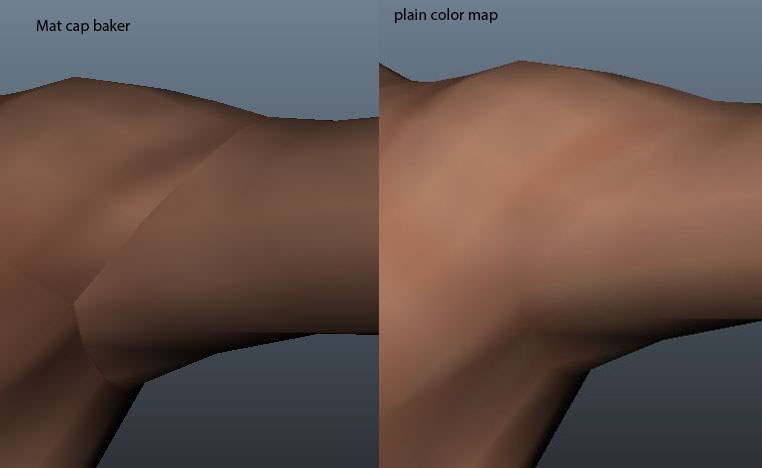
Below is an image of a Diffuse map and the same map with matcap baker applying the material. I know why it does this (the small spec/rounded edge zbrush creates when it uses the flatened uv’s with the material.

example:

I’m wondering if you guys and gals have a work around to bypass this issue. I would prefer to not spend a ton of time in Photoshop painting out seams.

thanks every one for your help. If I’m not clear enough or have placed this in the wrong forum just let me know I will try and move/be more clear.

Best Regards
Kyoske

Attachments
Matcap_baker_issue.jpg

I don’t use the baker plugin, but isn’t it essentially just a quicker way to use the old displace-a-plane trick? If that’s the case I think the UV orientation would be very important due to the matcap having light direction baked in, and would make certain splits harder (if not impossible) to completely eliminate seams. An area like the shoulder would certainly be one of those areas.

The best option for seamlessly baking lights IMO is getting your hands on a program that lets you have the model and lights in an actual 3d scene. Otherwise, when it comes to baking something like a matcap, I personally prefer exporting the document, then immediately zapplink and paste what was exported. This does require manual painting and blending of views though (shortcuts don’t often have shortcuts themselves).