ZBrushCentral

Masks not at 100% anymore

Hello,

this is for ZBrush Windows 3.1

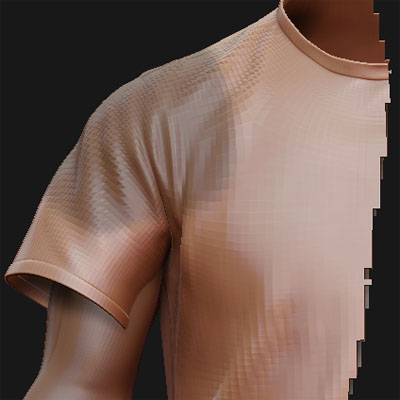
All the masks I’m painting in my file don’t have 100% anymore. I don’t know what I’ve done, but the color of the mask is not as dark as it should be (seems like 50%). If I use the move tool or the transpose tools the parts that should be masked out move also but not as fast.

I made sure that Masking -> Intens is at 100 (Blend also)

Is there another setting that affects masks?

Patrick
Try checking the Preferences>Transpose>Mask Blur Strength slider. See if reducing its setting does what you want.

Unfortunately that didn’t help me. I’ve uploaded a picture showing how my mask looks like now.

Patrick

Attachments

zbrush_mask.jpg

your masks are effected by your RGB level. if that is at 50% then you paint a 50% mask…if you want a solid mask, just make sure RGB is at 100%. that should fix up your problem right away.

this also applies to things such as projecting polypaint from one mesh to another. using col>txt and generating normal maps in Zmapper.