ZBrushCentral

masking issues with group dynameshing

Hello guys,
I’m following a tutorial and in that tutorial the guy splits body parts in different groups so he masks them and then dynamesh correction with groups on (ctrl on canvas for update)
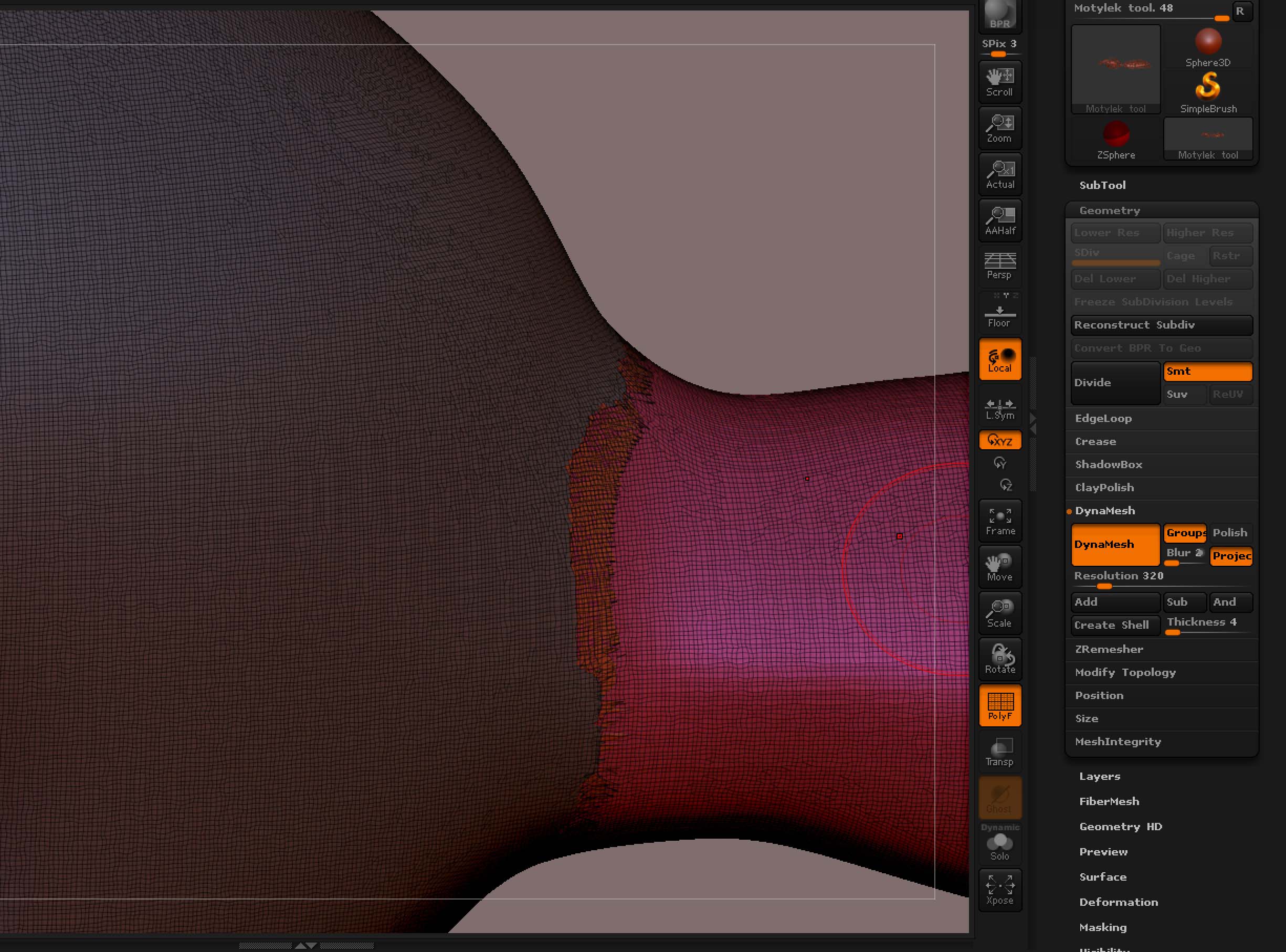
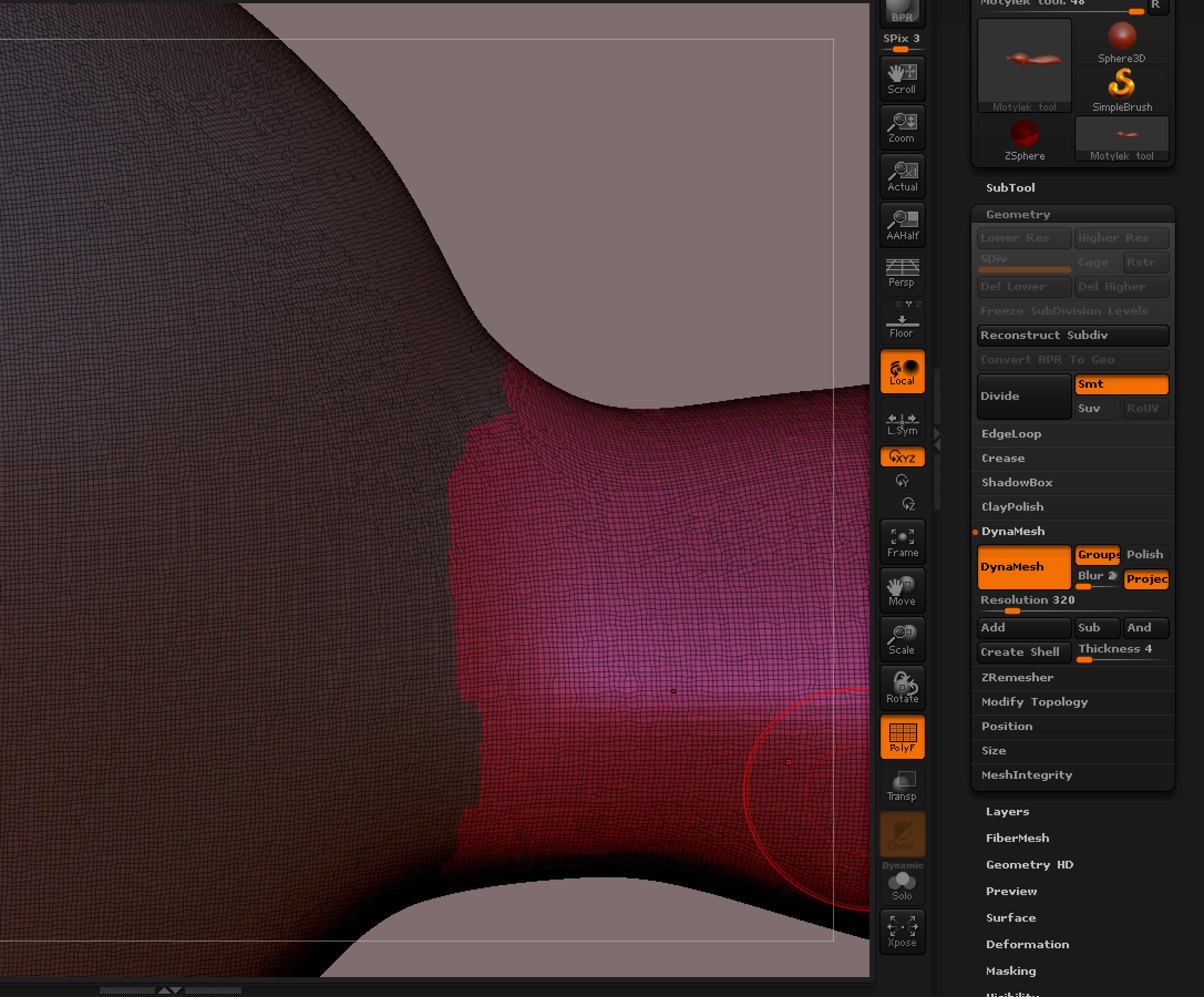
unfortunately, when i do that it creates another strange group and looks so bad and i have no idea how to fix it. I tried to smooth the surface and increase the dynamesh resolution but nothing helped. Do u know what I am doing wrong, please?
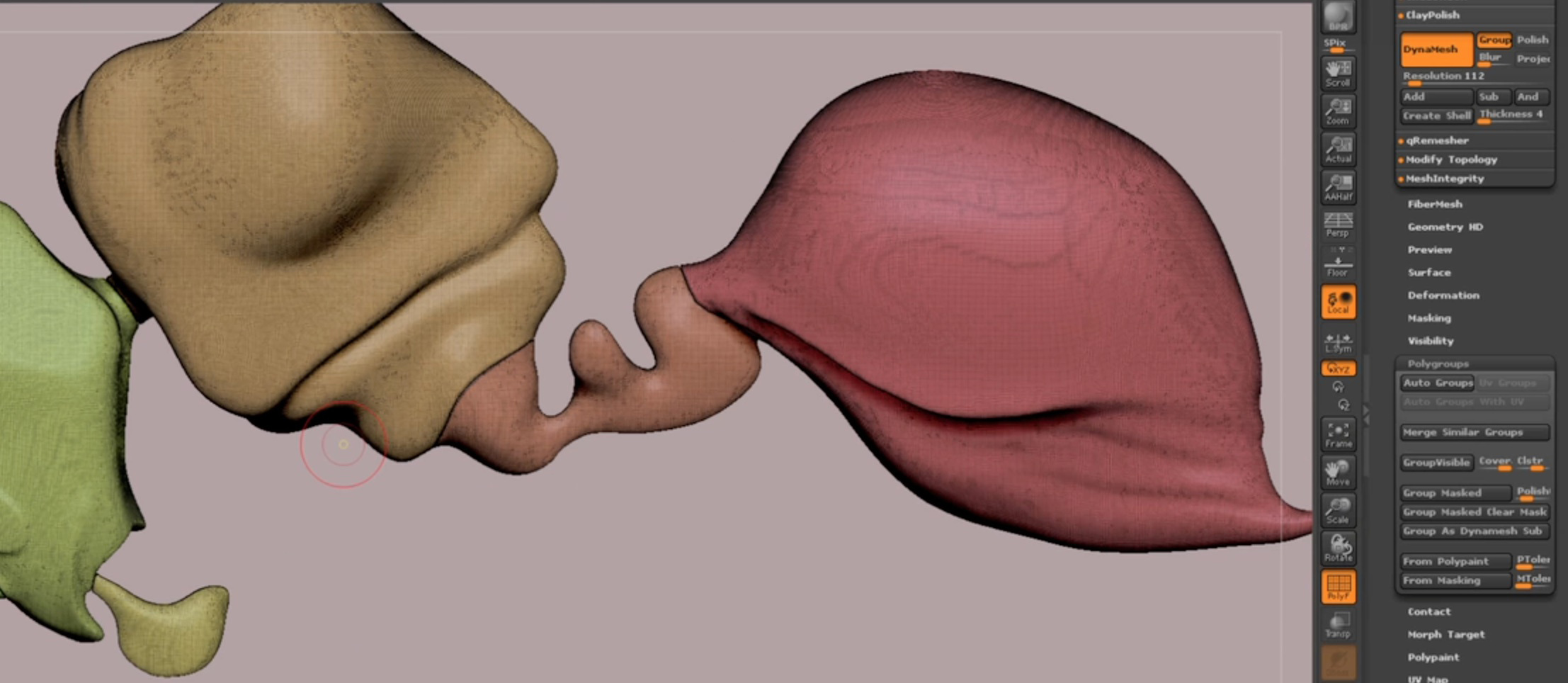
Pics attach and one from the tutorial also

Attachments
Screen Shot 2013-07-27 at 23.04.40.jpg

Screen Shot 2013-07-27 at 23.13.26.jpg

Screen Shot 2013-07-27 at 23.13.46.jpg

Screen Shot 2013-07-27 at 23.17.57.jpg

Masked areas are not affected by paint, deform, scale etc…

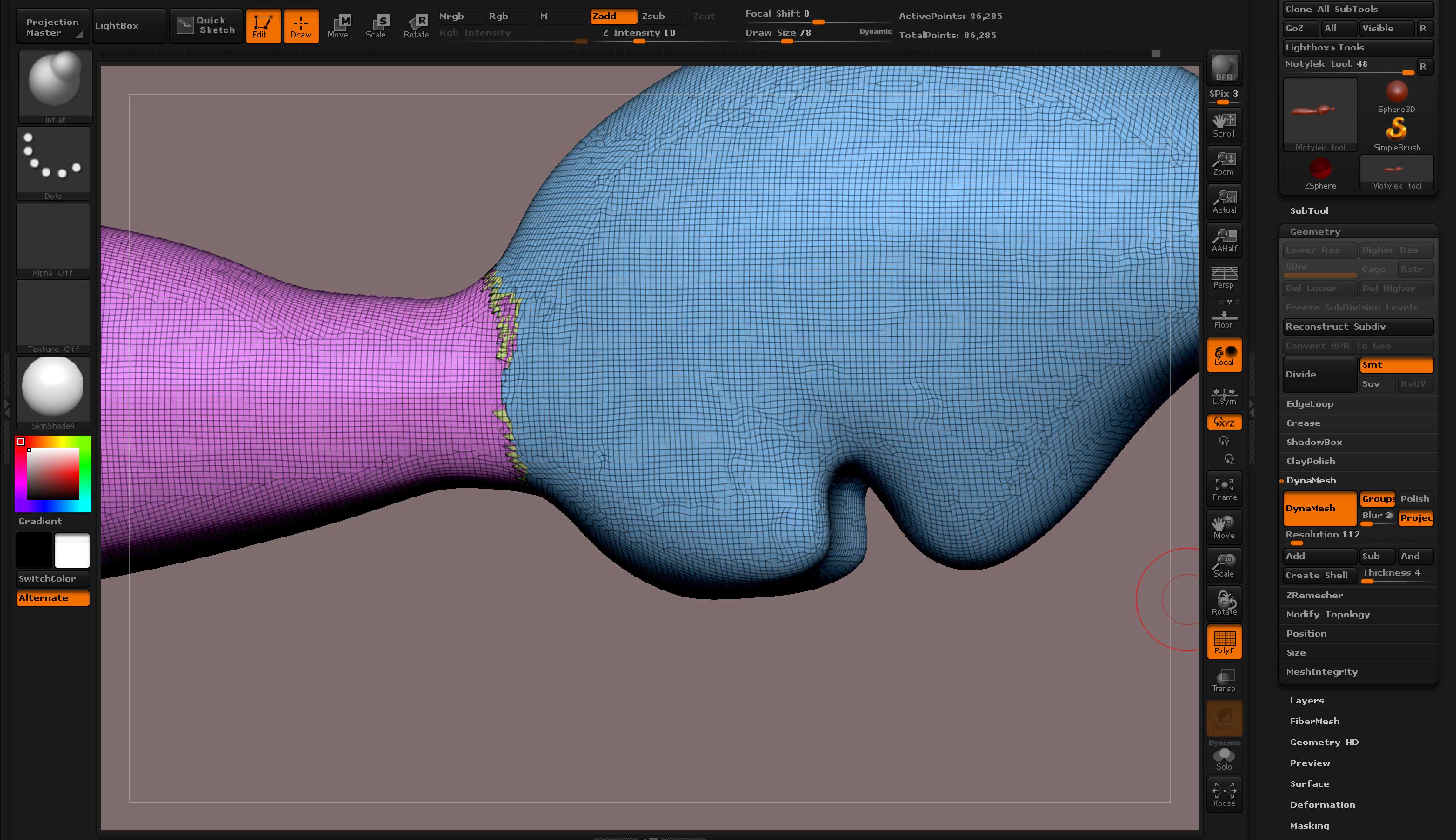
sorry for the confusion, what i meant was that i masked the area and created polygroup. once i have two polygroups i redo the dynamesh (ctrl drag on the canvas outside the mesh). the dynamesh gets recalculated but suddenly there is another polygroup that is kinda scattered strangely.

pic 1&2 show the issue. (pic 2 is just higher res on dynamesh) pic 3 shows it before and pic 4 shows how its meant to be from the tutorial video.

sorry if its confusing but i still dont know the correct terminology. Hope its understandable this way :slight_smile: