ZBrushCentral

Masking doesn't mask 100%

Hi all,

I have been having some problems with masking. If I have a cube & mask half of it, then flip it around and apply texture to the other half, the masked half still receives some texture. It’s like the mask is set to 90% strength or something. I’m sure it’s an easy fix, but I’m a nooooooob at ZB.

tx,

dh

It has mostly likely to do with your RGB intensity, if it’s not already, crank it up to 100 :slight_smile:

Is that in the Masking toolbar? I see cavity intensity, and “mask by alpha” intensity (which is at 100).

Ah - i see rgb intensity at the top of the screen. Increased to 100, but still have the same problem. My masks aren’t 100% effective… help!

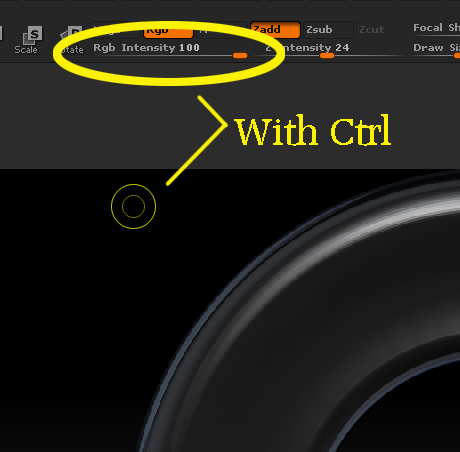
You have to do it while you have Ctrl pressed.

Yep, with Ctrl pressed, the RGB slider is at 100 (see image). Still the same problem - masking doesn’t prevent texture…

Attachments

rgb.jpg

Ok, so just messing around I changed the +Ctrl slider from RGB to M (material) and that seems to work. Any recommendations as to why I shouldn’t do this?

I’m noticing the same behavior. Both with color, and actual sculpting. A default mask doesn’t seem 100% effective unless I sharpen it once.