ZBrushCentral

MAC redraw issues

When I changed the Document size the entire screen breaks up into squares. I thought it was because of my detailed model but it happened with Zspheres too. I went from a 800x600 doc to a 1024 x 768.

This is a new install of ZBrush 3.12.

My machine is:
MacPro, Dual processor, Quad-Core Intel machine
OS 10.5.6 (latest update)
250 GB Hard Drive
10 GB of RAM
ATI Radeon HD 2600 XT graphics card

Attachments
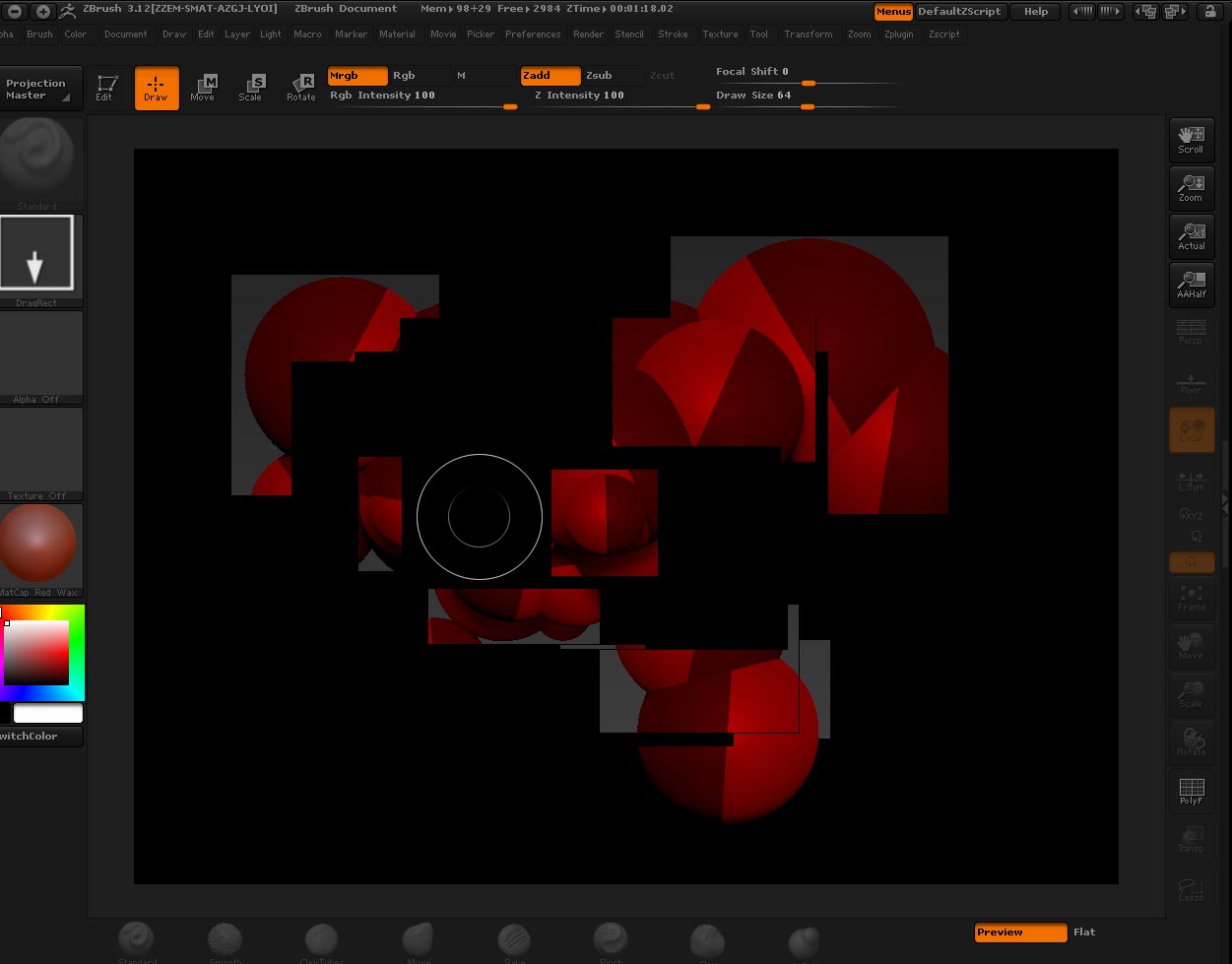
redraw.jpg

This is a known issue. For now, simply leave Document>Pro turned on when you resize the canvas. The error appears when you resize the canvas non-proportionally, and leaving Pro on will avoid that.

Sounds good.
I’ll try that.

Thanks.

Well, that didn’t work.
It seems that I have to leave it at the default document size otherwise it causes the screen to break-up.
Funny thing is, if I do a test for Multiprocessor, ZBush automactically scales the doc to 900 x 700 or something like that and I have no issues.
So now I just run the " Test for Multiprocessors" each time I go into sculpt and I have a larger canvas.
I tried to scale this doc to match the “test” size and that didn’t work either.