ZBrushCentral

low quality graphics card or another issue

I have low quality graphics card it cost 50 english pounds. i have just started using z brush
and started to notice i am having trouble with the current project. The tutorial

i am following doesnt have polygons missing at the sides of the model when in isolation mode.
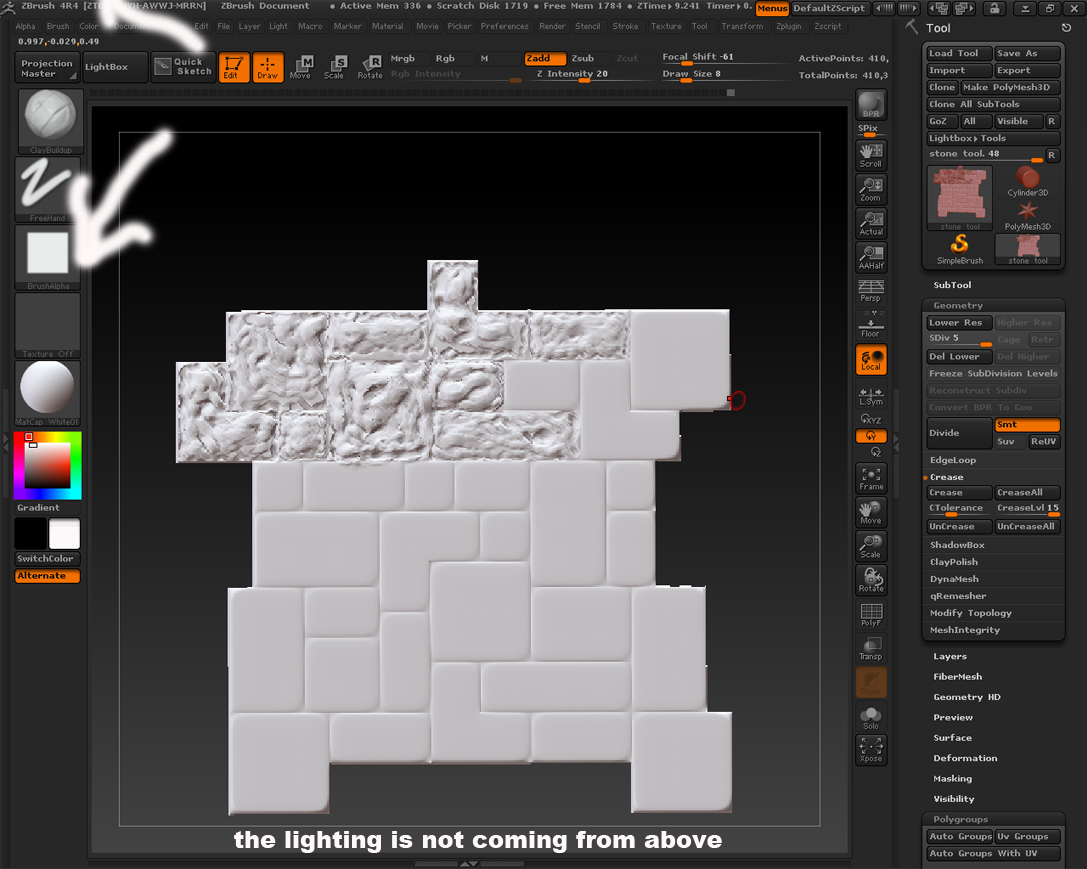
my mddelhas polygons missing on the side of the mesh. i am not sure wether this my graphics card.

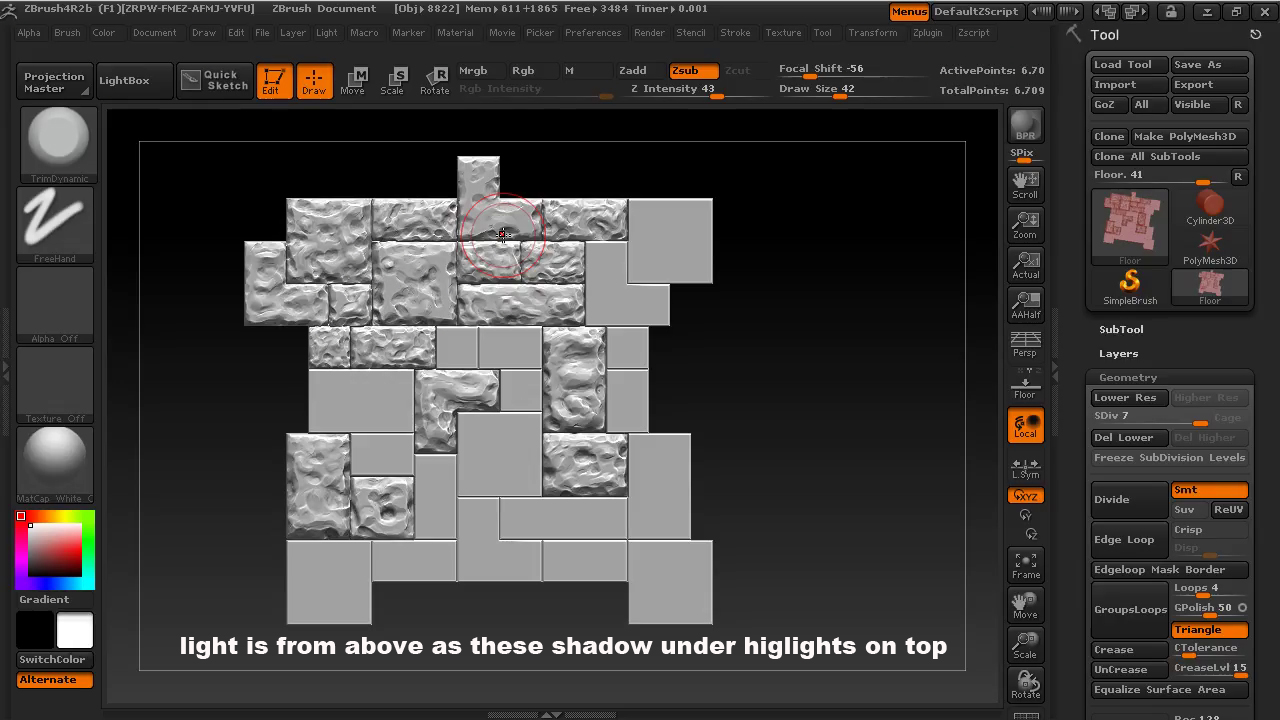
Also my lighting seems to be diffeent from the final resul ive posted both tutorials is the one with better
lighting.

Please if anyone can explain or give me some adivce on the following

Attachments
light not coming from above.jpg

tutorial.jpg

No your graphics card isnt that important for zbrush. You might need more memory. But I dont think thats whats causing your hidden polygone problem though. I think youve either deleted those polygons or youve just got them hidden. Select the subtool in question and go down to visibilty in the tool menu. Click ShowPT. If the polygons show up then your done. If they dont show up, you may have other problems. As far as the lighting situation you show in the screen grabs, thats because you have different matcaps in each image. Matcaps have lighting information built into the material.

Select a Standard material and you can control the lighting using Lightcaps. I suggest SkinShade4 btw. I use it all the time.

To control lighting go to Light menu. You can only use light caps on standard materials. I was going to try to explain light caps here but, its not that its difficult or anything, its just that its a lot of clicking and you know… zbrush menus are kind of a mess. Basically you’ll want to turn off the main scene light and use light caps instead. They give you way more control for really cool effects.

I’d strongly recommend updating your copy of ZBrush to ZB4R6 P2.

thanks for the reply.

The standard material has given the shading correct.Thats was one of the differences. I might actualy try detaching the poly in 3ds then immporting into z brush,I will look to see if i have the poy are hidden as metioned hidden in zbrush first
cheers