ZBrushCentral

Lost Functionality in version 4.

>Bow<

First post, new to this forum.

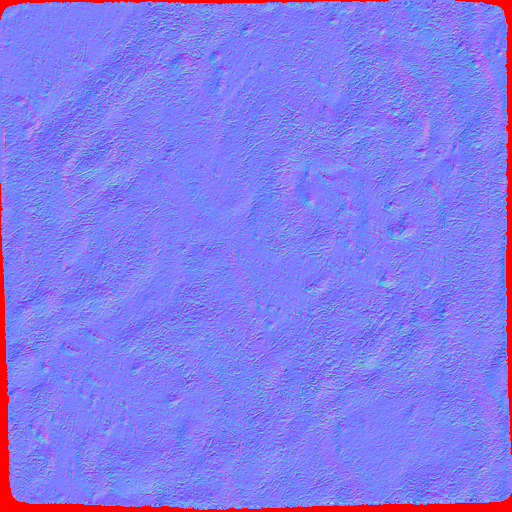
In zbrush 3 - 3.5 I used zbrush to create seamless ground textures on a project using a plane3D polymesh. With wrapmodes set to 1 for brushes, I completed the texture. When reducing the mesh divisions to generate the normal, zbrush 3 - 3.5 would generate a flawless tiling normal. In version 4 this no longer happens. The normal map has mucked up edges, and now my process which worked great, no longer functions. Red Border indicates blank spots where the normal map did not stretch towards the map borders. I am unsure why zbrush decided to drop this function, because it was very, very useful.

resulting normal:

Are there new options that need to be activated?

Also Why were the default UV’s removed from the “Plane3D”?

Attachments
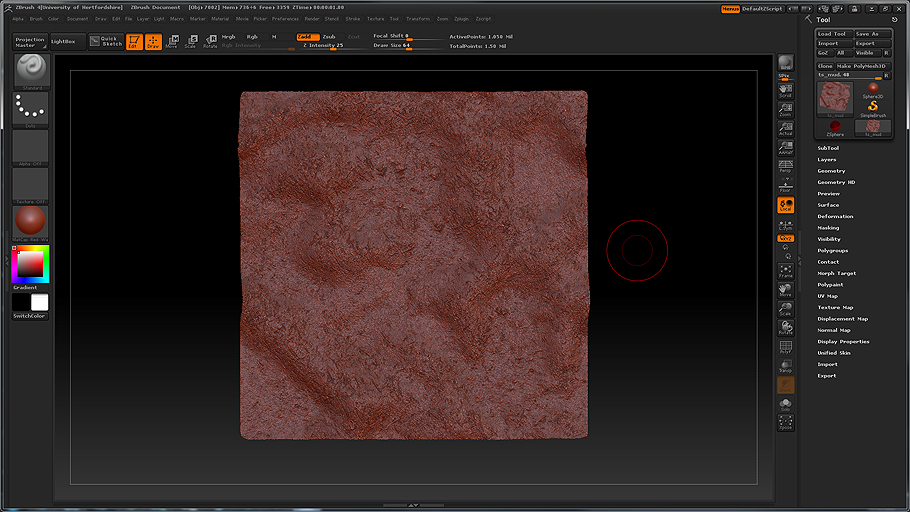
CL_ts_mud.jpg

workspace_ts_mud.jpg

Can you explain exactly what you are doing to get this result? Having done a brief test I can’t reproduce your results.

Note: the red border in the above image is there to indicate where the map edges did not tile like it would have if this was done in zbrush 3 / 3.5

Process:

Created a soil color map 1024x1024.
Started zbrush.
Double document size.
Created a plane3D object.
Activated edit mode.
Created UV’s (zbrush 4 no longer has default uv’s for this object.)
Applied the color map in grayscale as a texture on the poly plane.
Divided the plane3D 6 times.
Set 4 layers for scultping detail.
Began, finished work.
Reduced subdivisions to 1.
Generated normal map.

Map I received: From Zbrush 4

Map I expected:

The maps look different, (I know, the second was done in X-Normal) The point I am getting at is, why didn’t the map coming through zBrush 4 go to all the edges of the bitmap perfectly like it used to?

Can you post your mesh (you could delete the higher subdivision levels to reduce file size). I’d like to see how your UVs react. I still can’t reproduce the issue.