Hi,
Hi all,
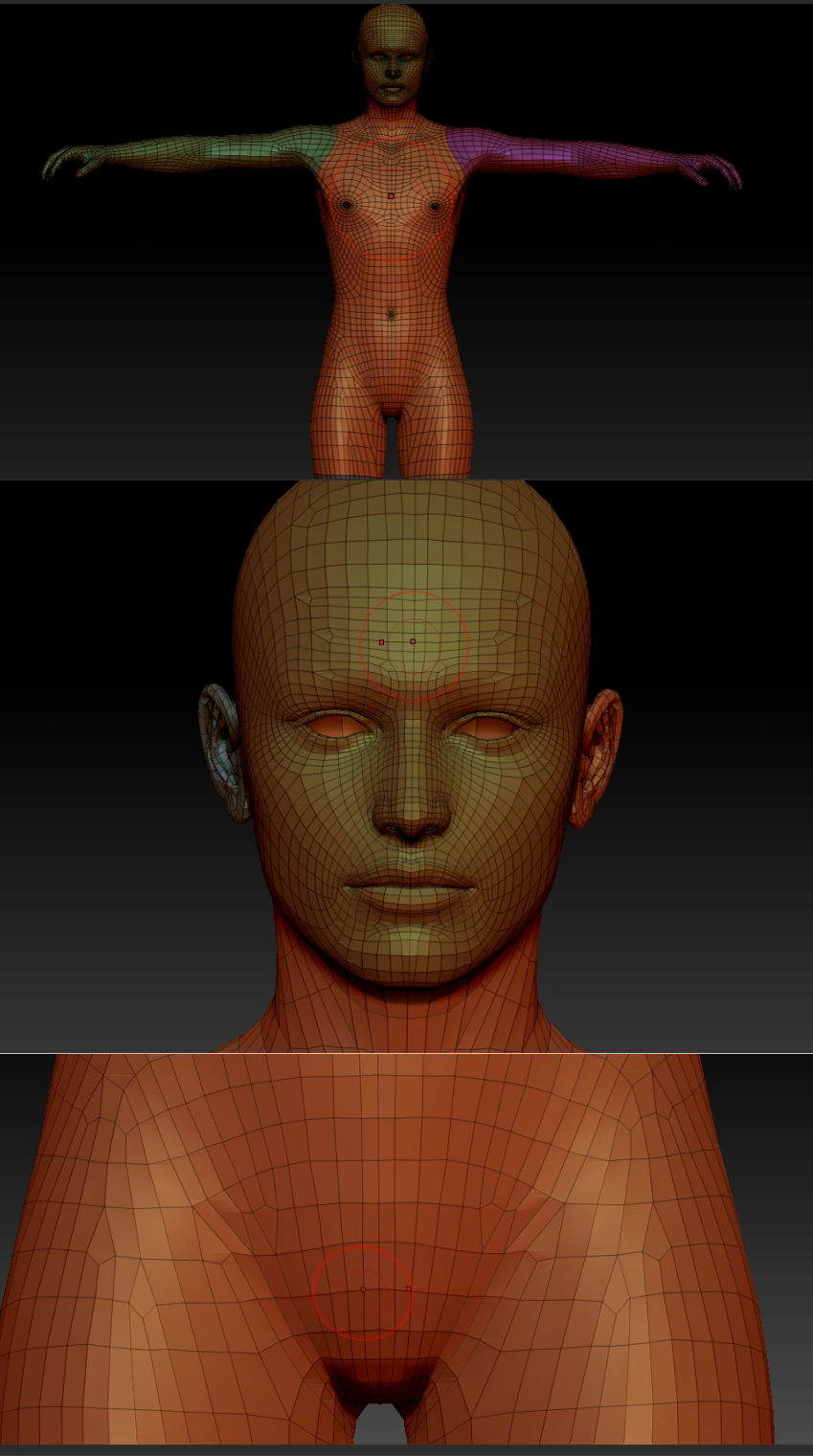
Yea, I’m a Genesis user. I work in DAZ Studio mostly but LOVE ZBrush for doing morphs and getting into texturing. I’ve run into an issue though. Genesis is a symmetrical figure, it’s been checked out thoroughly in this way. Issue is when I load up either Genesis.obj or a saved Genesis.ZTL file (because I had set up groupings to instantly hide eyes, inner mouth and nails) to make things easier on myself when working on Genesis stuff. Today I was going to create a creepy faceless morph for it. I noticed the second cursor was NOT symmetrical with the other one. Zoomed out and saw that in the center of the chest they were in sync but as I moved up towards the head the left side moved outwards. As I moved down the body the cursor moved to the right. So something is askew.
Is there a way to fix this? Is this a known bug in ZBrush? I thought it might be a bug in the ZTL file format but nope, happens with the obj file as well.
Thanks for the help. I’ll have to make a desktop link to this thread since the auto notification seems to be borked here. :o
Richard 
Attachments