ZBrushCentral

Link spheres get red

Hi, I have one more question dealing with Z sphere modeling.
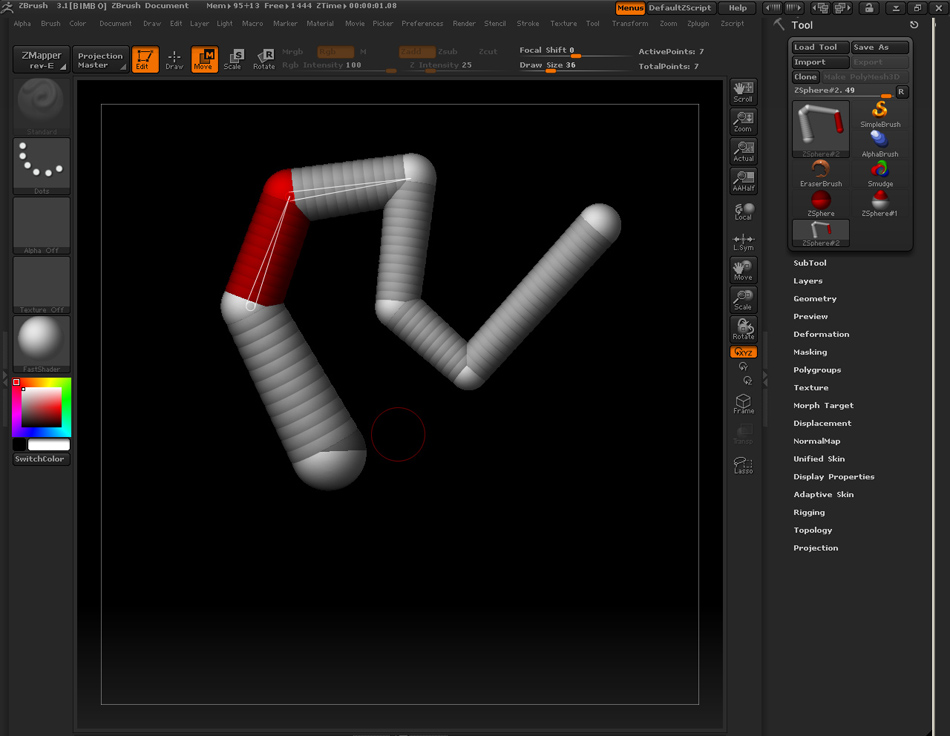
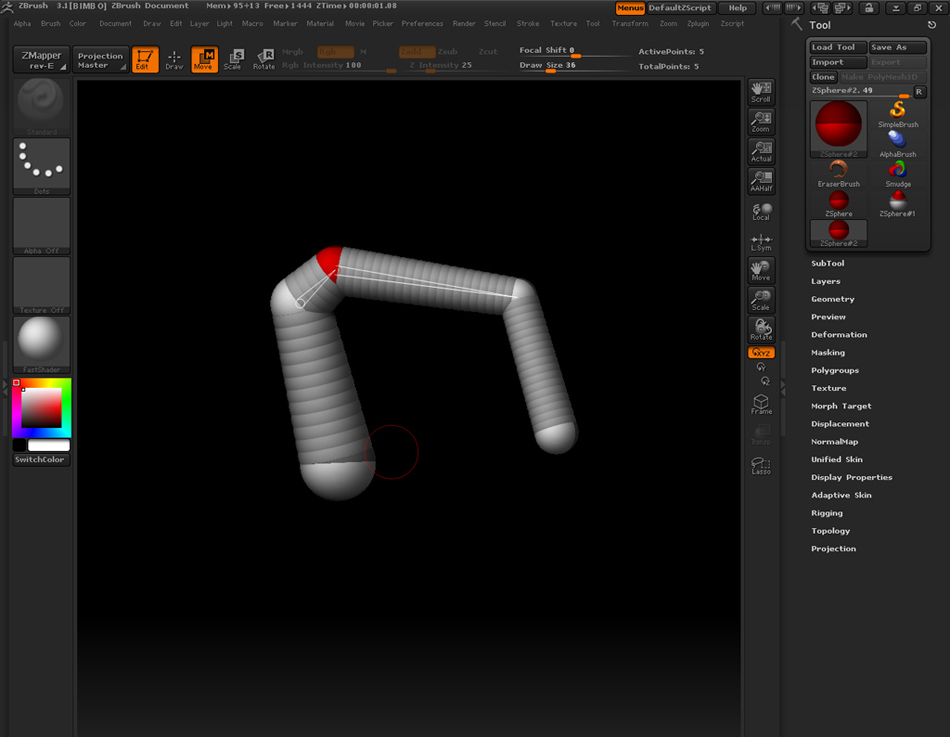
When I edit Z sphere model using move tool for example, I do something (clicking with any key pressed) that causes light grey link spheres between two joint Z spheres get red after selecting joint Z sphere. What does this mean and what effect has this for editing/selecting parts of z sphere model?

Thanx

B
It sounds like you used Color>FillObject while the ZSpheres were visible. This causes ZBrush to use red shading to show the parent ZSphere for the currently selected ZSphere. The currently selected ZSphere is red and the linking spheres that connect it to its parent will transition from red to gray.

It doesn’t have any effect on your work. It’s simply another visual cue to help you work.

Well, I maybe haven’t described my problem good enough. I send you some screenshots of the colouring effect. I noticed that turning connection lines between two Z spheres to red color follows after clicking it with CTRL key pressed. Afterwards every selected Z sphere is red and so is whole connection line to the next Z sphere. I have selected white color in my color selector, that’s why I think this is no coloring issue. So I just ask again if this is just sort of some harmless side effect or if it has some meaning, because I haven’t noticed any changes in behaviour of Z sphere model

Thanx.

B

Attachments

A.jpg

B.jpg

Ctrl+Click is the keyboard shortcut for masking. Ctrl+Clicking on a ZSphere masks the model. This also activates a similar visual aid to what I described before. ZBrush begins coloring the linking spheres that connect the selected ZSphere to its parent. The difference between this and the filled object version is that with this version all of the linking spheres are the same shade of red. There’s no transition to gray.

As you observed, this ZSphere coloring has NO effect on your work. It’s only a visual aid, to help you keep track of how the selected ZSphere relates to the rest of the structure.

Ah, so…
Thank you for explanation.

B