I baked down a material onto an object to polypaint colors using ZappLink and am now trying to transfer it to a texture.
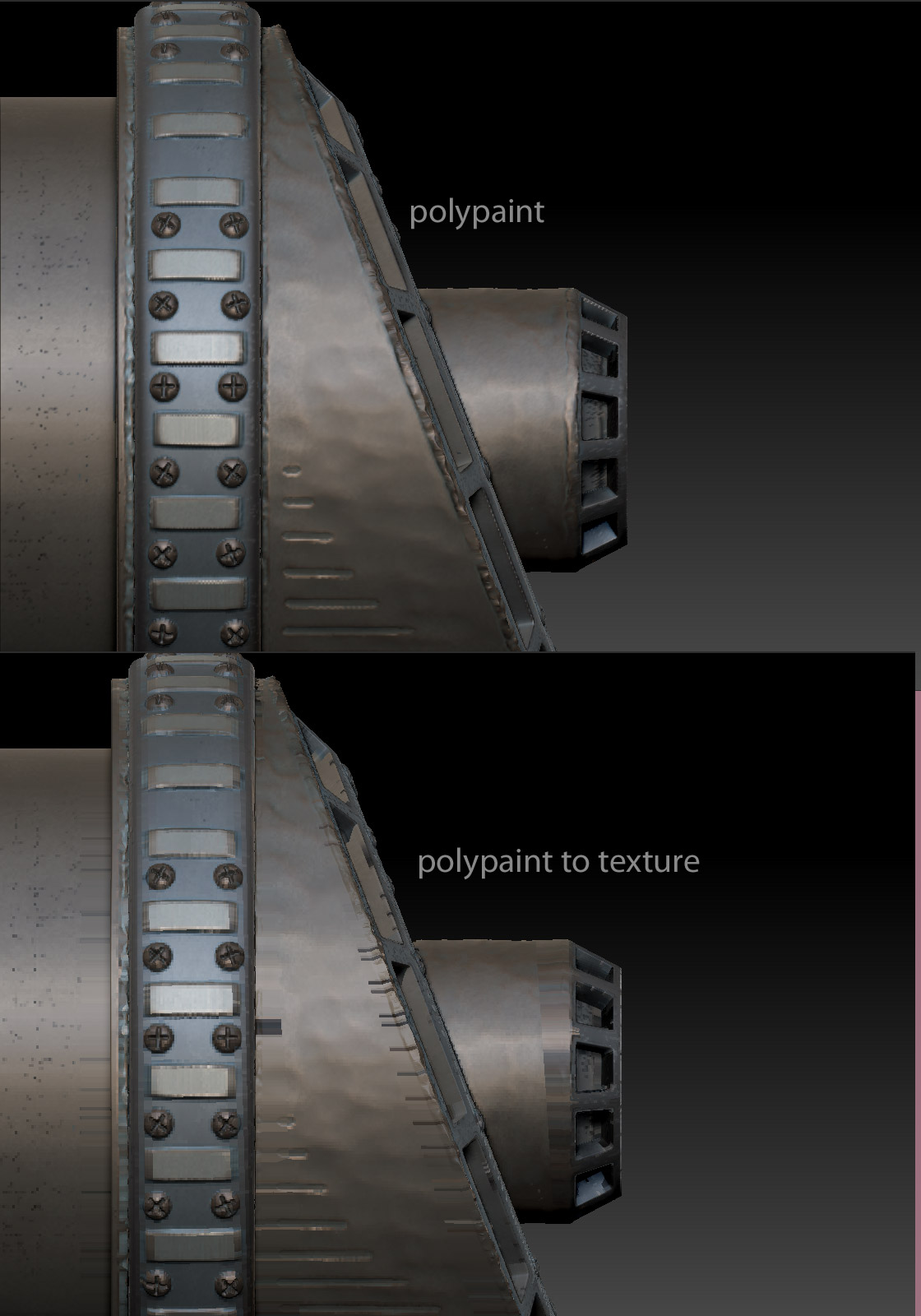
But when I use either polypaint to texture, it creates a texture that has a bunch of lines around the border!
See here:
[ ]
]
I tried adjusting ‘UV map border’, this does affect the lines, so I think it has something to do with zbrush not extending edge of the texture far enough past the UV borders. But unfortunately a UV Map border of 16 still does not fix it. I think I’d need like UV map border 64.
Anyone know how to fix this?
The UVs are setup properly on this model, I can apply a tile texture, or a texture generated from something else, and it will look just fine.
I also tried having Zapplink project the baked texture directly into a texture, but it has the same problem.