ZBrushCentral

Lightcap problem – is this correct behaviour/usage?

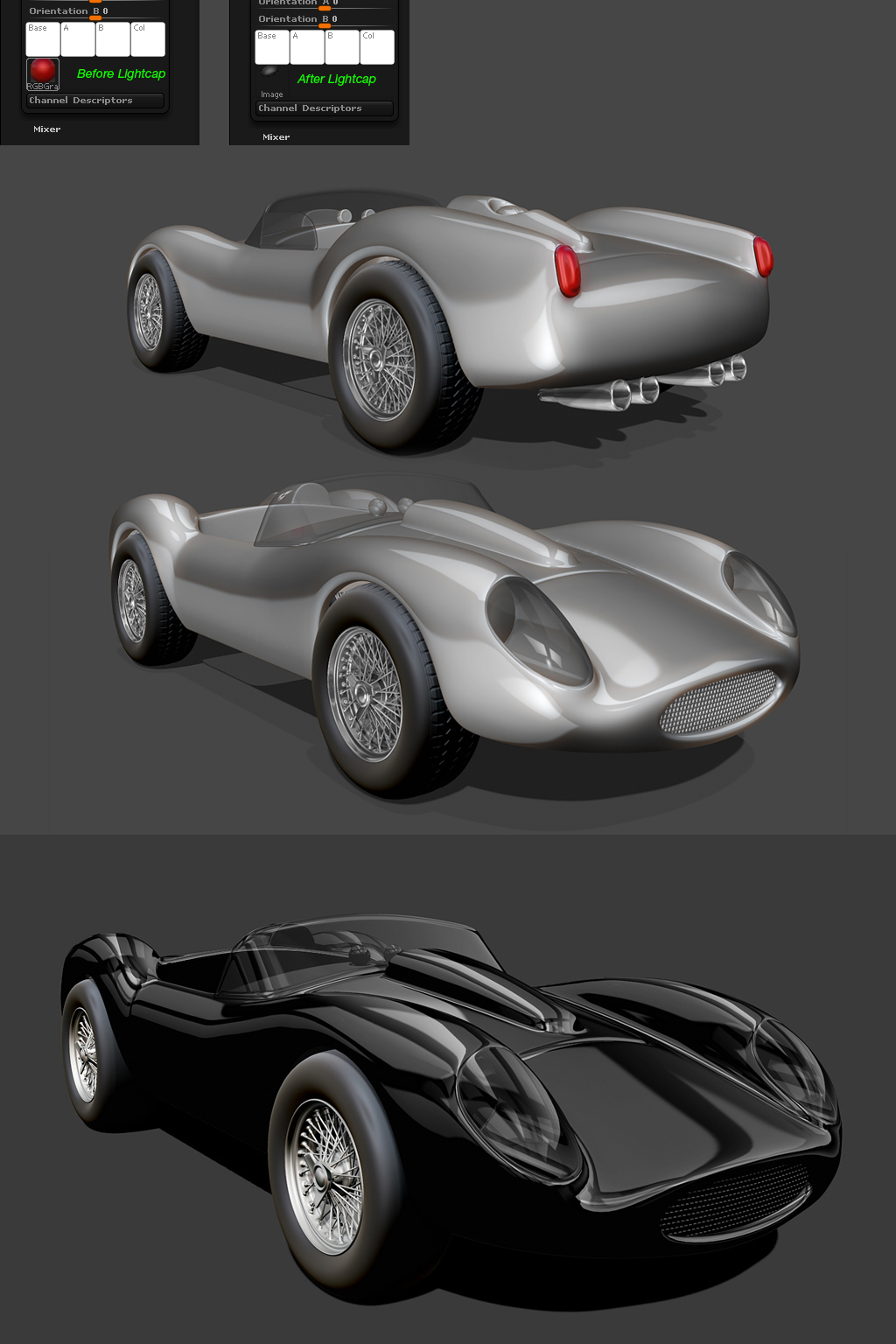
After seeing the Bugatti Lightcap demonstration I felt compelled to dig out an old car model and give it a go. Really excited by the results, but there’s something I’m not sure I understand about Lightcaps with Matcaps or Lightcaps with normal materials…

In the Material/Modifiers dropdown, a Matcap will have a texture loaded. When I go to Lightcap and add a light, that texture gets completely removed and replaced by the Lightcap info… Reading the documentation, my understanding was that the Lightcap should get added to the existing texture, but what happens for example is that the ReflectRed Matcap turns black when I add a Lightcap light…

I hope I’ve made sense in trying to explain this. The image below shows what I mean.

Attachments
Ferrari5.jpg

It doesn’t quite work like that (though I understand how you were confused). The selection of an existing material as a starting point for LightCap is so that you can have a particular set of modifiers. MatCaps differ from regular materials, not just in their textures but in the types of modifier available.

When you use LightCap you are creating baked-in lighting for a whole new material. This means the texture (that has the lighting baked into it) is created from scratch. That’s why it goes black at the start.

Remember you can modifiy an existing MatCap by experimenting with the modifiers. For example, the Orientation slider affects the light direction and the Hue slider affects the color.

Thanks Marcus. So I guess there’s no reason to create a Lightcap with a Matcap material? Another thing I didn’t quite get… Once the Lightcap is setup, it seems to apply to all materials, and the reflections are really glossy looking. But what would you do if you wanted to apply different materials to separate subtools with different surface properties, ie. not so glossy? Is that possible?

ZB materials is really a subject I need to look into a bit further…

By default a model displays the selected material. If you fill a model with a material (by pressing Color>Fill Object when the Draw>M or Draw>Mrgb switch is on) then the model will always display that material. You can also paint other materials on to a filled model.

The SubTool Master plugin makes it easy to fill different subtools with different materials.

As far as LightCap goes, it does matter which material you use as a starting point. MatCap materials have different modifiers from regular materials, and they don’t react to regular lights. You might want to use the features of MatCap with the new Material you create.