ZBrushCentral

Lightbox overlapping buttons

inside my lightbox the “new folder” and “new and hide” buttons overlapp, see-z4.jpg
with the buttons still overlapping

and the last thing … lightbox still opens at start up, even if I uncheck “open at launch” in the preferences tab.

Anyone else having these? … Help?

Attachments
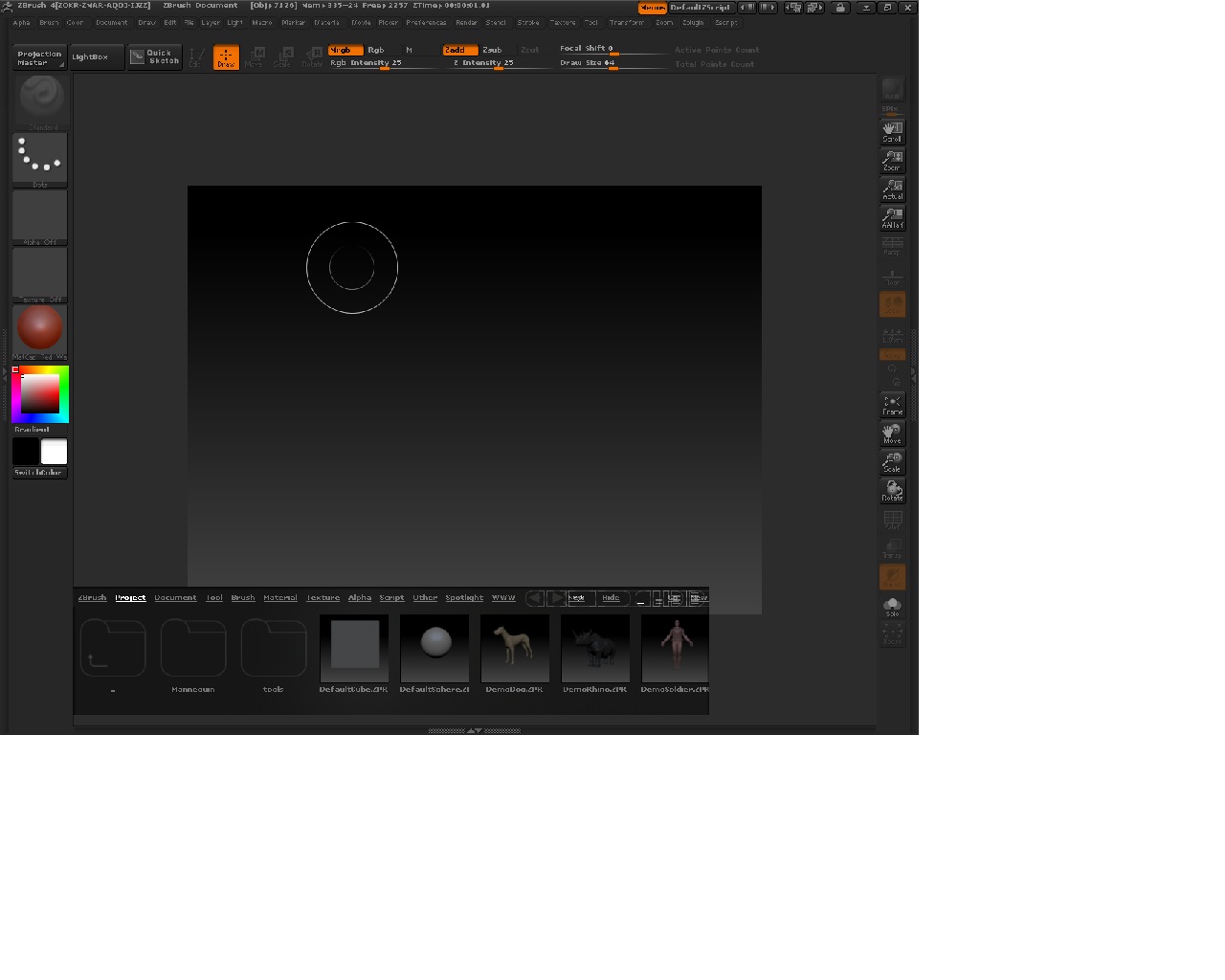
z4_lb.jpg

So far I’m assuming that they are overlapping because I am not running windows at the recommended resolution. 1280x1024 (While I only have 1280x800) but that’s probably not it. I’ve decided to work around it for now by closing the right side panel and saving the configuration. Then when you bring the Lightbox back with the comma button, or have it start up automatically (Like ZB4 seems to prefer) the buttons are not overlapped. I would like to find a way to edit the amount or simply the names of categories in Lightbox. I don’t think I’ll use them all. Anyways I’m going to go mess around with system fonts to see if that has any effect. Probably won’t effect the ZB UI too much but who knows.

Nope, they overlap at 1280x1024 too. :slight_smile:

I had that same problem, but it seems only when I resize my ZBrush window, which does not open up full screen by default. As soon as I would close Lightbox, then re-open it, the buttons would be right and it would stretch across the entire screen like it’s supposed to.

Do you get that same result? Does it only seem to occur when you maximize your ZBrush window?

I get this same issue. I have to close the side devider, close lightbox then reopen it again. cleans it up… but when i open the devider again, it hides the test. sounds like there is an issue with the dynamic text in that window. This is a bug i gather.

Same here!

I’m also getting the same problem with the overlapping text and my screen resolution is also 1280 x 1024. It just looks like the ‘New Folder’ option overlays the layout options.

This maybe enough of an excuse to upgrade my monitor :wink:

See http://www.zbrushcentral.com/showpost.php?p=717428&postcount=799

@Support, that dosent help at all, any other solution?

Should be “on roll over” menu… :frowning: