Does anybody know how to stop Lightbox from being open when you start ZBrush 4? I have “Open at launch” disabled in Preferences but it still opens at startup. Also, I did store config.
I am having the same issue I like the lightbox in ZB4, just don’t want it to start up everytime.
Sorry ill open another thread i got confused and thought it was a general post.
I am having the same problem.
I went to Customize UI , enabled customize: Preferences, Lightbox, and turned OFF the Open At Launch button.
Stored Confic. Restarted ZB and still get the Lightbox.
I don’t want it unless I call it up manually.
does anyone else see this at start up?

Anyone? Probably not anything serious, but still … why are the buttons overlapping?
Attachments
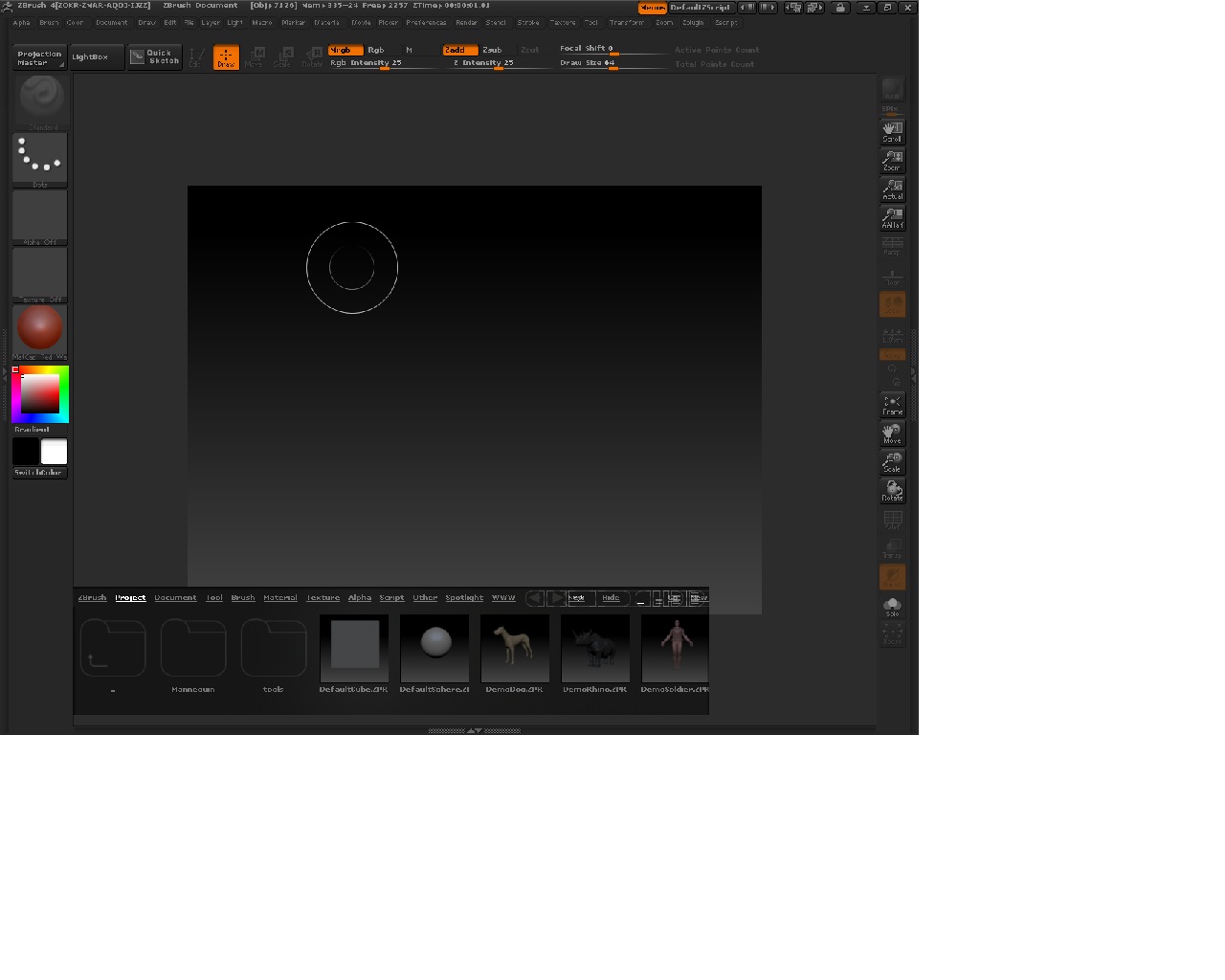
@ squeige and G7ro
I don’t understand what your posts have to do with this thread. Maybe you would have better luck starting your own thread. Just saying.
bump
I expect this issue will be addressed in a point update. In the meantime this method will mean that Lightbox does not open on start up:
- Locate the DefaultZScript.txt file in the ZBrush 4.0\ZScripts folder.
- Open the file in Notepad.
- Edit the file so it looks like this:
//startup
[If,[MemGetSize,Startup_Mem],,
[MVarDef,Startup_Mem,1,0]
[IPress,Preferences:Lightbox:Lightbox]
]
[pd]
- Save the file.
- Restart ZBrush.
Lightbox will probably appear briefly but will not stay open. You can open it any time by using the comma (,) key.
Thanks Marcus, that did the trick!
Great! Thank you very much!
Nice, thanks!
thanks marcus, this really annoyed me 
Hello Marcus,
Your method does not work on my Mac computer (either of them). Is your solution for the Windows version of Zbrush? If so, is there a solution for the Mac version?
Thanks,
Brandon
Thanks that worked. (last Marcus post with code)
This fix didnt work for me for a while, until i realized i had already turned off open at launch and lightbox placement in the prefs. After i started zbrush, turned these 2 settings back ON, and then closed, changed the Default script, saved and opened again, it worked… in case anybody else had that happen.
Tried both what Marcus said and what tooz suggested to do in addition to the code and…no luck.
That Lightbox keeps popping up no matter $#@!-ing what. Ah well.
It’s like seeing your dream car…but it’s only available in pink.
But, I’ll live, lol.
Hitting the comma key to toggle spotlight on and off seems like a pretty easy and quick way to deal with it. It didn’t take long before I just did it by rote after the program booted.
Ezra
Thanks so much!.. I just downloaded Z4 and had this problem and was going out of my mind trying to get that removed.
thanx…