While I love ZBrush in general, it’s a huge pain in the ass sometimes when it comes to certain areas. One of these is a major one and is as follows:
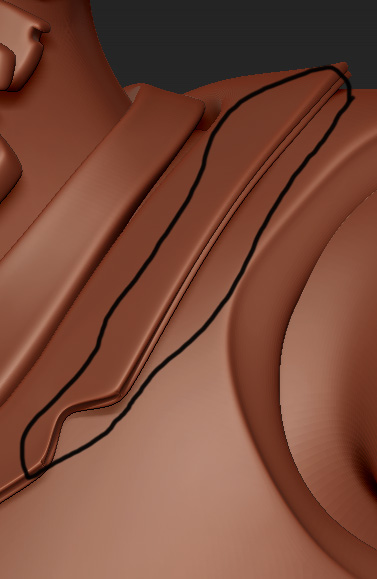
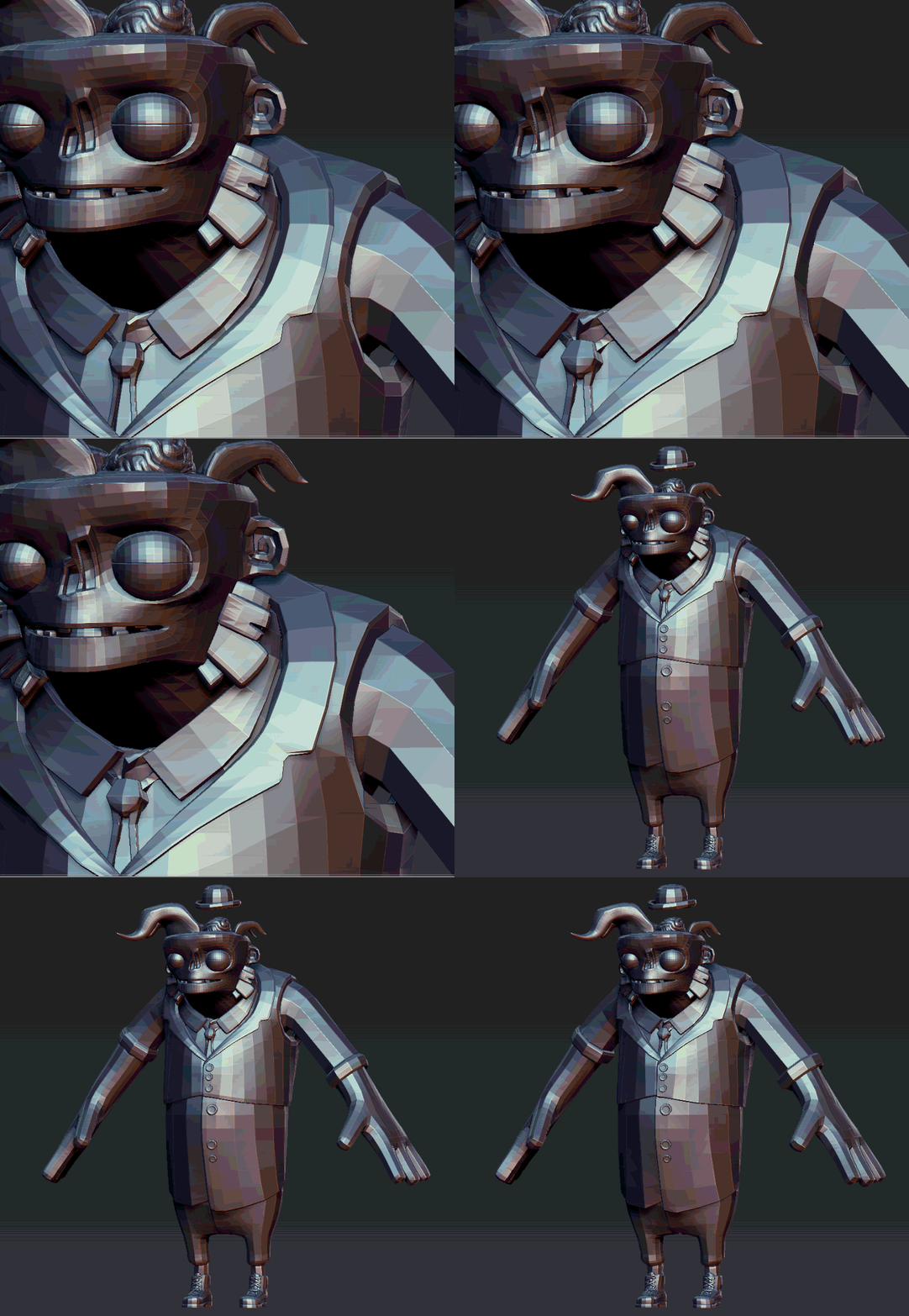
The subdivision algorithm in ZBrush smooths the initial base mesh and not only adding subdivs on top. This is a MASSIVE issue, though it might sound trivial. Check out the example under. Here I’m bringing a model into ZBrush and I’m subdividing it a couple of times, before going back to the lowest level. See the massive difference in some areas between the sub’d mesh and the original base mesh.
If you’re doing concept art and just having fun in ZBrush, I’m sure this isn’t an issue, but when you’re in production it’s massive. You’ve built your base mesh and while the rigger is rigging, you’re sculpting on the model further. Here’s the problem: The mesh you’re basing your displacement map on isnt the same as the one which is being rigged, which will for sure create seam issues with your maps.
In short: ZBrush shouldnt smooth your base level as it’s just creating issues.
Workaround (kinda, sometimes-ish):
Before you subdivide your model, right after it’s imported, you store a morph target. Subdivide the model a couple of times and then go to the lowest level. Switch MT and you’ll have back your initial base mesh without any of the nasty smoothing from ZBrush. The problem here is that this can really mess up your model in some cases. See the example below. In this case, I can’t use this workaround at all, and ZBrush smooths the initial subD level so much that I’m becoming extremely frustrated.
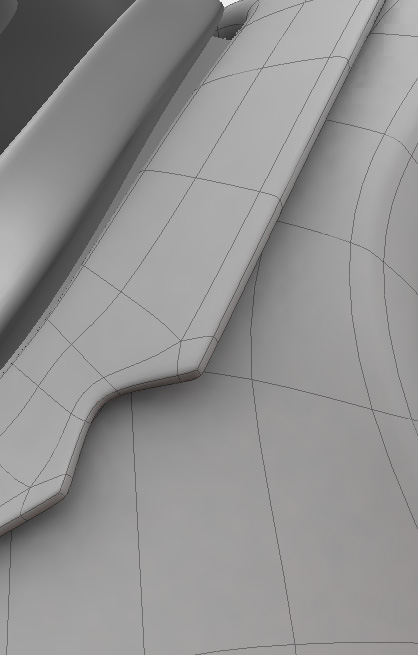
This is the way it’s supposed to be.
So… What do we do about this? Is there ANY fix to this which isn’t a dirty workaround or hack?
Cheers,
Attachments