Hi chaps ,some noob questions coming up ,In 3.5 r2 on windows ,the layers seem to be fixed to only the Subdivision level you create them at ,is this the correct behavior? I thought you could have layers for all the levels.
I hope that made sense ,all the best Robin;)
You can create layers at different subdivision levels provided you turn off the other layers first. You need to turn a layer on or off at the subdivision level it was created. So if you want to be able to mix layers you need to create them at the same subdivision level. Once a layer is switched on you can sculpt at any level.
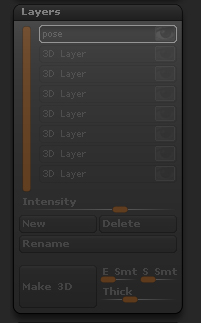
So I have a question about layer I’ve created. It was working very well but now it’s not activ on any subdivision level. I mean that I can’t turn it off any more and I can’t add new layers anymore too. Is there any solution for this kind of situation? What could make my layer swich inactiv. (In previous versions of my file it is activ so I can swich it off and on)
[ ]
]
There are a number of situations where the layers will become unavailable. They are all to do with the mesh polycounts being changed so that the number of polygons at the layer subdivision level are no longer the same (by for example, partially subdividing the mesh).
You could get back the layer option by doing this:
- Export the highest level as an OBJ.
- Switch to the Polymesh3D tool (star) and import the OBJ exported at (1).
- Press Tool>Geometry>Reconstruct Subdiv until you have your subdivision levels back.
HTH,
Thamks marcus. This makes all clear for me now. I’ve addet some edgeloops to my mesh, thats why I’ve lost my layers.
Many thanks Marcus