ZBrushCentral

Layer Geometry Distortion

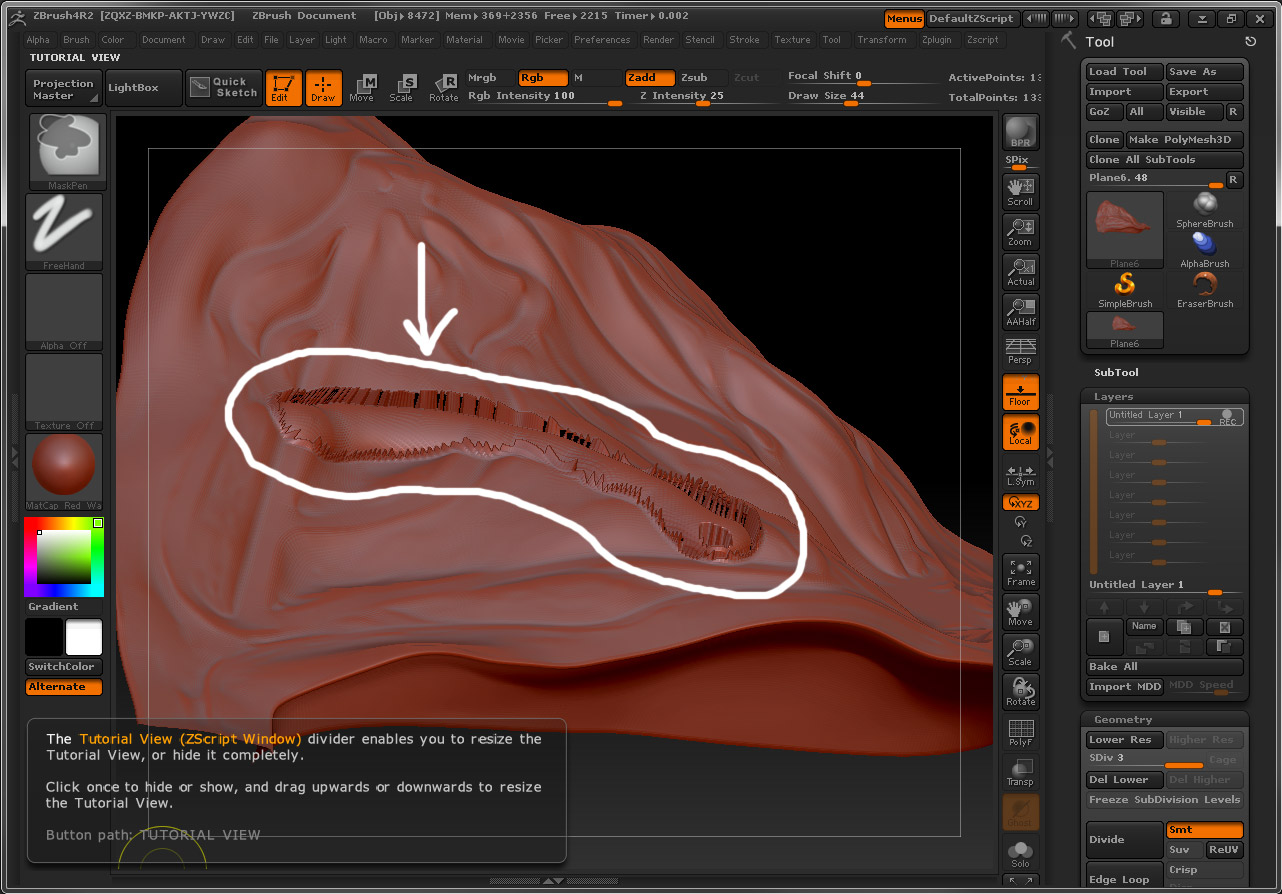
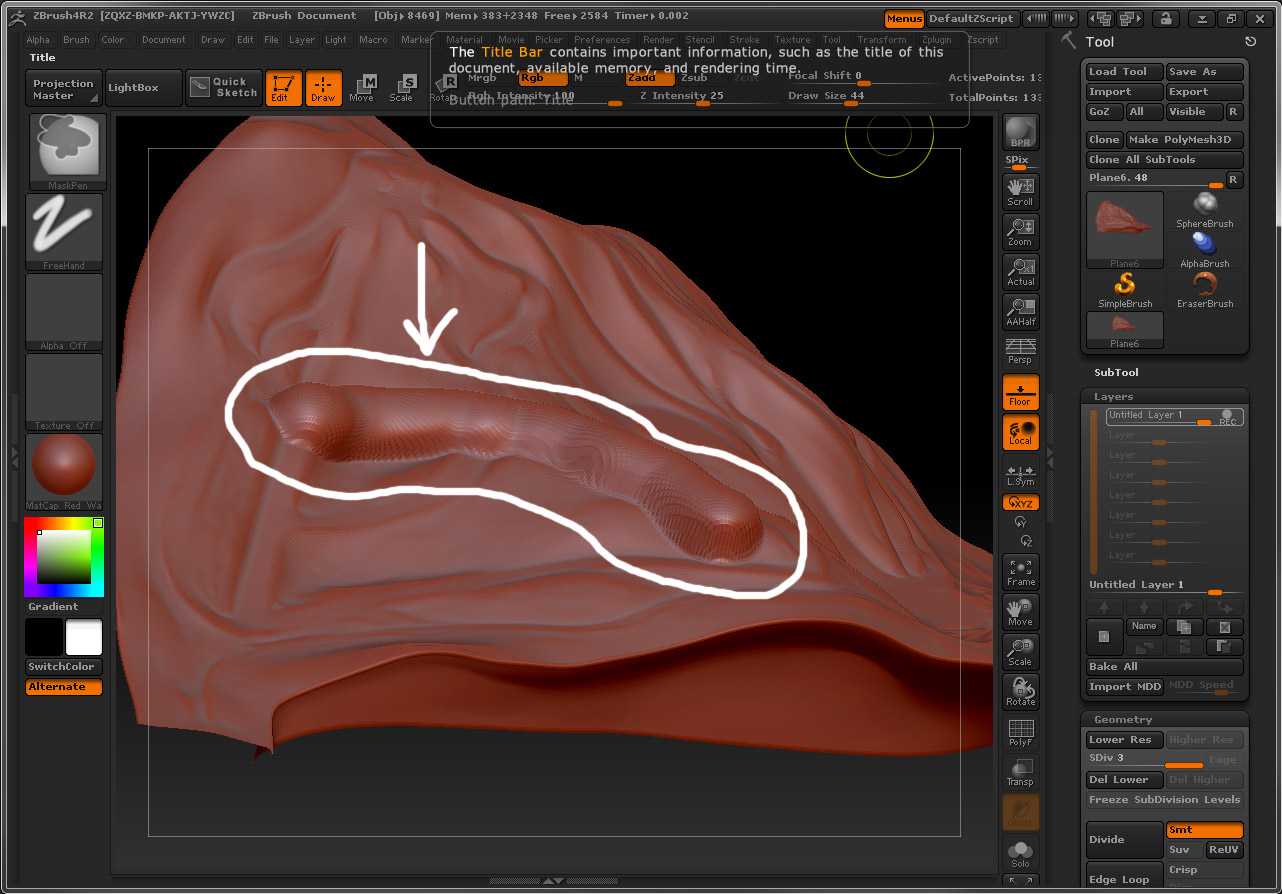
I’m totally new to ZBrush and am trying to understand why the modeling I do to a layer distorts as soon as I turn off layer recording. (Before and after screen shots below.) I cannot replicate this problem on a generic sphere, so I’m thinking it may have something to do with the scale of the model I’ve transferred in through GoZ (it’s a couple of kilometers). Can anyone help troubleshoot, or clue me in to rules of thumb regarding model size? Thanks!

Attachments
before.jpg

after.jpg

First, please update to version 4R3 and then see if you’re still getting the same results.

http://www.pixologic.com/zbrush/downloadcenter/instructions.php

Thanks, I have done so, but with the same results.

Also, I scaled down the original model (0.1% of original size) and the problem went away … so I guess there’s a scale range I need to stay inside.

Yes, that is true. It was the next thing I was going to have you check for, once we’d established you were at the most current version. A quick and easy way to check is to look at the Tool>Preview window. If the model is badly out of scale it will easily be apparent there as either way too big or too small relative to that window. The window itself represents 1 ZBrush Unit across, which is the ideal size – although there is a decent about of leeway.

Happy ZBrushing!

Okay, good information … thanks for your help.