Hello!
Two rookie questions/issues please.
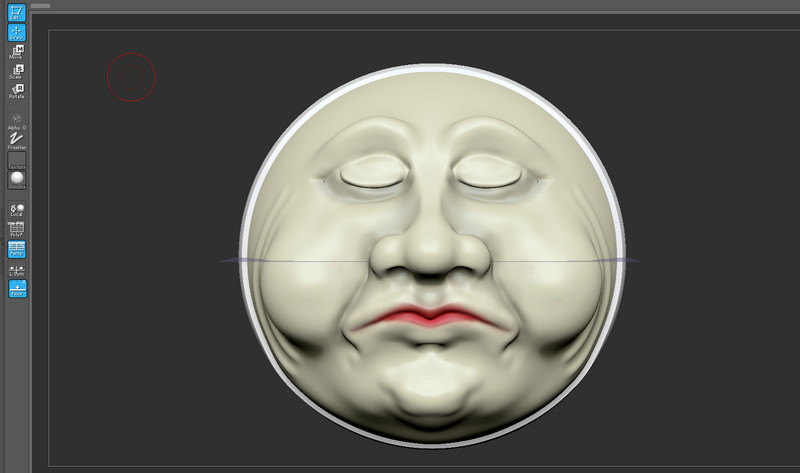
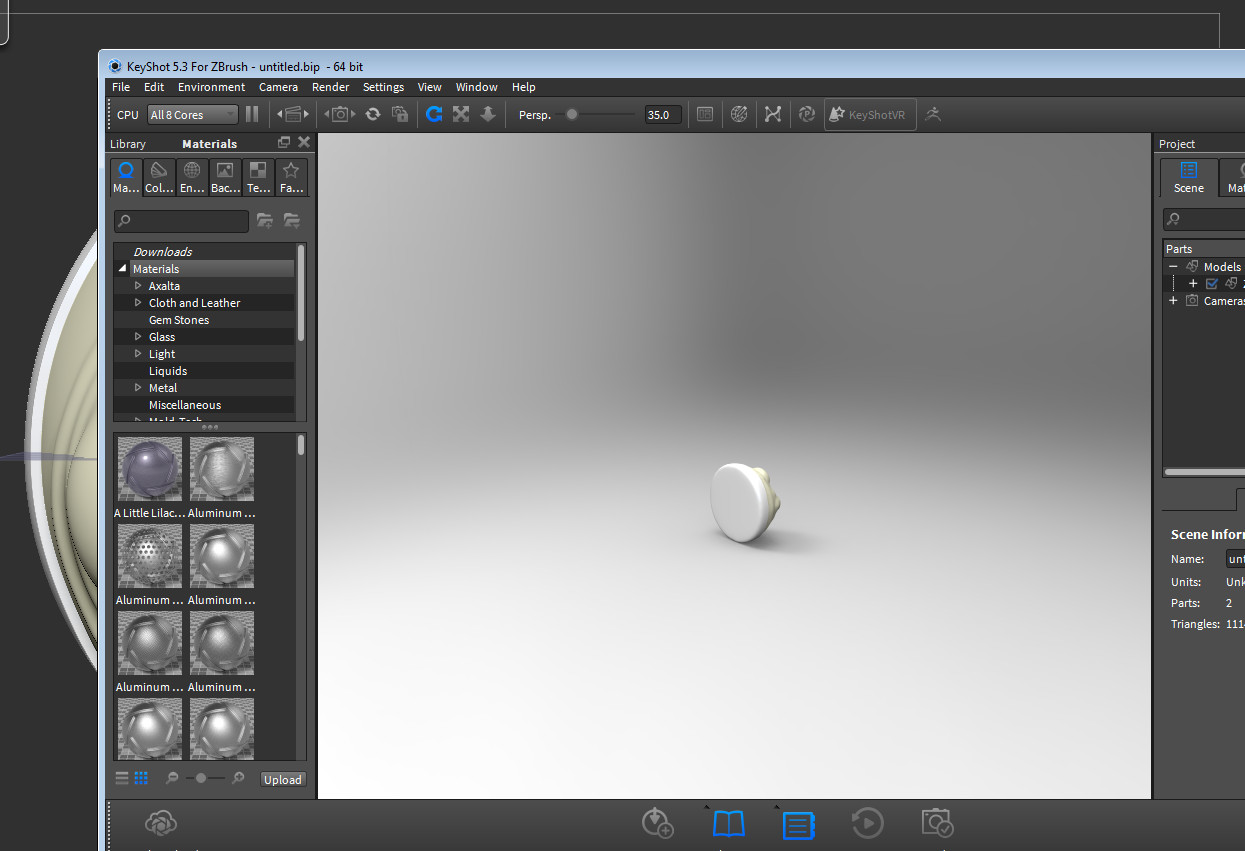
1 - See attached images - 1st image is how my subtool is oriented in Zbrush - 2nd image is how it appears when I send to KeyShot through the bridge. Something must have gotten out of whack as far as orientation in Zbrush. I tried a new subtool sphere and sent to KS and it was right. How can I reset my model in Zbrush to be at 0,0,0? I tried setting pivot point and that didn’t help. I don’t remember ever rotating it so not sure how it get’s off.
2 - Also now when I open my file I have to hit T to get into edit mode or I start creating new subtools just like it was a new document. I don’t know how I screwed that up but I would like to be able to open the file and continue editing without that.
Thank you!
Daf
Attachments